MUHAN MODULAR User Manual
한국어English
MUHAN MODULAR MODULAR SYNTH
About the instrumentOpen modular synth full size
USER MANUAL · ver 1.0.28

Getting started.A practical guide to making sound and visuals.

MUHAN MODULAR is an app for creating sound and visuals by placing modules in a case and connecting them with cables. No sheet music or keyboard is required. This manual takes complete beginners from opening the instrument to exploring every module, with real app screenshots.

55 modules52 lessonssound + videomenus in English, lesson cards in Korean or English
MUHAN MODULAR / LIVE INSTRUMENTOpen full size in a new tab
Desktop recommended. Use MUTE to stop the sound.WEB AUDIO / MIDI / VISUALS
01 · Getting started

Getting started: your first sound in a minute

The web edition needs no installation. Follow these steps to make your first sound.

  1. Open the app
    Launch the instrument in your browser (Chrome or Edge recommended), or choose Open full size in a new tab to keep the manual open alongside it.
  2. Click once to start
    If your browser blocks autoplay, it shows “Click anywhere to start the sound.” Click anywhere once to enable audio.
  3. Follow lesson 1
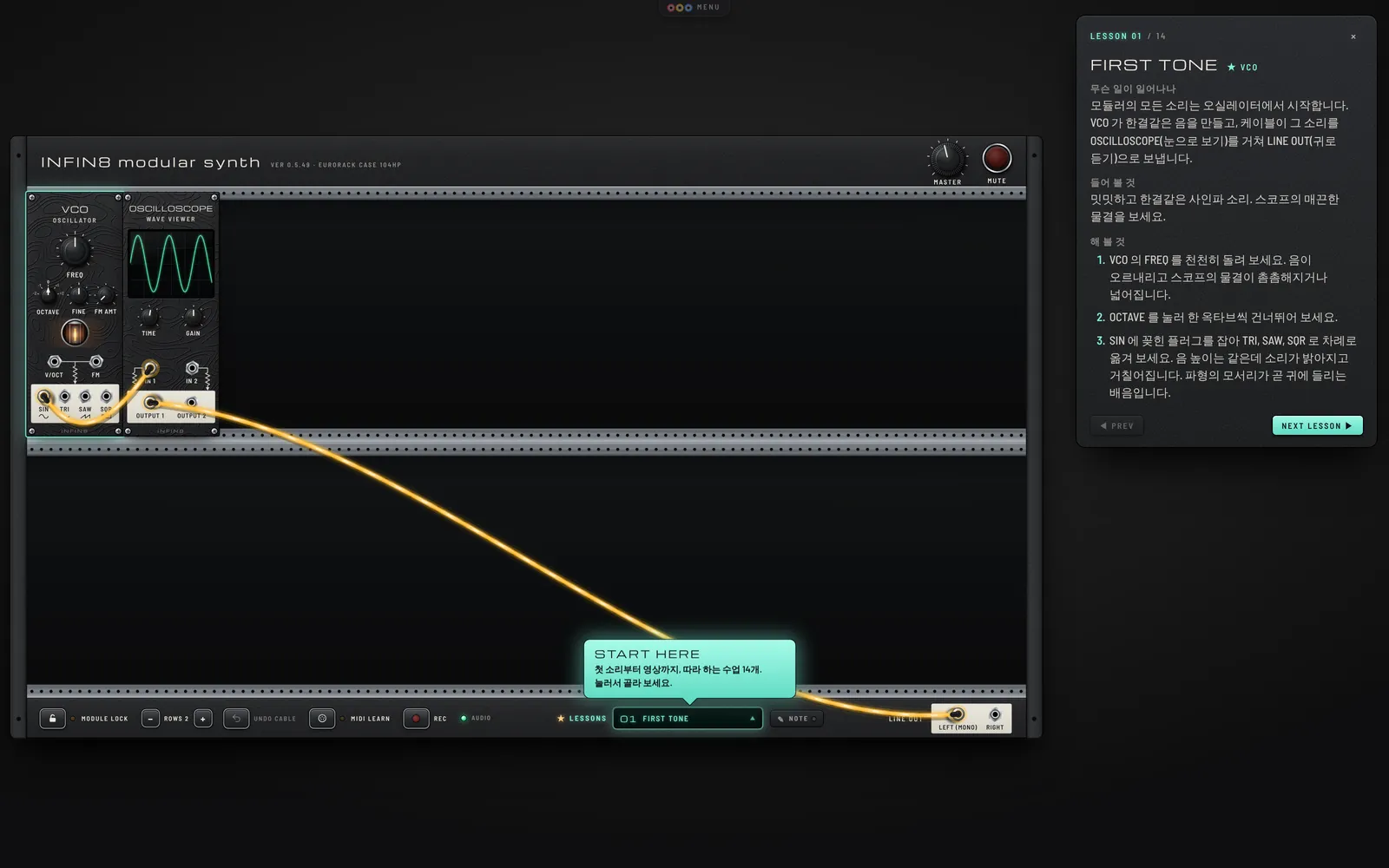
    The landing page starts with lesson 24, PLINK AND SPACE; the instrument embedded in this manual starts with lesson 1, FIRST TONE. At the bottom of the case, open LESSONS and select lesson 1, FIRST TONE. The card at the upper right explains what to listen for and try. Use NEXT LESSON ▶ to continue to the next lesson.
  4. Adjust the volume
    Drag the MASTER knob at the upper right up or down. For quick muting, press Space.
If the interface is slowClose other busy apps and tabs, or reduce the number and output size of visual modules.
MUHAN MODULAR interface screenshot
The top menu normally stays hidden. Move your pointer over the MENU tab at the top center to reveal it.
02 · The screen

Screen tour

MUHAN MODULAR resembles a real Eurorack case. Follow the numbered markers to learn each part and its role.

MUHAN MODULAR interface screenshot 1 2 3 4 5 6 7 8 9
  1. 1
    MENU tabAdd module, New, File → Open / Save, Share this sound and Make your own module.
  2. 2
    MASTER · MUTEMaster volume and mute. The button glows red while muted.
  3. 3
    ModuleA device that creates or processes signals, with knobs, switches and jacks. The featured module in a lesson has a subtle glowing border.
  4. 4
    Jacks (white area = outputs)Jacks in the cream-colored area at the bottom of a panel send signals: outputs. Jacks above receive signals: inputs.
  5. 5
    CableA connection carrying a signal from an output to an input. Moving light travels along active cables in the signal direction.
  6. 6
    Case controlsModule lock, row count, cable undo, MIDI mapping and recording. More details below.
  7. 7
    ★ LESSONS · NOTEOpen the list of 70 lessons, or write a note about your own project.
  8. 8
    LINE OUTThe final output to your speakers. Connect a cable here to hear sound. If RIGHT is empty, LEFT feeds both channels.
  9. 9
    Lesson cardExplains what the patch does, what to listen for and what to try. Click its title to collapse it.
03 · Modular in 5 minutes

Modular synthesis: the essentials

Think of modular synthesis as building with blocks. Choose modules with specific jobs and connect them: the connections become your instrument.

Generate sound

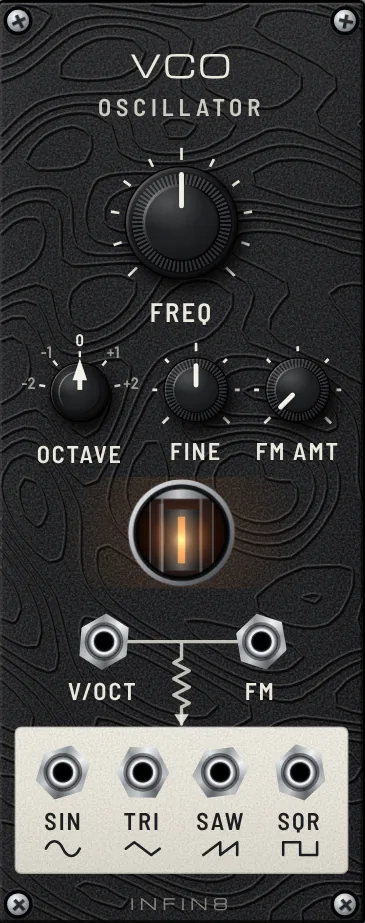
VCO (an oscillator) produces a basic tone, the starting point of a sound patch.

Shape sound

VCF (a filter) removes bright frequencies to soften a sound or create moving vowel-like tones.

Move knobs automatically

LFO or a sequencer changes parameters slowly or in time with the beat. This is called modulation.

Send sound out

Connect the final sound to LINE OUT to hear it through your speakers. Combine multiple sounds with MIXER.

The simplest signal chain

Read signals through cable colors

Cable color and light show what is flowing. Without a signal, a cable looks like dark gray rubber.

Sound (audio)Low frequencies appear red, passing through yellow and white to blue at high frequencies. Louder signals glow brighter.
Control voltage (CV)Signals that control pitch, filters or other parameters. They are monochrome; faster changes make the light brighter and move faster.
Trigger · gateA trigger means “play now”; a gate stays active while a note is held. Drums and sequencers commonly use these signals.
VideoRound, purple-bordered BNC-style jacks and spring-striped cables. Audio and CV cables cannot connect to video jacks.
Follow the panel markings.Zigzag resistor symbols and arrows trace the route from inputs to outputs. Follow them to see where signals enter and leave.
04 · Hands on

Hands-on controls

Most controls use dragging. Use the mouse as if you were handling real equipment.

MUHAN MODULAR interface screenshot

Turn a knob

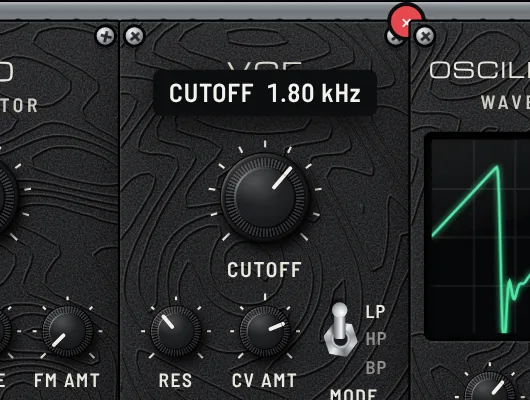
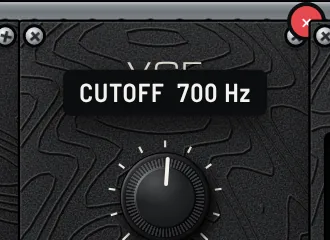
Grab a knob and drag up or down. A value tooltip appears as you turn it.Shift while dragging for fine adjustment; double-click to restore the default value.

MUHAN MODULAR interface screenshot

Connect a cable

Drag from an output jack (white area) to an input jack. You can move an existing plug to another jack. Dropping it on an empty area returns it to its original position.Double-click a connected jack to remove its cable.Use UNDO CABLE on the bottom control bar to undo cable changes.

MUHAN MODULAR interface screenshot

Read a jack description

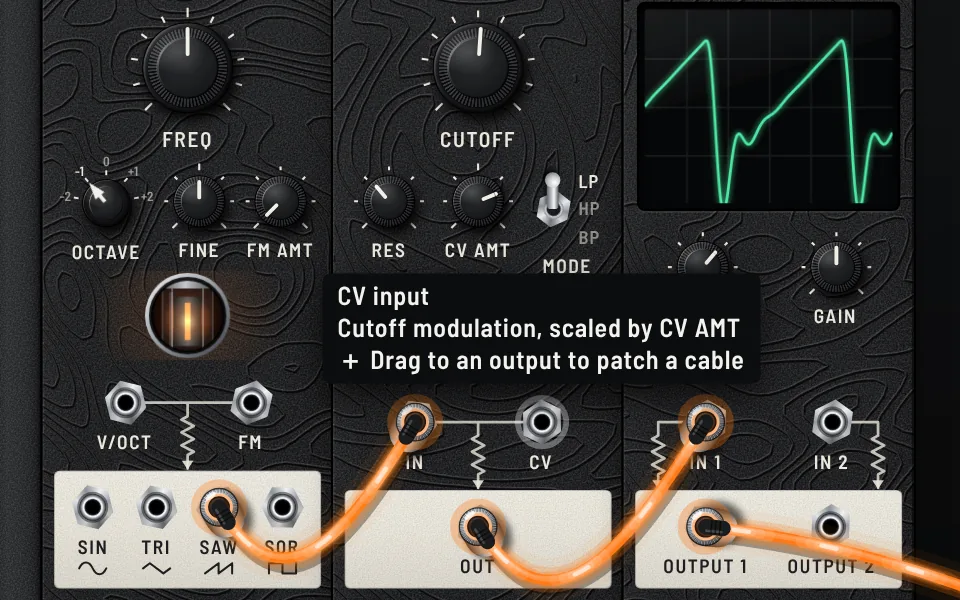
On a jack, hover the pointer to see a tooltip explaining what it sends or receives. Try this whenever a jack is unfamiliar.

MUHAN MODULAR interface screenshot

Move or remove a module

Drag an empty part of its panel to move it. Hover to reveal the red × button for removal.

Controls at a glance

ActionHow
Add a moduleChoose Add module, or double-click an empty spot in the rack double-click to place a module there.
Remove a cableDouble-click or right-click the connected jack
Branch an outputCtrl (Mac: ⌘) or Alt while dragging from an output. Each input accepts only one cable.
Undo a cable changeCtrl+Z (Mac: ⌘+Z) or the case control UNDO CABLE
Toggle switchClick the switch to cycle positions, or click a label to select it directly
Zoom in or outCtrl (Mac: Ctrl/⌘) while scrolling the mouse wheel, up to 4×. When zoomed in, drag an empty area or use the middle mouse button to pan.0 key or the top-left FIT control to reset the view
MuteSpace or MUTE
Save or openCtrl+S to save; Ctrl+O to open a file (on Mac use ⌘)
On a phoneMODULE LOCK and use two fingers to zoom and pan
05 · The case

Controls along the bottom of the case

The bottom strip contains controls for managing your patch. Here they are from left to right.

MUHAN MODULAR interface screenshot
MODULE LOCK
Lights amber when enabled and prevents accidental module movement.
− ROWS +
Case row count, up to six rows. You can remove a row only when the last row is empty.
UNDO CABLE
Undo cable connections or removals one at a time.
MIDI LEARN
Map knobs to your MIDI controller: click MIDI LEARN, move a rack knob, then turn a controller knob. Mapped knobs have a green dot. Chrome or Edge required.
REC
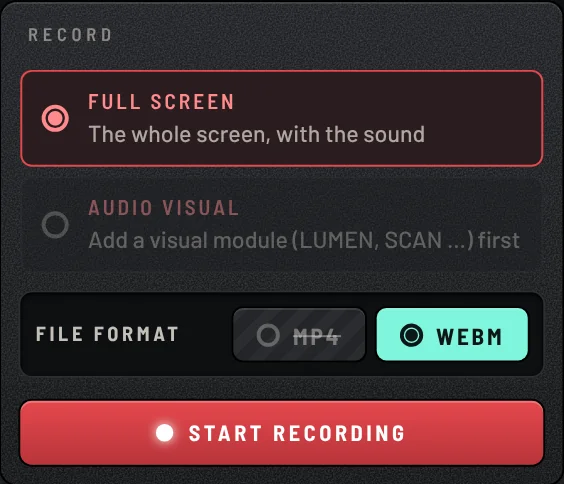
Record the rack or visuals with audio. See Recording below.
★ LESSONS
The list of 70 lessons. Selecting one replaces the rack with its patch. If you change it, the card shows EDITED.
NOTE
Write a project note in a lesson-style card. The note is included in the saved file, letting you create your own lesson.
LINE OUT
The final speaker output: LEFT (MONO) and RIGHT.
06 · 71 LESSONS · v1.0.28

71 preset lessons

Learn the basics, genres, signature tones, DAW connections and sound design. Open a lesson and learn by changing knobs and cables.

BASICS
FIRST TONE
Earlier-version capture. Open the lesson for its current patch and settings.
LESSON 1

FIRST TONE

An oscillator on its own: pitch and waveform.

Lesson guide

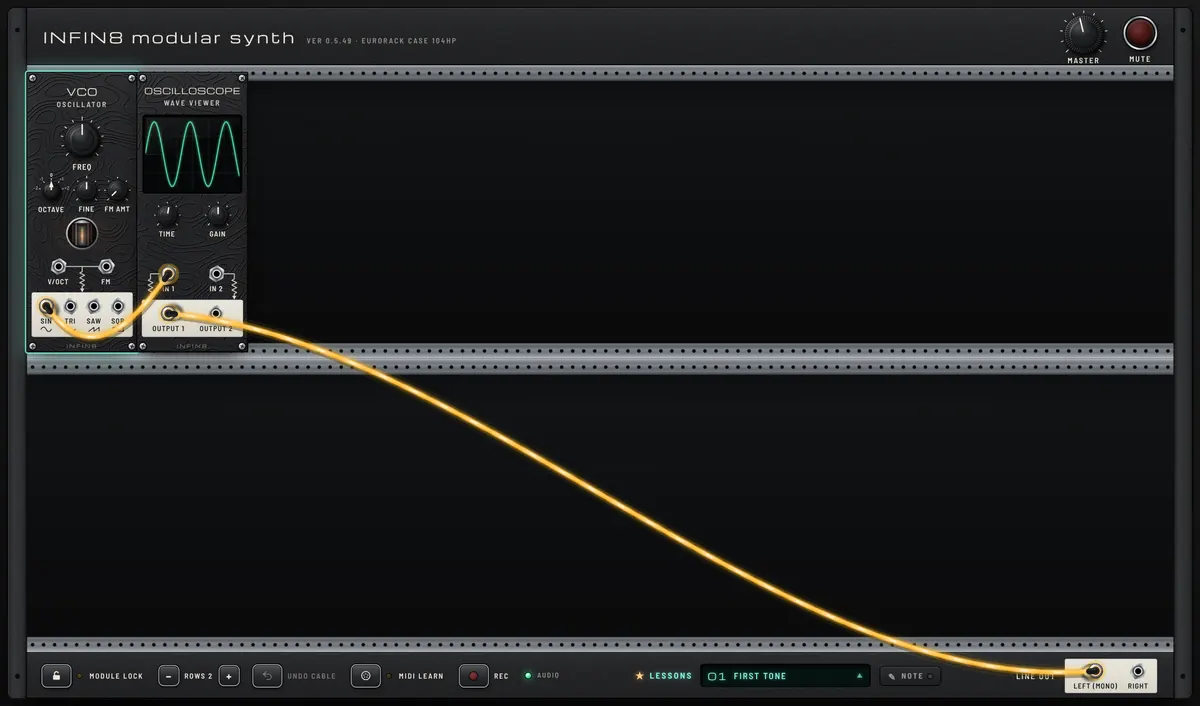
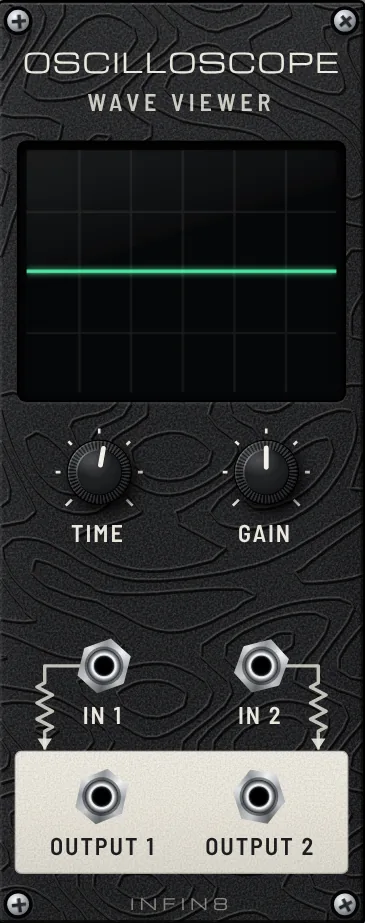
Every sound in a modular starts at an oscillator. The VCO makes a steady tone; the cable carries it through the OSCILLOSCOPE (so you can see it) to LINE OUT (so you can hear it).

A plain, steady sine tone. Look at the smooth wave on the scope.

  • Turn VCO FREQ slowly. Pitch rises and falls, and the wave on the scope gets tighter or wider.
  • Click OCTAVE to jump a whole octave up or down.
  • Grab the plug on SIN and move it to TRI, then SAW, then SQR. Same pitch, brighter and buzzier tone: the extra corners in the wave are the extra harmonics you hear.
Open lesson ↗
CARVING TONE
Earlier-version capture. Open the lesson for its current patch and settings.
LESSON 2

CARVING TONE

A filter takes brightness away: subtractive synthesis.

Lesson guide

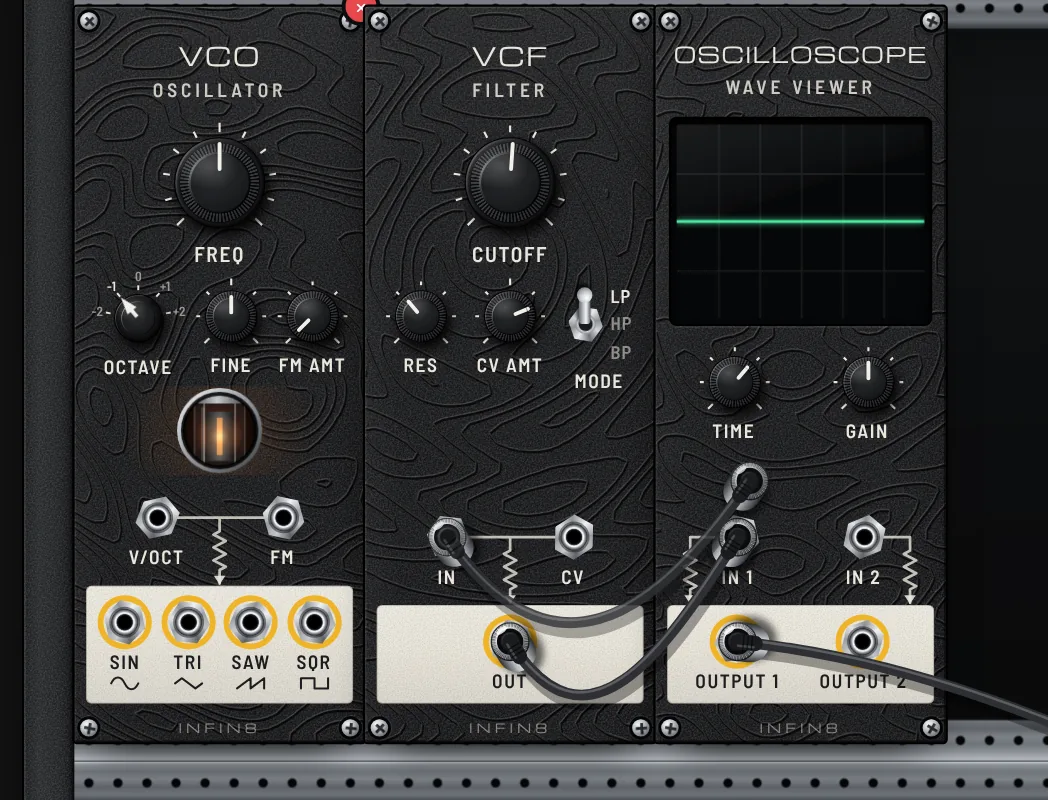
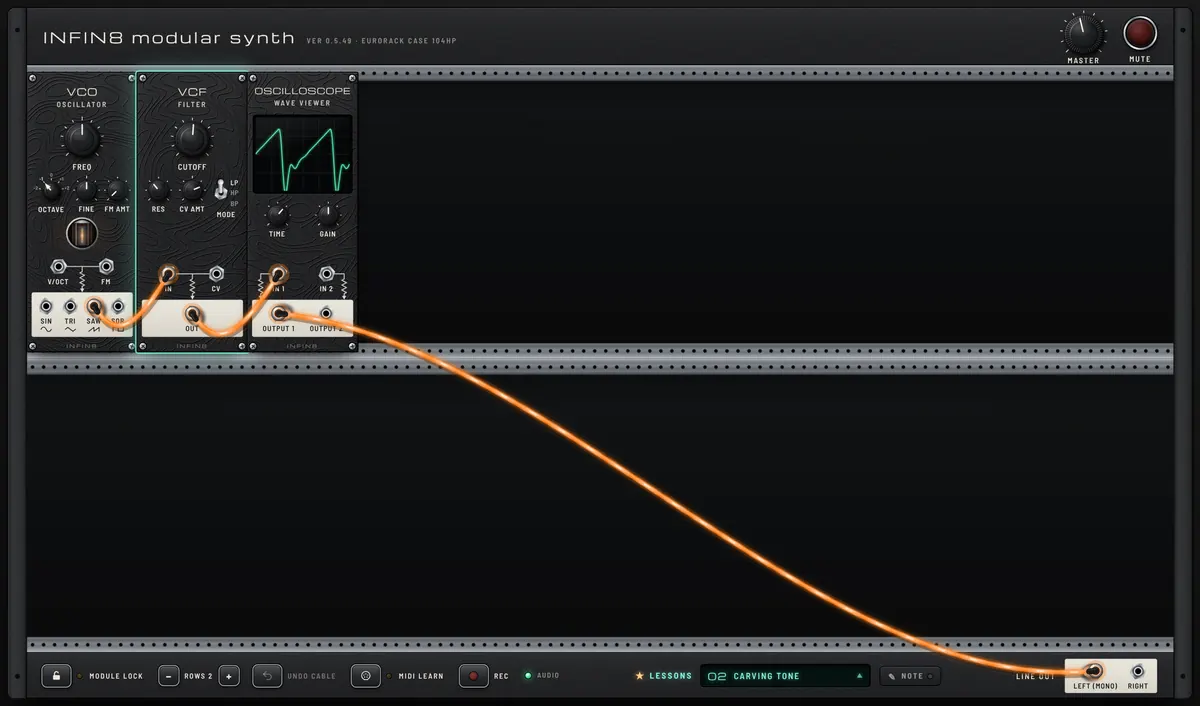
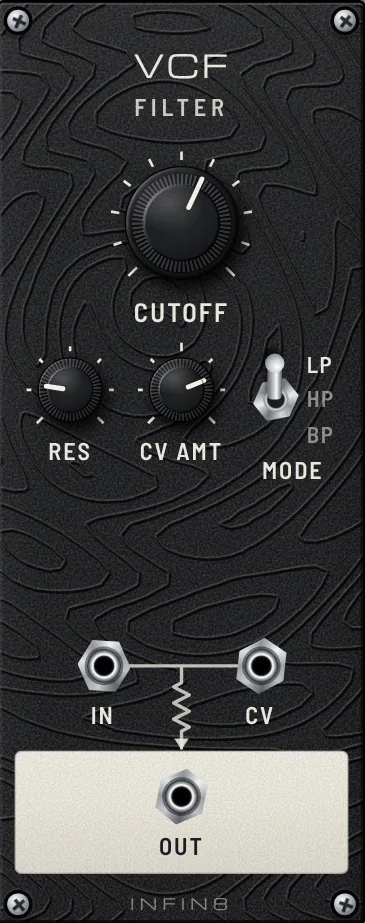
Start with a bright, buzzy SAW wave and carve it with the VCF. A low-pass filter lets the low part of the sound through and removes the highs above CUTOFF. This is subtractive synthesis, the classic analog recipe.

A darker, rounder version of the saw. Compare the jagged wave you would expect with the softened one on the scope.

  • Sweep CUTOFF from left to right: muffled, then open and bright.
  • Raise RES (resonance). A whistle appears at the cutoff point. Sweep CUTOFF again to hear it sing.
  • Flip MODE to HP (keeps only highs, thin) and BP (a narrow band, nasal).
  • Move the plug from VCF OUT straight to the scope to hear the raw saw, then back.
Open lesson ↗
MOVEMENT
Earlier-version capture. Open the lesson for its current patch and settings.
LESSON 3

MOVEMENT

A slow wave turns the knob for you: modulation.

Lesson guide

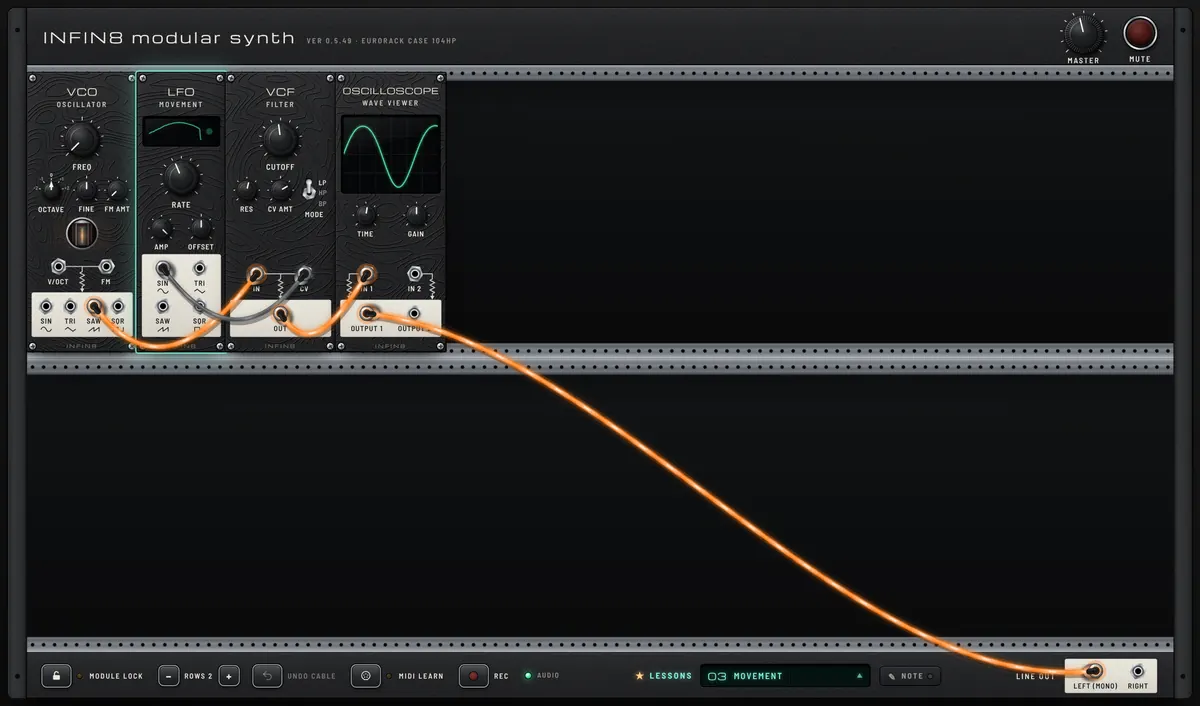
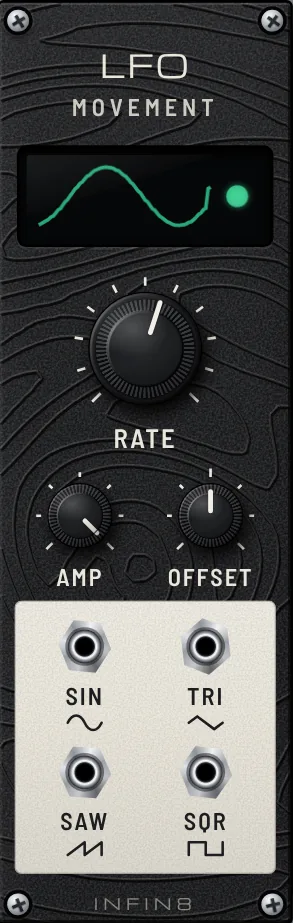
An LFO is an oscillator too slow to hear. Instead of making sound it moves something: here it opens and closes the filter over and over. Patching one module to control another is called modulation, and it is what makes a modular come alive. The sound runs left to right through VCO, VCF and SCOPE; the LFO sits apart in the empty space and reaches over with a single control cable.

The filter breathing in and out on its own, like a slow wah.

  • Turn LFO RATE up and down: from slow sweeps to a fast wobble.
  • Turn VCF CV AMT: how far the LFO moves the cutoff. Below the middle it moves it the other way.
  • Move the LFO plug from SIN to SQR: the filter now jumps between two places.
  • Move the LFO cable from VCF CV to VCO FM, then raise VCO FM AMT: now the pitch moves instead (vibrato, then a siren).
Open lesson ↗
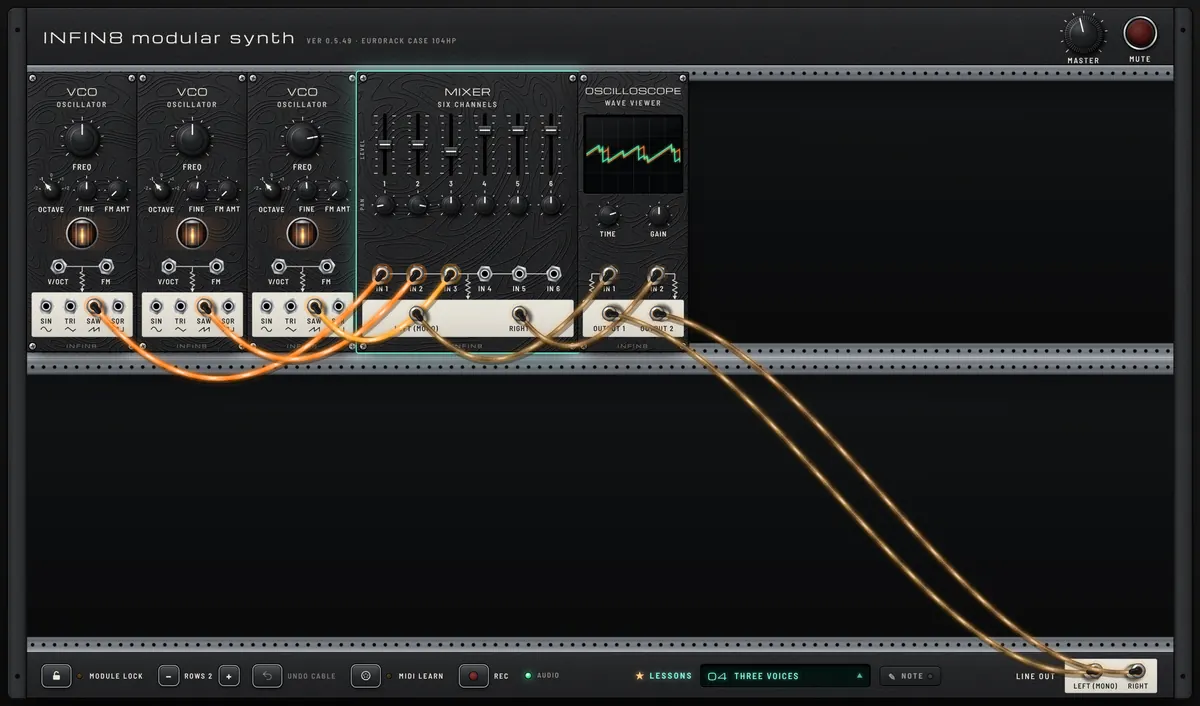
THREE VOICES
Earlier-version capture. Open the lesson for its current patch and settings.
LESSON 4

THREE VOICES

Several sources blended, detuned and spread in stereo.

Lesson guide

Three VCOs play at once: two on the same note, one a fifth above. The MIXER sets how loud each one is (the faders) and where it sits between left and right speakers (PAN). Its LEFT and RIGHT outputs go through the scope to both LINE OUT jacks.

A wide, slowly shimmering chord. The shimmer comes from the two lower VCOs being very slightly out of tune with each other.

  • Pull fader 3 down and up: the fifth disappears and returns.
  • Turn the FINE knob on the second VCO. Near zero the shimmer stops; further away it beats faster, then sounds out of tune.
  • Turn PAN 1 and PAN 2 toward the middle, then back out. Hear the chord go narrow and wide.
  • Change the third VCO FREQ to try other intervals over the same root.
Open lesson ↗
SEQUENCING
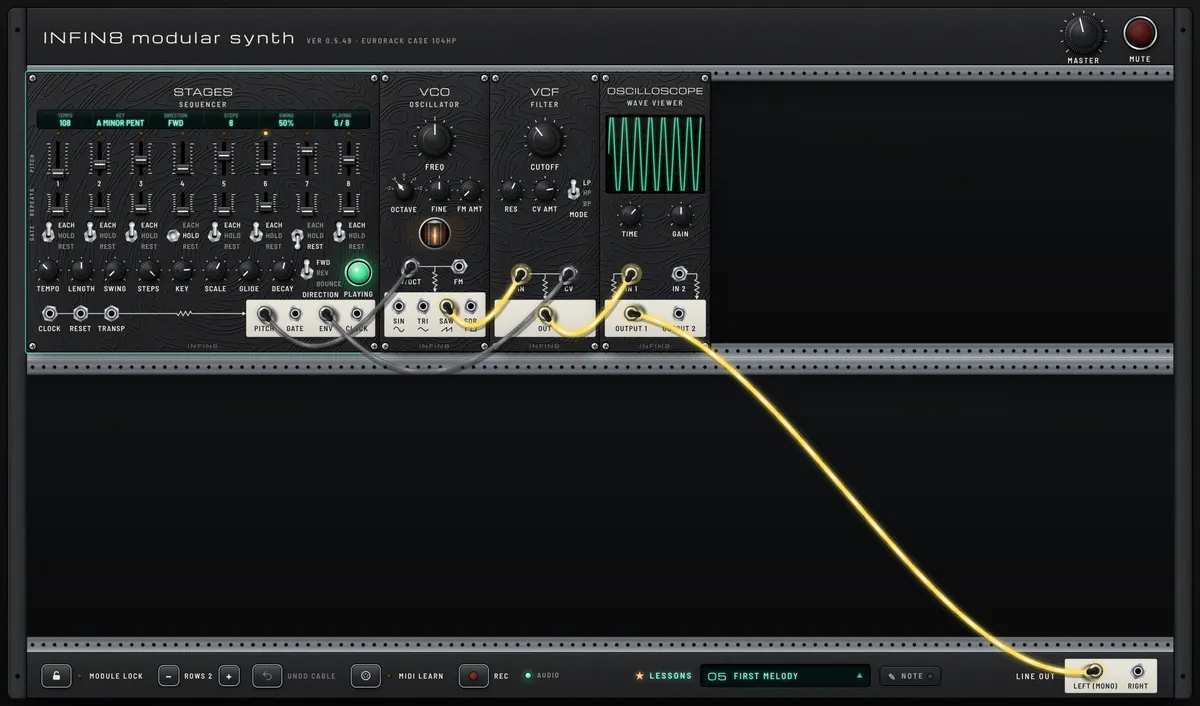
FIRST MELODY
Earlier-version capture. Open the lesson for its current patch and settings.
LESSON 5

FIRST MELODY

A step sequencer plays notes and shapes each one.

Lesson guide

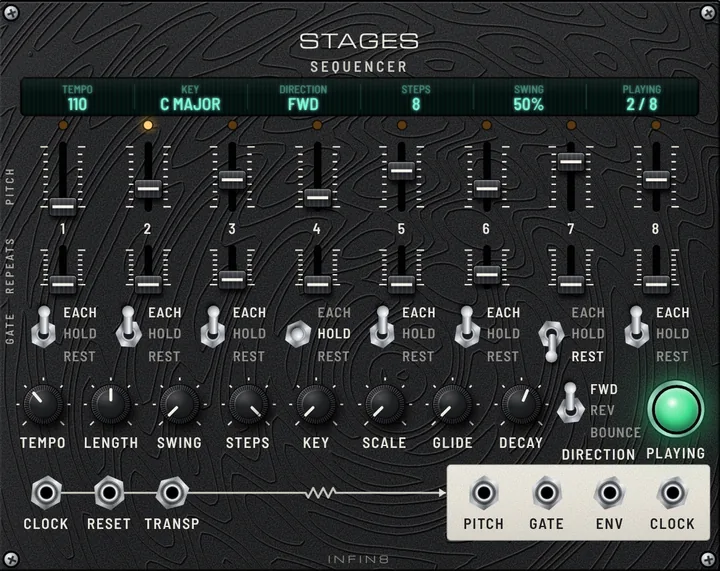
STAGES is a step sequencer: it walks through eight steps, sending a pitch for each one. PITCH goes to VCO V/OCT (which note to play). ENV is a quick swell-and-fade on every note; into VCF CV it opens the filter at each note, which makes the notes pluck instead of drone.

A looping eight-step melody with plucky notes.

  • Drag the PITCH sliders to write your own tune. Every note stays in the SCALE, so nothing sounds wrong.
  • Change SCALE and KEY: the same shape turns major, minor or pentatonic.
  • Set a GATE switch to HOLD (tie into the next note) or REST (silence), and a REPEATS slider to 2 or 3 (a longer note).
  • Turn DECAY for short blips or long swells, and GLIDE to slide between notes.
Open lesson ↗
LESSON 6

WHAT IS A GATE

A gate is a simple on/off signal: high while a note is held, low when it is let go. Watch it, hear it open a VCA, then let an ADSR shape it.

Lesson guide

Every sequencer and keyboard sends two things: PITCH (which note) and GATE (when, and for how long). A gate has only two states: high (about 1, “key down”) and low (0, “key up”). Here the STAGES GATE goes straight into the VCA’s CV: while the gate is high the VCA door is fully open and you hear the VCO, when it drops the sound stops dead. The SCOPE (TIME set long, so it scrolls) shows it: the green trace is the gate itself — square blocks rising from the middle line, one per note — and the orange band is the sound that comes through only while a block is up. Next to it waits an ADSR that is not patched yet: a gate says WHEN, an envelope says HOW.

Organ-like notes that switch on and off abruptly, exactly as long as each green gate block on the scope. Step 3 holds longer, step 6 is silent. Turn SCOPE TIME short to see the wave itself instead.

  • Turn LENGTH on STAGES: the gate blocks on the scope get wider or narrower, and the notes longer or shorter. Same pitches, different gates.
  • Flip a step’s GATE switch: EACH = a new gate on every beat, HOLD = one long gate for the whole step, REST = no gate at all (silence). Watch the blocks change.
  • Pull the GATE → VCA CV cable out: the gate is gone, the VCA stays shut, silence — even though the VCO is still humming inside.
  • Now patch the STAGES GATE into ADSR GATE, and ADSR ENV into the VCA CV instead. The same gates now open the door with a shape: turn A for a slow fade-in, R for a tail after the gate ends.
  • Patch ADSR ENV into the SCOPE’s second input too: see the gate (square) and the envelope it triggers (a curve) one above the other.
Open lesson ↗
LESSON 7

FAT BASS

Four VCOs, one waveform each, in different octaves, mixed into one low, sharp bass, through the classic ladder filter.

Lesson guide

Big analog bass sounds stack several oscillators. Here four VCOs all play the same STAGES notes, each sending one waveform: SIN and SQR three octaves down (a round sub you feel more than hear, and a hollow, hard body), SAW two octaves down (buzzy bite) and TRI one octave down (a little shine on top): each VCO has OCTAVE set and FREQ turned one octave lower. The MIXER leans on the square and the saw for a low, sharp bass, then LADDER, the classic 24 dB transistor-ladder filter most synths copy, rounds it off and growls when DRIVE pushes it. The STAGES envelope opens the filter on every note (ENV) and the pitch also goes to LADDER V/OCT, so low and high notes sound even. STAGES runs on its own at 145 BPM.

A low, sharp bass line: a deep sub underneath, a hard buzzing edge on top and a squelch on every note,, a hard techno bass at 145 BPM.

  • On the MIXER, bring faders 1–4 down one at a time (1 SIN, 2 TRI, 3 SAW, 4 SQR): hear what each oscillator adds. Then mix them back.
  • Change OCTAVE on one VCO: put the SAW VCO down with the others for a heavier, darker bass, or up for a brighter one.
  • Turn LADDER CUTOFF slowly from low to high: from a dark thud to a bright buzz.
  • Turn RES up: a squelchy peak rides on every note. Near the top the filter starts to whistle by itself.
  • Turn DRIVE up for a fatter, saturated bass, and ENV for more or less “wow” on each note.
  • Change the bass notes on STAGES (the pitch sliders): all four VCOs follow.
Open lesson ↗
LESSON 8

OPEN AND CLOSE

Press a key: the gate opens an envelope, the envelope opens the VCA.

Lesson guide

The VCO hums all the time. The VCA is a volume door: shut, you hear nothing. KEYS sends a GATE while you hold a key (that is the trigger: "now!"). ADSR turns the gate into a shape: Attack rise, Decay fall, Sustain hold, Release fade. That shape opens the VCA door. Gate = when, ADSR = how, VCA = how loud.

Silence, until you press a key.

  • Play KEYS: click the keys, or press A W S E D F T G Y H U J K on your computer keyboard (Z/X = octave). A MIDI keyboard works too (press MIDI once).
  • Turn A up: notes swell in slowly. Turn R up: notes ring on after you let go. Watch the screen draw the shape.
  • Set S to 0 and D short: every note becomes a short pluck, even if you hold the key.
  • Pull the cable out of VCA CV: silence. The VCO is still running, but the door is shut.
Open lesson ↗
LESSON 9

AUTO GATES

The same gate → ADSR → VCA, now played by a sequencer.

Lesson guide

Same idea as the last lesson, but your hand is replaced by STAGES. On every step it sends a PITCH (which note) and a GATE (when). The GATE goes into ADSR, ADSR shapes it, and the shape opens the VCA. A sequencer is just a keyboard player that never gets tired.

A looping melody. Each note has the ADSR shape you see on the screen.

  • Turn ADSR A up: every note swells in. Turn R up: notes overlap like a pad.
  • Set S to 0 and D short: tight plucks. Then S high: long organ-like notes.
  • Turn STAGES LENGTH: a longer gate holds each note on SUSTAIN longer before RELEASE.
  • Set some GATE switches to REST: no gate, so ADSR stays down and that step is silent.
Open lesson ↗
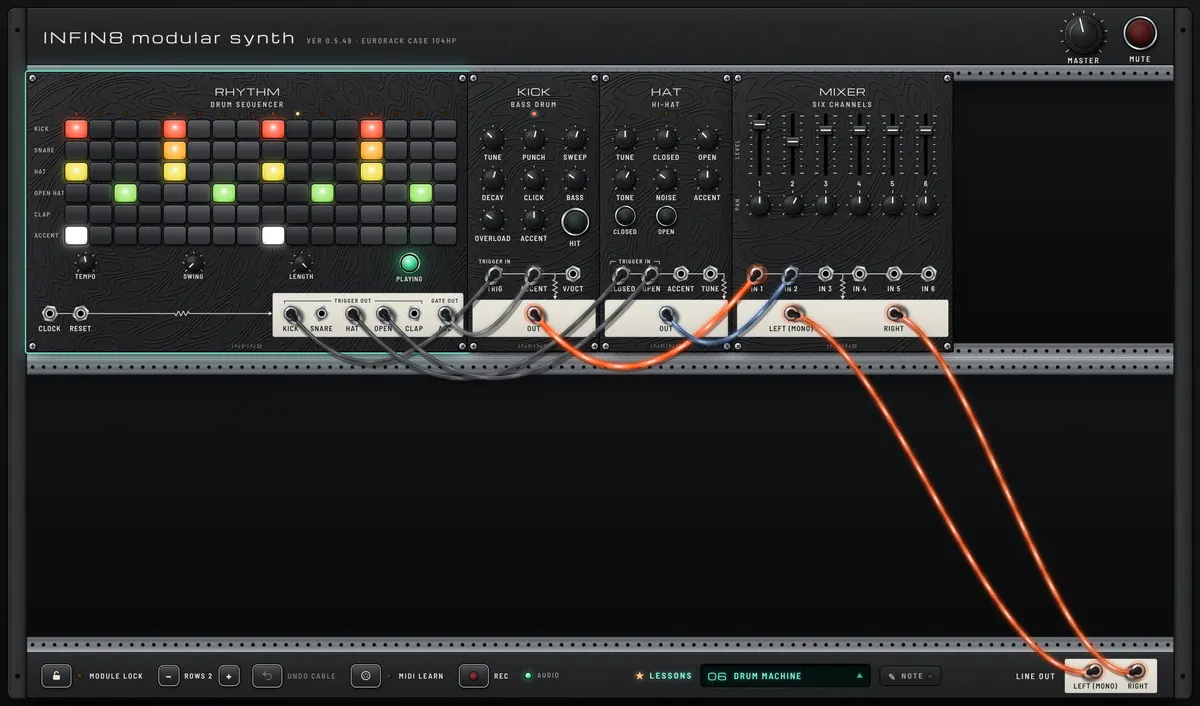
DRUM MACHINE
Earlier-version capture. Open the lesson for its current patch and settings.
LESSON 10

DRUM MACHINE

Triggers from a grid play drum modules.

Lesson guide

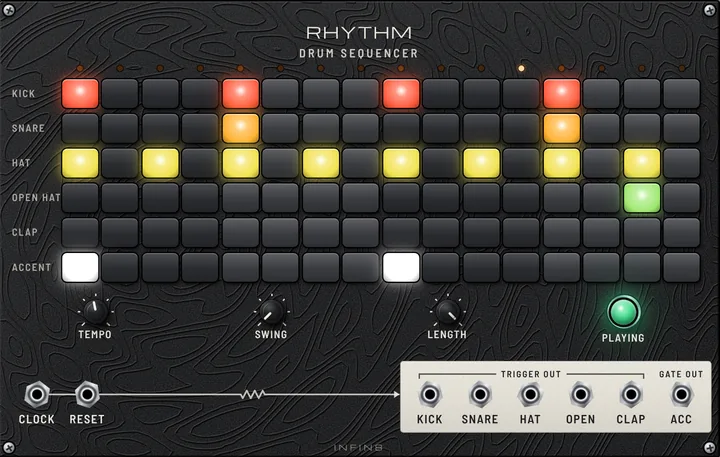
RHYTHM does not make sound itself. Each lit step sends a short pulse called a trigger out of that row’s jack. The KICK row triggers the KICK module, the HAT and OPEN HAT rows trigger the HAT module, and ACC tells KICK which hits to play harder. The MIXER balances the two drums.

Four-on-the-floor kick with a closed hat on the beat and an open hat on every off-beat, the classic house pattern.

  • Click steps in the KICK row to add or remove hits. Drag across several to paint them.
  • Turn SWING: the off-beat steps get pushed late for a looser groove.
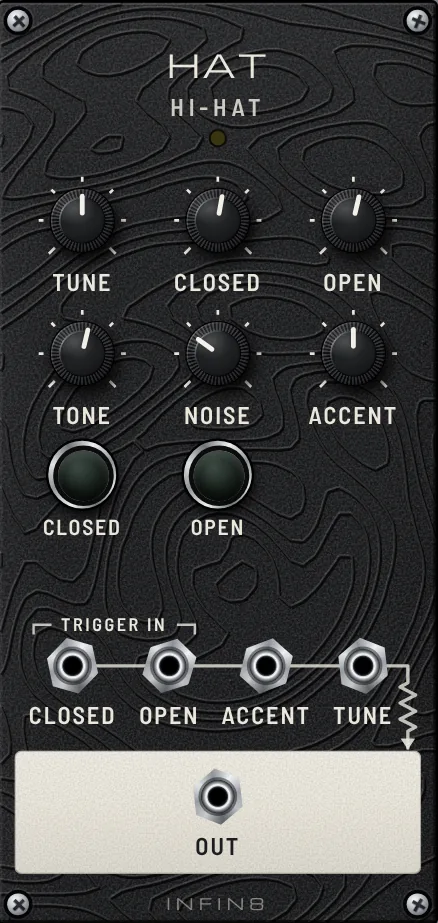
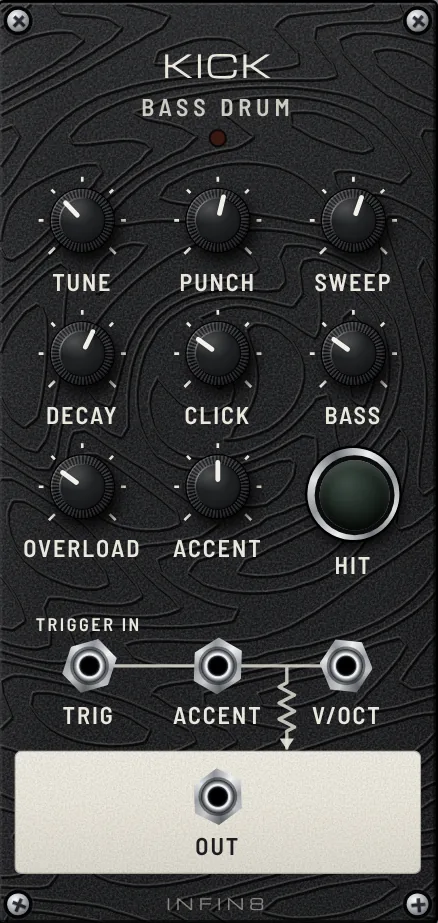
  • Shape the drum itself on KICK: TUNE, DECAY and PUNCH. Then on HAT: TONE and OPEN.
  • Set LENGTH to 12 or 14: the loop gets shorter and starts drifting against the beat.
Open lesson ↗
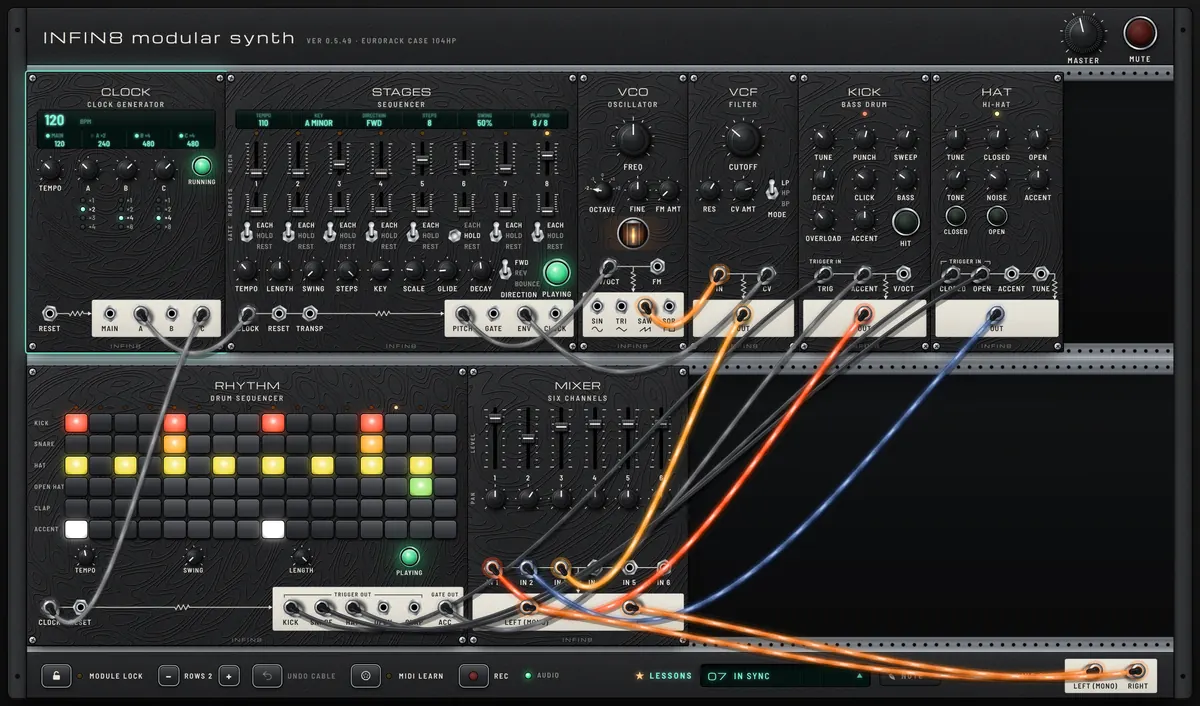
IN SYNC
Earlier-version capture. Open the lesson for its current patch and settings.
LESSON 11

IN SYNC

One clock keeps the bass line and the drums together.

Lesson guide

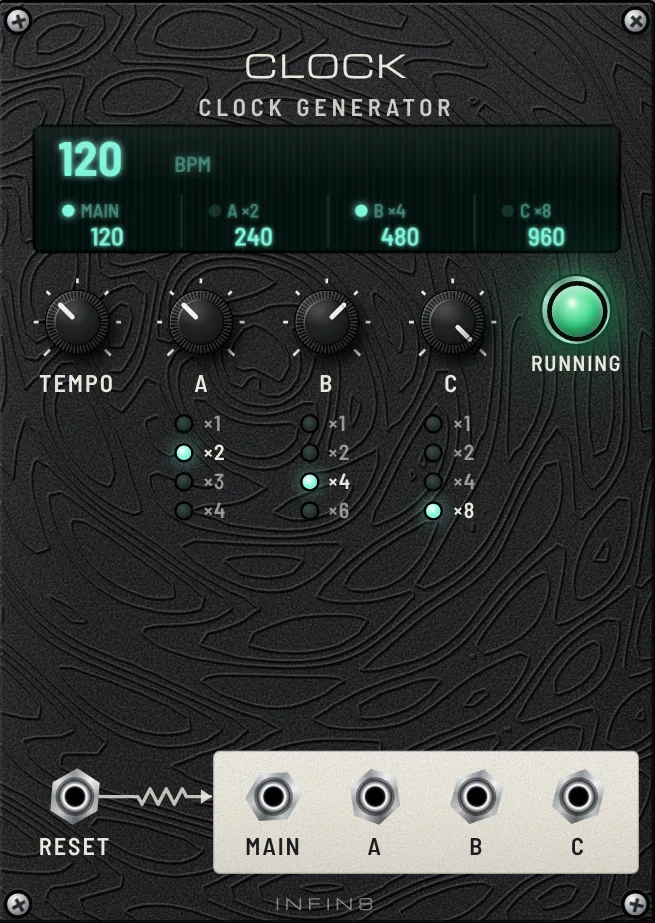
When several sequencers run on their own tempos they drift apart. Here CLOCK is the conductor: output A (×2, eighth notes) steps the STAGES bass line (the fat four-VCO bass from lesson 7), output C (×4, sixteenth notes) steps RHYTHM. Their own TEMPO knobs are ignored while a clock arrives, so everything moves as one.

The low, sharp ladder-filtered bass from lesson 7 locked tight to a hard techno beat.

  • Turn CLOCK TEMPO. Bass and drums speed up and slow down together.
  • Press CLOCK RUN to stop everything at once, and again to start.
  • Set A to ×1: the bass plays at half speed, still in time. Set C to ×8: the drums double.
  • Pull the cable out of RHYTHM CLOCK. After two seconds RHYTHM falls back to its own TEMPO and slowly drifts away from the bass.
Open lesson ↗
LESSON 12

NOISE PRAYER

Dark ambient from pure noise: a slow sequencer gives the noise notes through a resonant filter and a resonator, with six knobs to play live from a MIDI controller.

Lesson guide

Noise has no pitch of its own, so here the sequencer gives it one. NOISE goes into LADDER with the resonance turned high: a resonant filter rings at its cutoff, and STAGES PITCH moves that ring from note to note (LADDER V/OCT), so the hiss starts to sing a slow D-minor line. ADSR, opened by STAGES GATE with a long attack and release, makes every note swell in and fade out through the VCA. That voice then strikes HALO, a resonator that also follows the notes, and its two outputs ring like a metal plate on the left and right. VERB turns it all into a huge dark space. A very slow LFO (one cycle every 20 s) changes the colour of the noise, so the texture breathes on its own. STAGES runs at its slowest tempo with long HOLD steps and rests: the line moves like breathing, not like a melody.

A breathing, wind-like tone that swells in and fades out on each step, with metallic overtones from HALO ringing left and right and a long dark tail from VERB. Rests leave short silences that the reverb fills.

  • LADDER CUTOFF — Where the noise sings. Low: a deep, muffled drone. High: a bright, windy whistle.
  • LADDER RES — How much the noise turns into a note. Low: soft wind. High (as set): a clear, eerie tone.
  • HALO BRIGHTNESS — The colour of the resonator: dark wood to bright metal.
  • HALO STRUCTURE — The shape of the resonating object. Small changes give very different, bell-like overtones.
  • VERB MIX — How far away it sounds. Up: everything dissolves into the room.
  • NOISE COLOR — Dark rumble ↔ bright hiss. The LFO already moves it a little; your hand moves it more.
  • Play it live with a MIDI controller: press MIDI LEARN, touch LADDER CUTOFF on screen, turn a controller knob — then do the same for LADDER RES, HALO BRIGHTNESS, HALO STRUCTURE, VERB MIX and NOISE COLOR (the glowing hints). Six knobs are enough to perform the whole piece.
  • A performance arc: start with CUTOFF low and VERB MIX high (only a dark rumble), slowly open CUTOFF and raise RES until the notes appear, push HALO BRIGHTNESS for a peak, then close everything down again.
  • Sweep HALO STRUCTURE slowly while a long note holds: the overtones morph like a bell changing shape.
  • Change HALO MODEL to STRING or CHORDS for a completely different instrument made from the same noise.
  • Set STAGES DIRECTION to BOUNCE or change a few steps to REST: the line becomes even more sparse.
  • Raise ADSR A to 5 s and R to 8 s: notes overlap into a continuous drone.
Open lesson ↗
LESSON 13

BREAK & DROP

The classic techno break: take the bass out, build up with a rising filter, and drop back in exactly on the beat with SWEEP.

Lesson guide

A 130 BPM techno loop (acid bass, kick, hi-hat) is mixed and sent through SWEEP, a stereo DJ filter, before it reaches LINE OUT. Everything you do on SWEEP happens to the whole mix at once, like a DJ mixer. CLOCK MAIN is patched into SWEEP CLOCK and QUANT is on, so whatever you let go of lands exactly on the next beat: you can let go a little early and the drop is still tight.

A typical break in four moves:
1. Press KILL: the kick and bass leave, only the hats and the top of the acid line stay. (It switches on the next beat.)
2. Turn FILTER slowly to the right: the mix gets thinner and lighter.
3. Hold BREAK: the high-pass rises over RISE (4 s) — the build-up. The screen line turns yellow.
4. Press KILL again and let go of BREAK just before the beat: everything slams back in on the one.

Listen to how empty the loop feels with KILL on, and how much bigger the kick sounds when it comes back on the beat. During BREAK the hats and acid get thinner and brighter until almost only a hiss is left.

  • FILTER — One-knob DJ filter. Centre: untouched. Left: low-pass, darker and muffled (“from the next room”). Right: high-pass, thinner, bass disappears.
  • RES — Resonance at the filter edge. A little adds a vocal sweep; a lot makes it whistle. BREAK pushes it a bit higher on its own.
  • RISE — How long the BREAK build-up takes to reach the top. 4 s ≈ 2 bars at 130 BPM; 8 s ≈ 4 bars.
  • BREAK (hold) — High-pass rises while held. Let go = drop (on the next beat with QUANT).
  • CUT (hold) — Silence while held. Short taps make stutters; holding a beat before the drop makes the drop hit harder.
  • KILL — Bass out / in. The quickest way into a breakdown.
  • MUTE — Everything off / on with a short fade.
  • QUANT — On: releases and KILL / MUTE wait for the next CLOCK pulse. Off: they happen the moment you press.
  • Hold CUT for exactly one beat before letting go of BREAK: silence, then the drop.
  • Turn FILTER all the way left and slowly back to the centre over 8 beats: the “coming in from the next room” intro.
  • Set RISE to 8 s and hold BREAK for four bars for a long build-up.
  • Turn QUANT off and try to drop by hand: it’s much harder to hit the beat. Turn it back on.
  • Link BREAK and CUT to pads on a MIDI controller with MIDI LEARN: they work as hold buttons.
Open lesson ↗
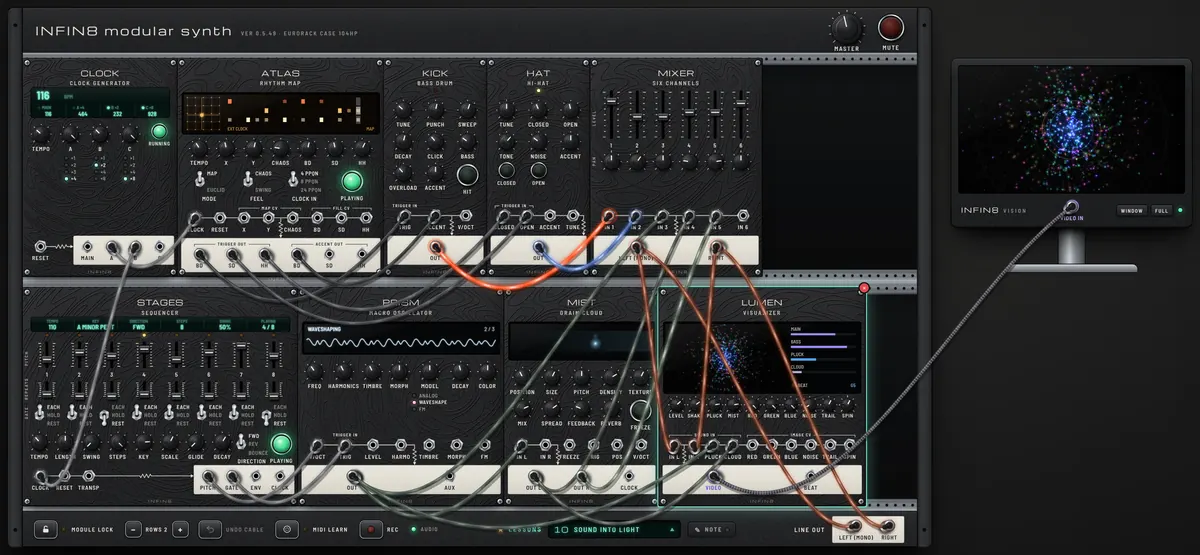
SOUND INTO LIGHT
Earlier-version capture. Open the lesson for its current patch and settings.
LESSON 14

SOUND INTO LIGHT

A full piece, turned into moving light on the monitor.

Lesson guide

Everything so far, in one patch. CLOCK drives ATLAS (A ×4, one pulse per sixteenth) and STAGES (B ×2, eighth notes). ATLAS plays KICK and HAT. STAGES plays PRISM, whose plucks also feed MIST, a granular cloud. The MIXER sends the whole mix to LINE OUT and to LUMEN, which also listens to PRISM (PLUCK) and MIST (CLOUD) separately and draws it all on the monitor beside the case.

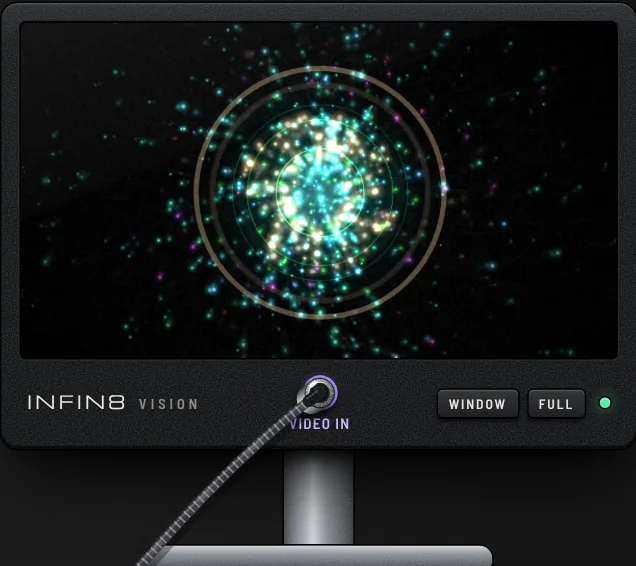
Watch the monitor: kicks shake the picture, each PRISM note bursts in its own colour, and the MIST texture drifts as fine fog.

  • Press FULL on the monitor (Esc to leave), or WINDOW to move the picture to a second screen.
  • Turn LUMEN TRAIL and SPIN for long spiralling trails; NOISE for TV static and glitches.
  • Press MIST FREEZE: the cloud holds still and so does the fog on screen.
  • Add an LFO (Add module) and patch it into LUMEN RED, GREEN or BLUE to make the colours breathe.
Open lesson ↗
EFFECTOR
LESSON 15

ECHO AND SPACE

Delay repeats the note, reverb puts it in a room. Learn both at once.

Lesson guide

Two effects, two ideas. A DELAY (ECHO) records the sound and plays it back a moment later, again and again: you hear separate copies. A REVERB (VERB) blurs thousands of tiny reflections together: you hear a room, not copies. Here a short plucked melody goes first into ECHO, then into VERB. The melody leaves gaps on purpose so you can hear the tails. STAGES CLOCK goes into ECHO CLOCK, so the repeats land on the beat.

Each pluck bounces left and right in time (PING), then everything melts into a soft hall behind it.

  • Turn ECHO MIX to zero, then VERB MIX to zero: hear the dry pluck. Bring each back one at a time.
  • Turn ECHO REPEATS up: more and more copies. Past three o’clock it grows on its own; turn it back down.
  • Turn VERB SIZE from room to cathedral, and DECAY up: the tail gets longer than the melody.
  • Press ECHO HOLD: the last bar loops forever while new notes play on top. Press again to let go.
  • Swap the order: patch VCA into VERB first and VERB into ECHO. Now the room itself repeats.
Open lesson ↗
LESSON 16

CLOUDS AND SHIMMER

Three newer kinds of effect: reverse echo, a granular cloud and a shimmer reverb.

Lesson guide

Beyond plain delay and reverb. 1) ECHO with FLIP on plays its repeats backwards, so each note swells in instead of fading out. 2) MIST is a GRANULAR effect: it keeps the last second of sound, cuts it into tiny grains and scatters them into a cloud; FREEZE holds that moment like a photograph of sound. 3) VAST in SHIMMER mode is a reverb that adds an octave-up copy into its own tail, so the space keeps rising and sparkling. The melody passes through all three in a row.

A slow melody turns into backwards swells, then a shimmering cloud that hangs in the air and glows an octave above.

  • Press ECHO FLIP off and on: hear forward repeats versus backwards swells.
  • Turn MIST DENSITY: near noon it is quiet, to the right the grains thicken into a smooth cloud, to the left they fall in random drops.
  • Turn MIST SIZE small for buzzing grains, big for long smeared ones. Turn PITCH to shift the cloud up or down.
  • Press MIST FREEZE: the cloud stops listening and holds. Turn POSITION and SIZE while frozen to wander inside it.
  • On VAST press MODE to try HALL (plain) and BLOOM (slow swell). Turn SHIMMER up for more sparkle.
Open lesson ↗
LESSON 17

RINGING ECHOES

Arena-rock chime guitar: a plain eighth-note arpeggio turned into a shimmering wall by a dotted-eighth analog delay (the style The Edge of U2 made famous).

Lesson guide

The trick behind this famous guitar style is one delay setting. The part itself is a simple, steady arpeggio in eighth notes. MNEMO (an analog bucket-brigade delay) repeats it a DOTTED EIGHTH later: three sixteenths, 375 ms at 120 BPM. Each repeat lands between the played notes, so you hear a busy, galloping sixteenth-note pattern that nobody is actually playing. HALO in STRING mode is the plucked guitar string, a light CHORUS on the repeats widens it, and a little VERB adds the arena. The riff here is original. MUHAN is not affiliated with U2 or with the makers of the original pedal.

A clean, bright pluck pattern, then the echoes fill the gaps into a rolling, chiming gallop.

  • Turn MNEMO BLEND to dry: only eighth notes. Bring it back up to about half and the gallop appears.
  • Turn DELAY away from 375 ms and back: off the dotted eighth it turns into a mess; on it, it locks. Notice the pitch bend while you turn, like the real chip.
  • The math: 60000 ÷ BPM × 0.75. At 100 BPM that is 450 ms. Change CLOCK TEMPO and DELAY together.
  • FEEDBACK up for more repeats; past 100% it runs away into a howl. Bring it back.
  • Press MODE for VIBRATO and raise DEPTH: the repeats warble. Back to CHORUS with a little DEPTH for the classic shimmer.
Open lesson ↗
LESSON 18

GUITAR SKY

Use the rack as a guitar pedalboard: drive, a big-sky delay and reverb, a touch of grain cloud.

Lesson guide

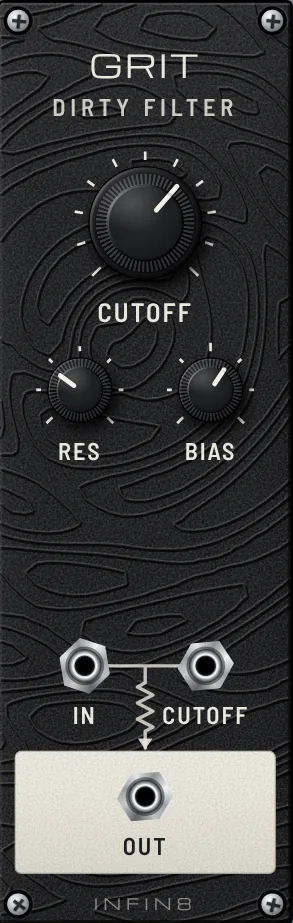
Plug a guitar (or bass, synth, microphone) into your audio interface. INST IN picks the interface by itself; choose the input your guitar is on (1, 2 or 1+2) in the list under INPUT, and set GAIN so the meter moves well but never shows CLIP. GATE keeps hum quiet between notes. The chain is a pedalboard: GRIT is the drive (more GAIN on INST IN = more dirt; BIAS makes it crunchier, CUTOFF sets how bright), VAST · BLUE is the big-sky delay and space (SHIMMER mode adds an octave-up sparkle in the tail), MIST · SKY adds only a touch of grain cloud, and VERB · HERB puts it all in a room. Set your interface buffer small (64–128) and turn its direct monitor off.

Play a chord and let it ring: you hear it driven, then the repeats, then the tail rising with a soft octave-up shimmer and a faint grainy halo. Single notes leave long trails.

  • Clean tone: turn INST IN GAIN down and GRIT CUTOFF up, BIAS to 12 o'clock.
  • VAST · BLUE: pick HALL for a plain big hall, BLOOM for slow swells. BLEND left = mostly delay, right = only reverb.
  • Turn DECAY all the way up and play slow chords over the tail: instant ambient pad.
  • MIST · SKY: raise MIX for a thick grainy cloud, or press FREEZE to hold a chord and play over it.
Open lesson ↗
LESSON 19

PLUG IN AND PLAY

Your guitar straight into the rack and through an amp, playing along with a backing track: pick the interface, tune up, keep latency low, shape the amp, load a song and take a part out.

Lesson guide

Two boxes, like a guitarist on stage. GUITAR INPUT is the small cream pedal: it takes the sound from your audio interface, tunes your strings and shows how quick the sound is. Its OUT goes into FORGE · AMP RIG, a whole guitar amp with its speaker cabinet, and from there into the MIXER, together with JAM DECK, a backing-track player. Plug the guitar into your interface (turn the interface’s own direct monitor off, or you hear yourself twice) and allow the microphone when the browser asks.

Your guitar through a crunchy amp, a little later than your fingers if the latency number is high.

  • Click the little screen and choose your audio interface. Raise GAIN until the meter under the screen dances without turning red.
  • Press TUNE and play one open string at a time: turn the tuning peg until the dot sits on the green line. Press TUNE again to hear yourself.
  • LATENCY: flip it to LOWEST. The sound stops for a moment while the engine restarts (your patch stays) and the screen shows the new delay. If you hear crackles, go back to LOW.
  • On FORGE, turn the AMP selector: CLN (clean), CRN (crunch), LEAD, HI (high gain). Turn GAIN for more or less dirt, then BASS, MID, TREBLE and PRES to taste. Try MID down with HI-GAIN for a scooped metal tone, or MID up with LEAD for a singing solo.
  • On JAM DECK press FILE LOAD and pick a few songs (mp3, wav…), or YOUTUBE LINK to add a YouTube link. Choose one with ◀ ▶ and press PLAY: it plays that song and stops at the end. Set REMOVE to GTR to take the guitar out and play the part yourself (VOX takes the voice out, BASS the low end). Balance the song and your guitar with MIXER faders 1 (guitar) and 2–3 (song).
  • Put an effect between the guitar boxes (EMBER, MNEMO, VERB…), like pedals in front of an amp.
Open lesson ↗
ADVANCED
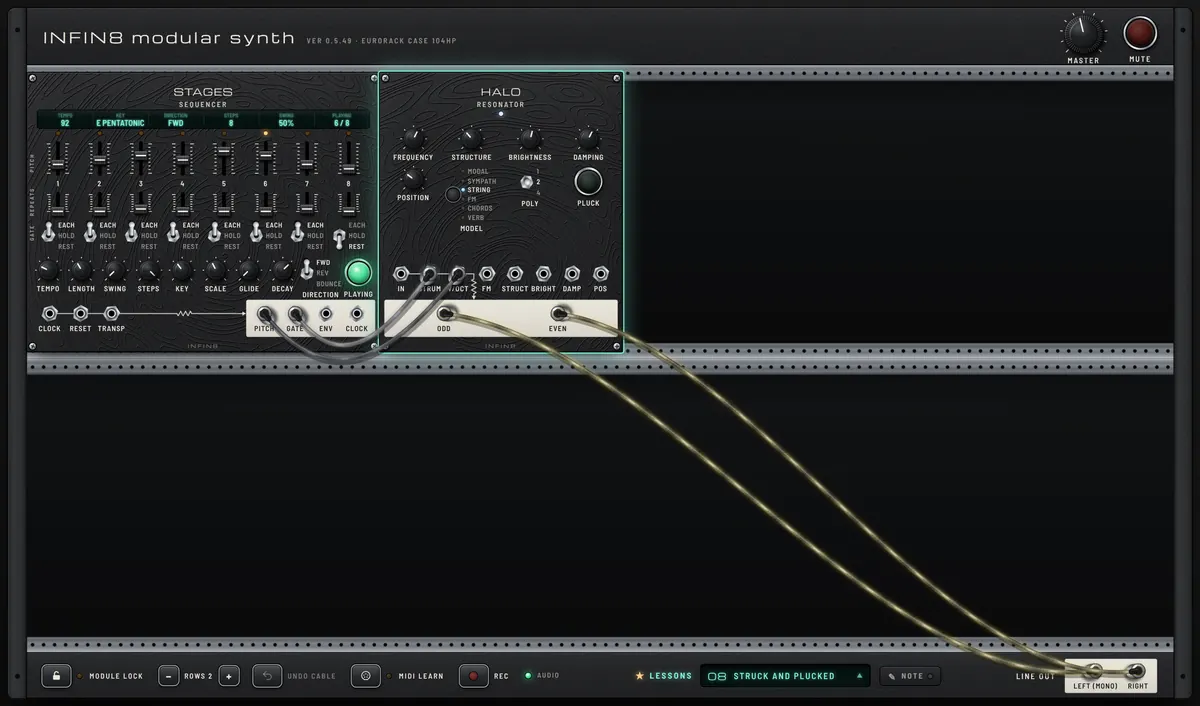
STRUCK AND PLUCKED
Earlier-version capture. Open the lesson for its current patch and settings.
LESSON 20

STRUCK AND PLUCKED

A resonator instead of a VCO: silent until struck, like a real string.

Lesson guide

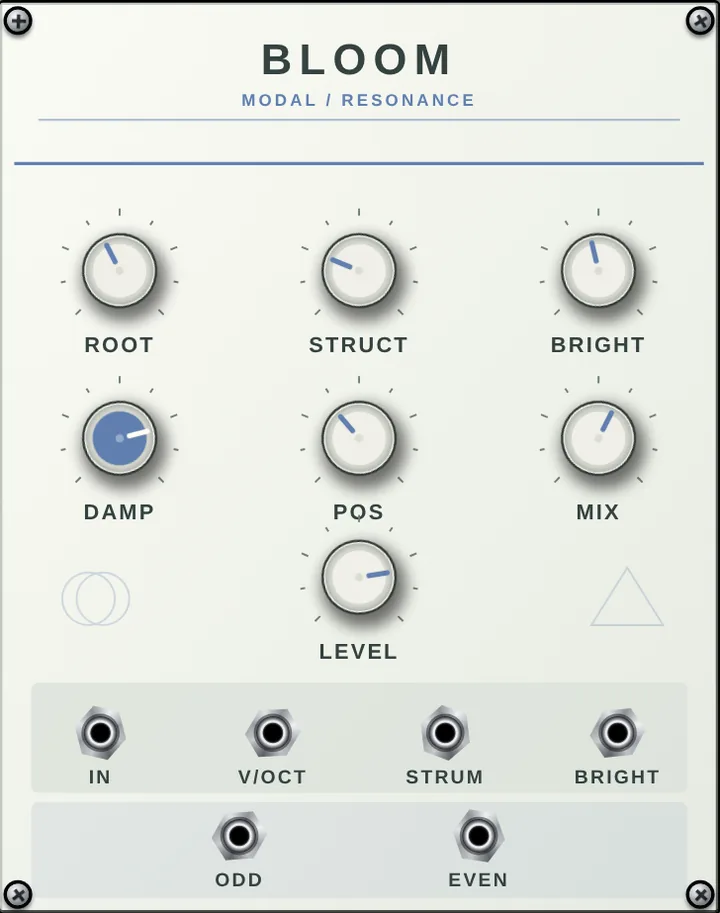
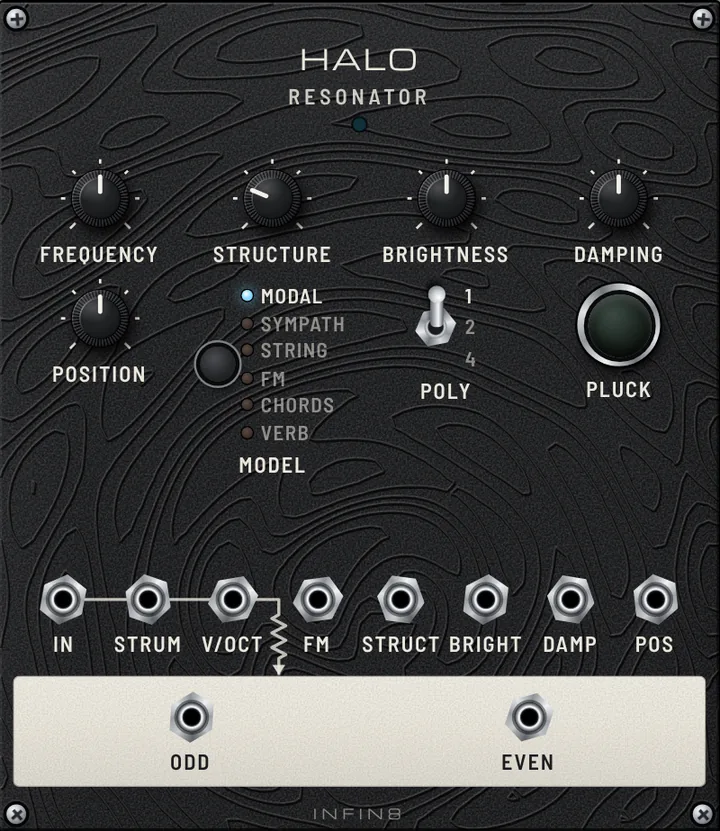
This lesson has no VCO. In its place is a RESONATOR (the "Rings" style of module). A VCO hums by itself all the time; a resonator is silent until something hits it, like a guitar string or a bell. It works out how a real string, bar or plate vibrates. GATE into STRUM is the hit (pluck it on every note), PITCH into V/OCT is the note. Because the hit itself makes the attack and the ring-out, you need no envelope or VCA. ODD and EVEN go left and right for a wide stereo sound.

A plucked-string melody, each note ringing and dying away like a real instrument.

  • Step through MODEL: MODAL (bells and bars), SYMPATH (sitar-like sympathetic strings), STRING, FM, CHORDS, VERB.
  • Turn DAMPING: short and muted, or long and ringing. Turn BRIGHTNESS for a softer or harder material.
  • Turn STRUCTURE (in MODAL it bends a bar into a bell) and POSITION (where along the string it is struck).
  • Set POLY to 4 so earlier notes keep ringing under the new ones.
Open lesson ↗
LESSON 21

SONG FORM

Turn loops into a song: FOLIO arranges drum and bass scenes into an intro, groove, break and drop, each repeated as many times as you like.

Lesson guide

Every other sequencer in MUHAN repeats one pattern forever. FOLIO plays a whole song. It has three parts. On the left, a RHYTHM editor (the same 6 × 16 grid as RHYTHM); on the right, a STAGES editor (8 steps with pitch, repeats and gate, like STAGES). Each editor keeps up to 26 scenes, A to Z: pick a letter, edit, and it is saved to that scene. In the middle is the song: five lanes (DRUMS and CV 1–4) with ten slots each. EXPORT puts the scene you are editing into the next free slot (or the slot you selected); the number under each slot is how many times that whole scene repeats. The coloured bar under each lane shows the song from start to end.

This patch is a 24-bar techno song at 128 BPM. DRUMS: A (only hats) × 4 → B (full groove) × 8 → C (break with a 16th-note hat run and snare roll) × 4 → B × 8. CV 1, the bass: R (silence) × 4 → A × 8 → R × 4 (the bass drops out in the break) → A × 4 → B × 4. The six drum outputs play KICK and two HATs (one tuned as a snare); PITCH 1 / GATE 1 play a VCO → VCF bass. Press ▶ PLAY on FOLIO to start.

Four bars of hats, then the kick and bass come in together; after eight bars the kick and bass vanish into a fast hat run and snare roll, and on bar 17 everything drops back in. In the last four bars the bass line changes (scene B). The cursor on each lane bar and the n/m counter show where you are.

  • Scene letter (‹ A ›) — Which scene you are editing, A–Z. Click the letter or use ‹ ›. Edits save to that scene immediately.
  • EXPORT — Places the current scene into the song lane (next empty slot, or the slot you clicked). Scenes already in the song update as you edit them.
  • Slot letter — Click a slot to select it, or pick another scene for it from its letter.
  • Repeats (− 4 +) — How many times the whole scene plays in that slot. Type, scroll, or press − / + (Shift: 10 at a time).
  • ▶ AUDITION — Loops just the scene you are editing, to try ideas without playing the song.
  • ▶ PLAY · Ⅱ · ■ STOP · LOOP — Play the song from the start, pause, stop, and repeat the whole song at the end.
  • REC (CV 1–4) — Which CV lane the STAGES editor sends to with EXPORT.
  • SAVE · LOAD · CLEAR · NEW — Save / open the song as an .inf8song file, empty the selected slot, start a new song. The song is also saved inside the patch.
  • Double-click a coloured block on a lane bar to open that scene in the editor, change a few steps, and hear it update in the song.
  • Make a new drum scene D: pick D, program a fill, EXPORT it, and set its repeats to 1 so it plays once just before the drop.
  • Change the break’s repeats from 4 to 8 for a longer build.
  • Select the STAGES editor’s REC on CV 2, write a high melody, EXPORT it, and patch PITCH 2 / GATE 2 to a second VCO voice.
  • Patch SWEEP between the MIXER and LINE OUT and hold BREAK through scene C for an even bigger drop.
Open lesson ↗
LESSON 22

WAREHOUSE

A complete hard-techno track arranged in FOLIO (think Charlotte de Witte): bass alone in the dark, a soft kick creeping in, a pumping build, a frozen-echo break and a hard, wide-open drop. Three CV lanes: bass, pluck and an automation lane for the filter and echo.

Lesson guide

Same frame as SONG FORM, now using three CV lanes for a full 56-bar track at 140 BPM (about 1:36), with a clear beginning, development, turn and ending.

CV 1 is the bass: an off-beat eighth-note line in A minor (VCO → VCF with its own ADSR → VCA). CV 2 is a high pluck (second VCO → short ADSR → VCA) that plays stabs, and a falling lead in the break. CV 3 makes no sound: it is an automation lane. Its PITCH goes to the master VCF’s CV, so each scene is a filter position (glide smooths the moves), and its GATE freezes the ECHO (HOLD) for stutter effects. The whole mix goes MIXER → master VCF → ECHO → LINE OUT. The DRUMS lane also sends ACC to KICK ACCENT: without accents the kick is soft, with them it hits hard.

The arc:
① Intro, 8 bars — bass alone, master filter almost closed (dark rumble).
② Kick creeps in, 8 bars — soft kick (no accents), filter half open.
③ Build, 8 bars — off-beat hats, pluck stabs enter, the filter pumps open every bar.
④ Break, 8 bars — kick and bass out, the pluck plays a falling lead, ECHO freezes on the last beat of every bar, then a two-bar snare and hat roll.
⑤ Drop, 16 bars — hard: accented kick, 16th hats, open hats, clap and snare on 2 and 4, rolling bass variation, filter fully open.
⑥ Outro, 8 bars — kick and bass only, filter closes halfway, the song ends. Press ▶ PLAY on FOLIO to start.

Listen for the energy curve: a dark bass line alone, then a quiet kick, then the filter pumping open, a sudden emptiness with stuttering echoes, a roll, and the hard drop where everything is bright and loud. The lane bars and the n/m counters show where you are in the song.

  • CV 3 (automation) — Not a voice: PITCH = master filter position, GATE = ECHO freeze. Edit its scenes (L, M, U, H, O) to reshape the energy of the whole track.
  • KICK ACCENT + ACC row — How much harder accented kicks hit. The soft and hard sections use the same kick; only the ACC row changes.
  • KICK OVERLOAD — Distortion of the kick: the gritty hard-techno thump. Turn it down for a rounder kick.
  • Master VCF CUTOFF / CV AMT — Where the filter sits at the bottom and how far CV 3 opens it.
  • ECHO MIX / ZONE — How much echo is on the whole mix, and how long it is. The freezes in the break use whatever ZONE is set.
  • Bass VCF CUTOFF / RES — The bass tone: lower and more resonant for a darker, acid-like growl.
  • Turn LOOP on to hear the whole track again and again while you change things.
  • Open CV 3’s scene U (double-click it on the lane bar) and draw a different curve: the build pumps in a new shape.
  • Add ACC on every kick of scene G: the build already hits hard. Remove it from H for a softer drop.
  • Change the break’s CV 3 scene H gates to EACH on more steps: longer echo freezes.
  • Put SWEEP between the master VCF and ECHO and hold BREAK through the roll for an even bigger drop.
Open lesson ↗
LESSON 23

ENDLESS DRONE

A drone: one long note that never stops but keeps slowly changing.

Lesson guide

A drone is one long, held note (or a few notes) that never stops, like the hum of bagpipes, a church organ chord or a Tibetan singing bowl; the music happens in how its colour slowly changes, not in melody or rhythm. You need only three ideas. 1) No envelope, no VCA: the VCOs just play forever. 2) Thickness: two VCOs on the same note, one slightly out of tune, so they slowly "beat" (wah… wah…) against each other, plus a third a fifth above. 3) Slow movement: a very slow LFO opens and closes the VCF, so the long note keeps breathing. VERB adds a big space around it.

One deep note that never ends, slowly pulsing and getting brighter and darker.

  • Turn VCO 2 FINE: near zero the beating is slow, further away it gets fast and sour.
  • Pull out the LFO cable: the note stops moving and quickly gets boring. Movement is what makes a drone alive.
  • Turn LFO RATE even slower: one breath can take half a minute.
  • Turn VCO 3 FREQ to another note (an octave or a fourth) to change the colour.
Open lesson ↗
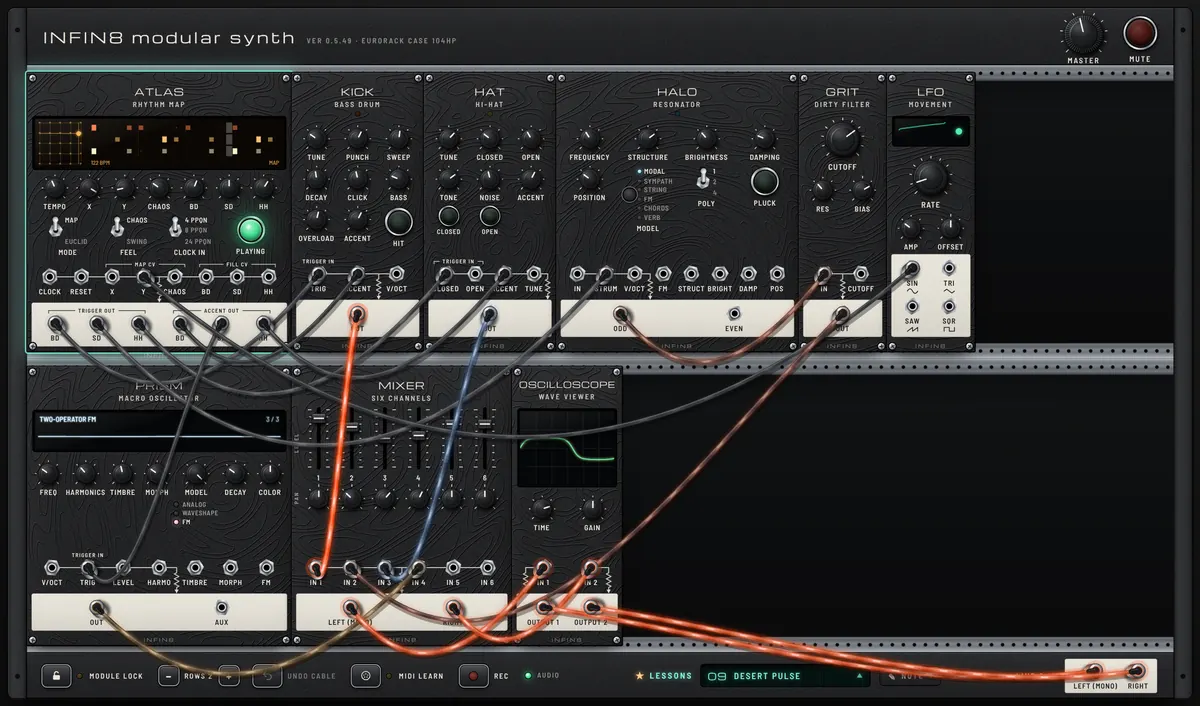
DESERT PULSE
Earlier-version capture. Open the lesson for its current patch and settings.
LESSON 24

DESERT PULSE

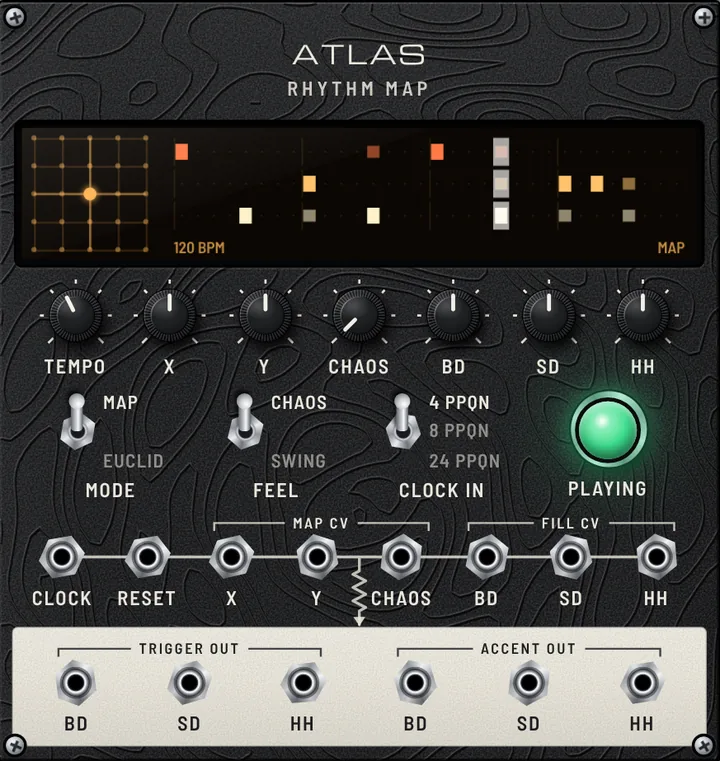
Generative rhythm: moving across a map of drum patterns.

Lesson guide

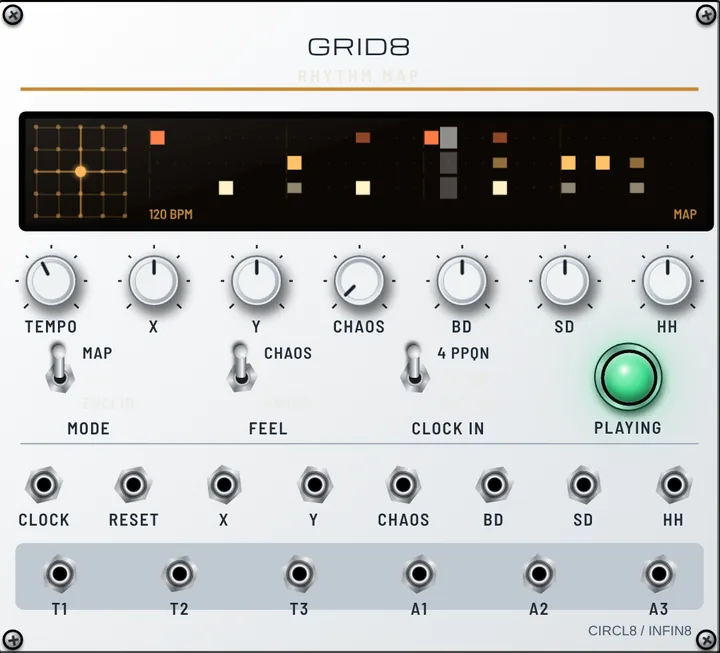
Instead of programming steps, ATLAS holds a map of real drum patterns laid out by similarity. X and Y pick a place on the map; BD, SD and HH set how many hits each channel plays, from a bare skeleton to busy ghost notes. Here it sits in a broken 3+3+2 corner while a slow LFO into Y drifts it toward straighter pulses. BD drives an overdriven KICK, SD strikes HALO (through GRIT for a dry, wooden crack), HH plays clipped hats, and SD accents alone fire sparse metallic PRISM hits.

Dry, hypnotic, slightly unstable percussion that never quite repeats.

  • Turn X and Y and watch the map dot and the 32-step pattern on the ATLAS screen change.
  • Turn BD, SD and HH (fill) up and down: from sparse to crowded.
  • Raise CHAOS: each bar is varied a little differently. Or flip FEEL to SWING.
  • Flip MODE to EUCLID: now X, Y and CHAOS set each channel’s loop length, and the fills set how many hits are spread evenly across it.
Open lesson ↗
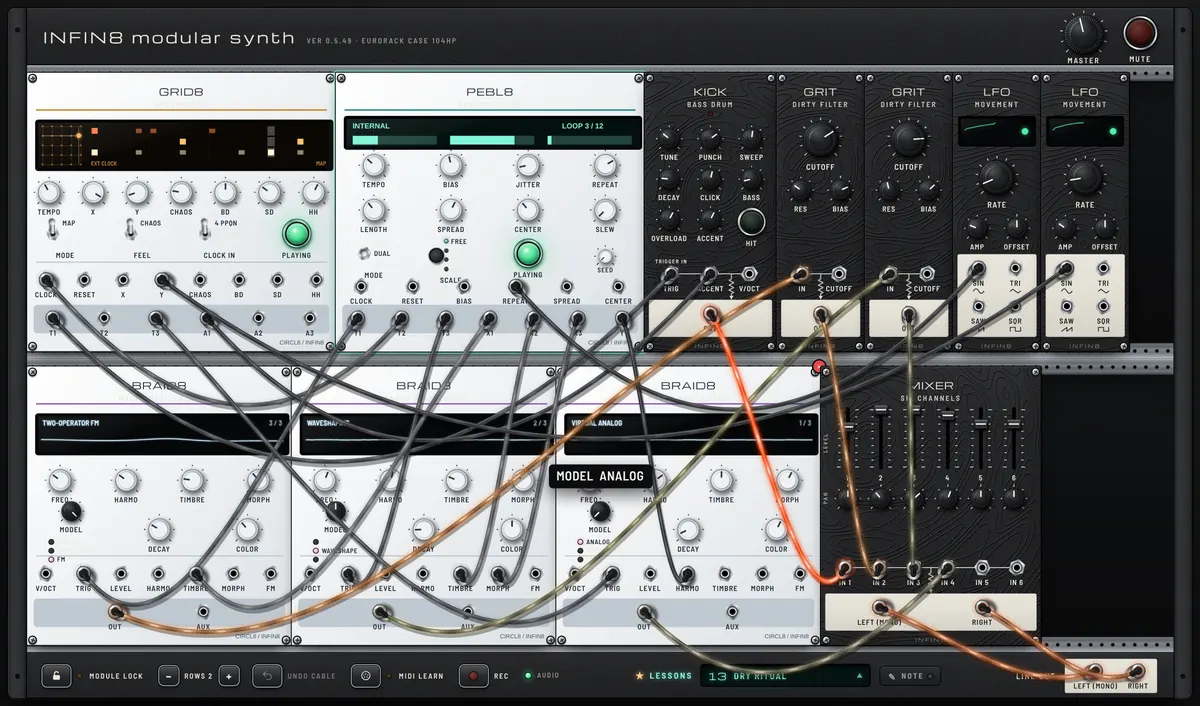
DRY RITUAL
Earlier-version capture. Open the lesson for its current patch and settings.
LESSON 25

DRY RITUAL

Rhythm you play with knobs: controlled chance drives three voices.

Lesson guide

Nothing here is programmed step by step. PEBL8 rolls dice every sixteenth note and remembers what it rolled: T1 and T3 decide whether two voices hit, and X1–X3 decide how each hit sounds. Its T2 pulse clocks GRID8, so the kick skeleton follows PEBL8’s timing, clock JITTER included. Three BRAID8 voices take the hits: a low FM body, a metallic waveshaped strike and a short analog click. PEBL8’s voltages move their TIMBRE, HARMONICS and MORPH, so no two hits are alike. GRIT dirties the first two, a slow LFO leans on REPEAT so the groove keeps drifting between settling and changing, and another walks GRID8 across its rhythm map.

Dry, rough percussion over a broken 3+3+2 kick. Patterns come back, shift, and come back different.

  • Turn PEBL8 REPEAT all the way up: the loop locks and repeats exactly. Turn it down: every pass changes. The magic is in between.
  • Turn LENGTH to 5, 7 or 12: the loop no longer lines up with the bar and the rhythm starts to rotate against the kick.
  • Turn BIAS: hits move between the FM voice (T1) and the metal voice (T3). Raise JITTER for a looser, stumbling feel.
  • Turn SPREAD up for wild changes of sound on every hit, down for a steadier tone. Change SEED to jump to a different random world, and switch each BRAID8’s MODEL to hear the same rhythm in another material.
Open lesson ↗
LESSON 26

TEARING LEAD

Hard sync and soft sync: one oscillator restarts another for a screaming 80s lead.

Lesson guide

Two VCOs play the same notes from STAGES. VCO 1 is the MASTER: you never hear it, its SAW only goes into the SYNC input of VCO 2. VCO 2 is the SLAVE: every time the master starts a new cycle, the slave is forced back to the start of its own wave (HARD sync). So the pitch you hear always follows the master, while the slave’s own FREQ only changes the tone: the higher it is, the more broken-off pieces of wave fit in each cycle and the sharper it tears. Here the STAGES envelope also pushes the slave’s pitch up through FM on every note, so each note sweeps from a scream down to a growl, the classic sync-lead sound of the early 80s. SOFT sync (switch SYNC on VCO 2) does not restart the wave, it only reverses its direction: softer, more vocal, more subtle.

A biting lead whose tone swoops on every note while the melody stays perfectly in tune, with an analog echo behind it.

  • Turn VCO 2 FREQ slowly from left to right: the melody does not move, only the tone gets harsher. That is sync.
  • Pull the cable out of VCO 2 SYNC: now FREQ changes the pitch again and the two VCOs clash. Plug it back in.
  • Turn VCO 2 FM AMT down to zero: the sweep stops and the tone freezes. Turn it up for a bigger swoop.
  • Flip VCO 2 SYNC switch to SOFT: the scream becomes a softer, vowel-like tone. Sweep FREQ again and compare with HARD.
  • Patch VCO 2 SQR instead of SAW into the filter, and turn its PW: sync and pulse width together give a hollow, nasal bite.
Open lesson ↗
LESSON 27

TAPE GENES

Play a song on JAM DECK, record a piece of it onto MUTAGENE’s tape, then chop it into genes with the knobs.

Lesson guide

MUTAGENE (in the style of the Make Noise Morphagene) is a tape recorder for tiny sounds. JAM DECK’s L and R outputs go into MUTAGENE’s IN L and IN R, so whatever JAM DECK plays can be recorded onto the tape (reel 32, which starts with a built-in sample every time the lesson opens). S.O.S. starts fully left, so you hear the song coming in. Some moves need two buttons at once. On a phone or tablet, hold one button and tap the other with a second finger. With a mouse, see TWO BUTTONS WITH A MOUSE below.

At once: the built-in sample (four piano arpeggios: Cmaj7, Am9, Fmaj7, G6/9) broken into overlapping genes by GENE-SIZE and MORPH; turn SLIDE slowly to drift through the tape. JAM DECK already holds the same piano sample (PIANO SAMPLE, built-in): press its PLAY and turn S.O.S. left to hear it (or load your own song). After recording: a piece of it from tape, which you break into loops, stretched clouds and reversed fragments.

  • S.O.S. — What you hear and record. Left: the incoming song. Right: the tape.
  • GENE-SIZE — How big a piece of the tape plays. Left: all of it. Right: a tiny piece, looping.
  • SLIDE — Where that piece sits in the recording.
  • VARI-SPEED — Tape speed and direction. 12 o’clock: stop. Right: forward. Left: backwards. 2:30: normal speed.
  • MORPH — How the pieces join. Left: gaps. 9 o’clock: seamless. Right: 2–4 pieces overlap. Far right: random pitches.
  • ORGANIZE — Which splice (cut part) plays next.
  • ⊖⊕ (small) — How much a cable in the jack beside it moves that knob.
  • On JAM DECK press FILE LOAD and pick a song (an audio file, not a YouTube link: YouTube sound can’t go through cables). Press PLAY.
  • RECORD: on MUTAGENE click REC (recording starts when you let go and REC lights red), let it record 5–10 seconds, then press REC again. The SPLICE window lights up.
  • Turn S.O.S. fully right: now you hear only the tape, not the song. Stop JAM DECK if you like.
  • GENE-SIZE: fully left plays the whole recording. Turn it right for shorter and shorter loops. MORPH: at 9 o’clock the loop is seamless, further right 2, 3 then 4 genes overlap, and at the far right the pitches jump and spread.
  • VARI-SPEED: 2:30 is the original speed (the F arc glows green). Toward 12 o’clock it slows down and stops. Left of 12 it plays backwards.
  • CUT AND ADD: press SPLICE to drop markers, then SHIFT to jump to the next splice. Hold REC and press SPLICE (or Alt-click REC) to record another piece of the song as a new splice, any length (turn S.O.S. back left first). Plain REC now layers inside the playing splice instead (see Recording length).
  • SLIDE: with GENE-SIZE turned up, SLIDE moves the small loop through the recording. Turn it slowly to scan.
Open lesson ↗
SEMI MODULAR HARDWARE CLONE
LESSON 28

SCREAMING SEQUENCE

The classic duo: a little 2×8 step sequencer plays the small semi-modular monosynth, row A for the notes and row B for the filter.

Lesson guide

Two famous little boxes, recreated: SQUARE ONE (in the style of the Korg SQ-1) and PEAK·20 (in the style of the Korg MS-20). In 2×8 mode the sequencer runs two rows side by side. All the cables go into PEAK·20’s patch panel on the right, just like on the real instrument. Row A is the melody: CV A goes into TOTAL (the pitch of both VCOs) and GATE A into TRIG IN; SCALE is CHR so every knob lands on a semitone. Row B is a second, independent line: CV B goes into LP CUTOFF, so each step also sets how open the filter is. One short cable stays inside PEAK·20: EG1 REV → VCO2 FREQ, so VCO 2 swoops down into every note — a classic trick on the original. The PEAKs are high, so the filter snarls and screams the way the original is famous for.

A 16th-note acid-like line in a low register, each note with its own filter colour, biting and screaming on the peaks.

  • Turn the A knobs to change the notes (they snap to semitones). Turn the B knobs: the same notes, but each step opens the filter more or less.
  • Press the red step buttons to switch steps off (rests). Top row = A (notes and gates), bottom row = B (filter).
  • Pull the EG1 REV → VCO2 FREQ cable out and plug it back: hear the swoop on each note disappear and return. Try MG ▲ → HP CUTOFF too.
  • On PEAK·20 raise LOW PASS PEAK towards the top: the resonance clips and screams. Raise HIGH PASS PEAK too for the vowel-like “yowl”.
  • Turn MODE to A→B: A and B become one 16-step line. Try ALT, RND, or C/S (CV/SLIDE: B buttons make slides).
  • Set OCT to 5 for wide jumps, or 1 for a narrow range.
Open lesson ↗
LESSON 29

NEST & COUSIN

Two more classic boxes: NEST·32 (Mother-32 style) plays a bass line, COUSIN·8 (DFAM style) plays the drums, locked together.

Lesson guide

Two famous semi-modular boxes, recreated. NEST·32 (in the style of the Moog Mother-32) is a monosynth with a ladder filter and a 32-step sequencer: here it plays a 16-step bass line with a resonant, singing filter. COUSIN·8 (in the style of the Moog DFAM) is a percussion synth: every step strikes three decay envelopes, and the PITCH and VELOCITY knobs turn one voice into kick, tom and zap hits. One cable locks them: NEST·32’s ASSIGN (a pulse on every step) clocks COUSIN·8’s ADV/CLOCK, so the drum pattern follows the bass. Both go through a MIXER and a little VERB.

The bass bubbles and squelches on the filter peak; the drums change colour from step to step although it is one voice.

  • NEST·32 CUTOFF / RESONANCE — The ladder filter: the heart of the sound.
  • NEST·32 VCF MOD AMOUNT — How much the envelope opens the filter on every note.
  • COUSIN·8 VCO 1 EG AMT / VCO DECAY — The pitch drop of each hit: big and long = kick, small = tom.
  • COUSIN·8 PITCH / VELOCITY 1–8 — The drum pattern: tune and accent each step.
  • On NEST·32 switch REC on and press the keys: you write a new bass line one step at a time (REST for a rest).
  • Turn COUSIN·8 1→2 FM AMT and switch SYNC on: metallic, industrial hits.
  • Set NEST·32 VCA MODE to ON: a drone that the filter keeps shaping.
Open lesson ↗
LESSON 30

WEST COAST

0-SHORE (0-Coast style): West Coast sound — no filter sweep, just folding and a low-pass gate.

Lesson guide

0-SHORE, in the style of the Make Noise 0-Coast, makes sound the “West Coast” way. There is no classic filter: a soft triangle is brightened by OVERTONE and folded by MULTIPLY, BALANCE mixes the pure and the shaped sound, and DYNAMICS is a low-pass gate — every note opens loudness and brightness together, like a plucked string. Here STAGES plays the notes (PITCH → 1V/OCT, GATE → GATE). Inside, CONTOUR opens DYNAMICS on every note and SLOPE, cycling as a slow LFO, keeps moving MULTIPLY, so the folds breathe. An ECHO adds space.

The notes sound plucked and woody, and the timbre swells and shrinks slowly with the SLOPE.

  • MULTIPLY — How much the wave is folded: more = more and more harmonics.
  • OVERTONE — Adds square-wave brightness before the folder.
  • SLOPE RISE / FALL — How fast the folding breathes (CYCLE on).
  • CONTOUR DECAY — How long each note rings.
  • Turn CYCLE off and patch STAGES GATE to SLOPE TRIG: each note gets its own fold sweep.
  • Raise DYNAMICS: the gate stays half open for a drone.
  • Turn BALANCE fully left: a pure, soft triangle.
Open lesson ↗
LESSON 31

NEUTRINO DRIVE

NEUTRINO (Neutron style): morphing oscillators, a multimode filter, overdrive and a dark delay in one box.

Lesson guide

NEUTRINO, in the style of the Behringer Neutron, is a paraphonic semi-modular with everything a gritty lead or bass needs in one box. Its two oscillators morph: SHAPE slides from sine through triangle, saw and square to a thin pulse. A 12 dB multimode filter sweeps from LP to BP to HP with one MODE knob, ENV 1 opens it on every note, OVERDRIVE adds grit and a dark BBD-style DELAY trails the notes. STAGES plays the riff; the slow LFO on the filter keeps it moving.

A detuned, slightly dirty riff; the filter and the delay make every bar a little different.

  • OSC 1 / OSC 2 SHAPE — The tone of each oscillator, from soft sine to buzzy pulse.
  • VCF MODE — LP → BP → HP: the same riff sounds fat, nasal or thin.
  • DRIVE — From warm to fuzzy.
  • DLY TIME — Move it while it plays: the echoes bend in pitch.
  • Switch SYNC on and raise OSC 2 RANGE: a tearing sync lead.
  • Sweep VCF MODE slowly from LP to HP.
  • Turn REPEATS up for a long dub tail.
Open lesson ↗
LESSON 32

EIGHT LIVING VOICES

LYRE·8 (Lyra-8 style): eight sine voices that modulate each other into a living drone.

Lesson guide

LYRE·8, in the style of the SOMA Lyra-8, is played by touch, not by notes. Eight sine voices are tuned with the knobs on top; holding a sensor brings its voice in, and HOLD keeps a pair sounding on its own — here all pairs are held, so the drone plays as soon as you open the lesson. The magic is MOD: each group of four voices is frequency-modulated by the other group (MOD SOURCE), so the voices bend and growl into each other. SHARP sharpens the sines, the HYPER LFO (two LFOs in OR) wobbles the two delay lines, and a touch of DISTORTION makes it raw.

A slow, breathing organ chord that is never quite still; when you hold sensors it thickens and growls.

  • SENSORS 1–8 — Hold to swell a voice in; right-click to keep it on.
  • MOD (each pair) — How strongly the voices modulate each other: from pure to snarling.
  • HOLD (each pair) — The drone level left when you let go.
  • DELAY TIME 1 / 2 · FEEDBACK — Two wobbling echo lines: the space and the chorus.
  • Hold sensors 7 and 8 together: the high pair cries over the drone.
  • Turn MOD of one pair to the top: it starts to roar.
  • Set MOD 1–4 to LFO and MIX to AND: the drone pulses in a broken rhythm.
Open lesson ↗
LESSON 33

ACID & BOOM

The two boxes that built acid house and electro: BOOM·88 (TR-808 style) plays the drums and clocks SILVER·3 (TB-303 style), which squelches an acid line.

Lesson guide

Two legendary boxes, recreated. BOOM·88 (in the style of the Roland TR-808) is a drum machine: a long, deep kick, a snappy snare, clap, toms, cowbell and metallic hihats, programmed with sixteen coloured step buttons. SILVER·3 (in the style of the Roland TB-303) is a bass line synth: a saw through a resonant filter, and a 16-step pattern where every note can carry ACCENT and SLIDE. One cable locks them: BOOM·88’s CLOCK OUT (a pulse on every step) drives SILVER·3’s CLOCK, so the bass follows the drums. Both go through a MIXER and an ECHO that is clocked by the drums too.

The kick booms long under everything; the bass rubs and squelches, and the accented, sliding notes jump out of the line.

  • SILVER·3 CUT OFF FREQ / RESONANCE — The squelch. Turn CUT OFF slowly up and down while it plays: this is acid.
  • SILVER·3 ENV MOD / DECAY — How far and how long each note opens the filter.
  • SILVER·3 ACCENT — How hard the accented notes bite. Several accents in a row climb higher.
  • BOOM·88 BASS DRUM DECAY / TONE — The long 808 boom and its click.
  • BOOM·88 INSTRUMENT SELECT + step buttons — Pick an instrument, then light the steps it plays.
  • Turn SILVER·3 CUT OFF FREQ from almost closed to half open over eight bars, then back down.
  • Set INSTRUMENT SELECT to CP (HAND CLAP) and light steps 5 and 13: a clap on the backbeat.
  • On SILVER·3 switch WRITE on, light ACCENT or SLIDE, and press the keys: you write a new line one step at a time (REST for a rest).
  • Switch WAVEFORM to SQR: a hollower, rounder acid.
Open lesson ↗
VISUAL
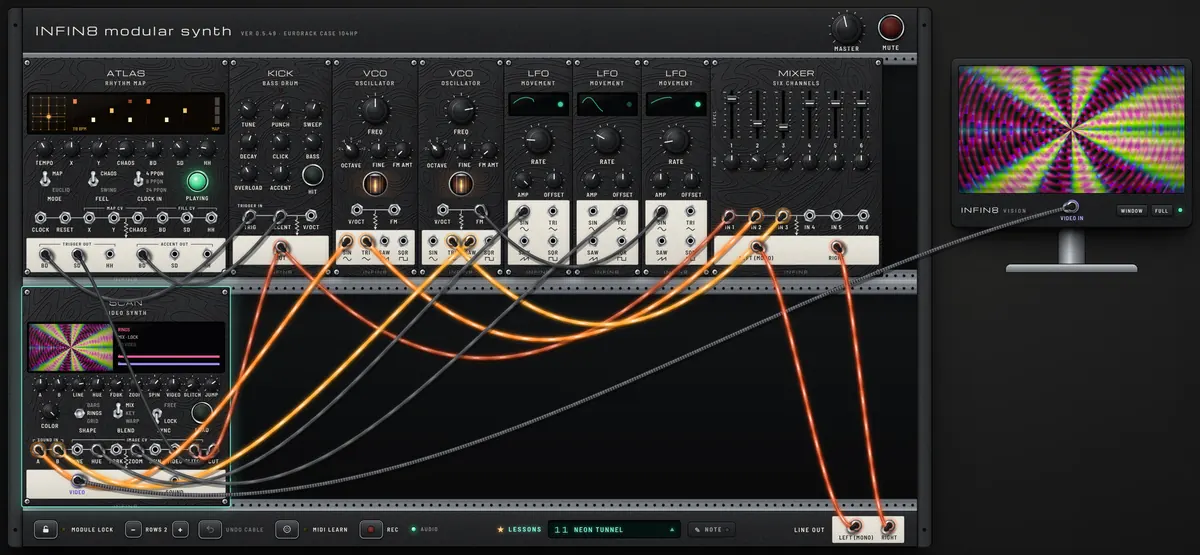
NEON TUNNEL
Earlier-version capture. Open the lesson for its current patch and settings.
LESSON 34

NEON TUNNEL

A video synth: two oscillators drawn as a spinning neon tunnel.

Lesson guide

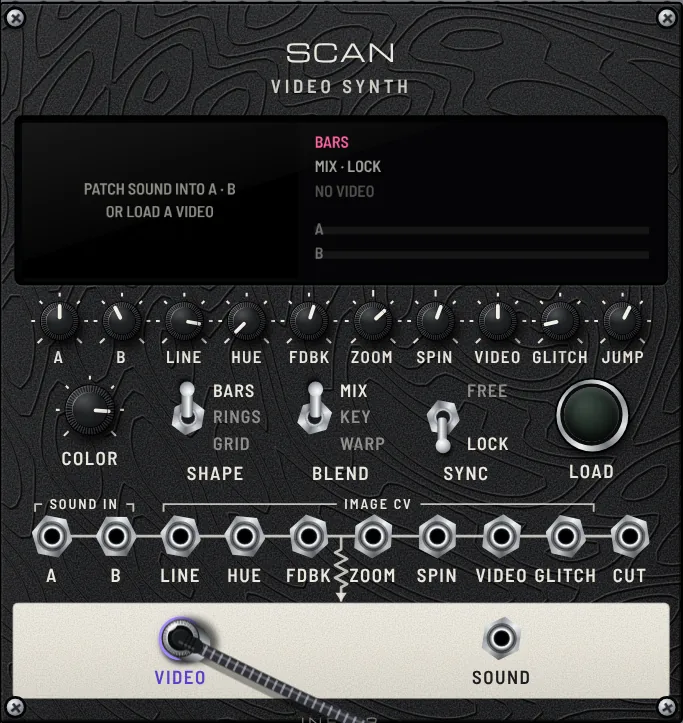
SCAN draws sound the way old video synthesizers did: the A and B waves are laid across the screen line by line as brightness. Here VCO A (a low C) is locked into still rings, VCO B (a fifth above, slowly bent by an LFO into its FM) weaves a second pattern that drifts through them, and feedback with ZOOM and SPIN pulls everything into a tunnel. Two more LFOs cycle the colours and breathe the zoom. ATLAS plays the kick; the kick sound itself goes into GLITCH so the picture tears on every beat, and the snare triggers flash the screen through CUT.

A low fifth drone under a kick. Watch the monitor: rings rotate and shift colour, and every kick glitches the image.

  • Flip SHAPE between RINGS, BARS and GRID: the same two sounds become rings, bars or a woven net.
  • Turn VCO B FREQ a little: the second pattern speeds up, stops or reverses as it drifts against A.
  • Flip SYNC to FREE: nothing is locked any more and the whole picture slides diagonally.
  • Press LOAD on SCAN (or drop a video file onto it), then try BLEND KEY or WARP and turn VIDEO: the snare hits now cut between scenes.
Open lesson ↗
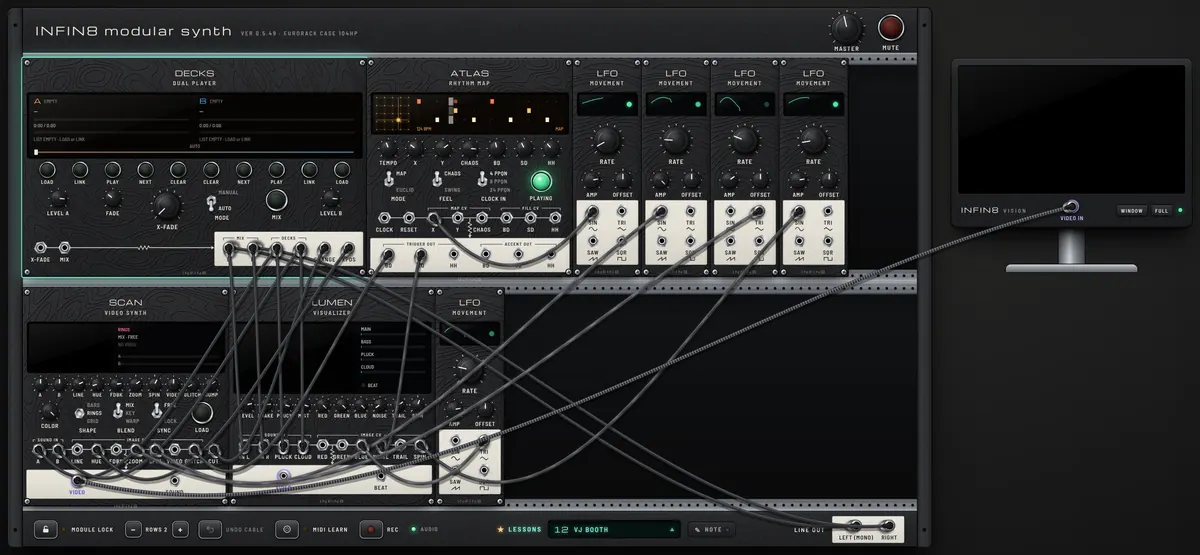
VJ BOOTH
Earlier-version capture. Open the lesson for its current patch and settings.
LESSON 35

VJ BOOTH

Play your own music and let two visual modules follow it.

Lesson guide

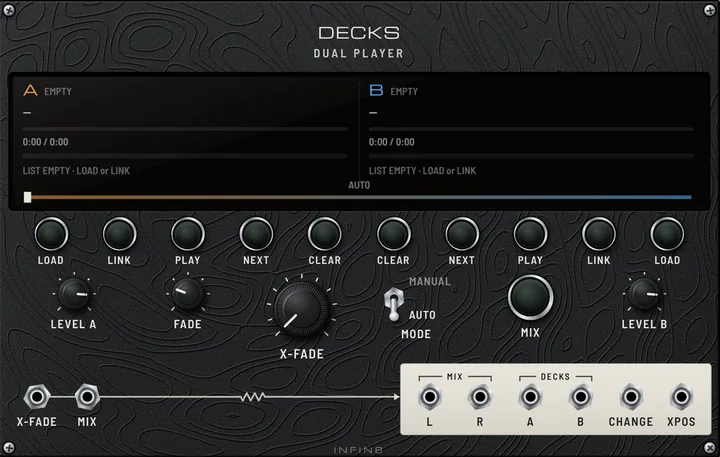
A booth for visuals, no synthesis needed. It starts with a built-in techno track (NEON CIRCUIT, 126 BPM) on deck A, so the screen comes alive right away; then put your own music in. DECKS plays your music and dissolves between its two lists. Each deck feeds its own picture layer: deck A draws SCAN’s first pattern and LUMEN’s coloured sparks, deck B draws SCAN’s second pattern and LUMEN’s fog, so the crossfade morphs the pictures too. The full mix makes LUMEN’s particles and kick shakes. ATLAS runs silently with CHAOS turned up: its random hits tear SCAN with glitches and throw static on LUMEN, while an LFO walks it across its rhythm map. More LFOs spin, zoom and tint both pictures, the crossfader position (XPOS) shifts SCAN’s colours, and every new track (CHANGE) flashes SCAN.

Nothing plays until you load music. SCAN is on the monitor; LUMEN plays on its own screen on the panel.

  • Press LOAD on deck A and pick a few songs, do the same on deck B, then press PLAY on A. AUTO dissolves to B about FADE seconds before each song ends.
  • Drop music files straight onto DECKS: left half goes to A, right half to B.
  • Press MIX to dissolve now, and watch SCAN’s two patterns and LUMEN’s sparks and fog trade places.
  • To show LUMEN on the monitor instead, drag the cable from SCAN VIDEO to LUMEN VIDEO. Turn ATLAS CHAOS and the fills for more or fewer glitches.
Open lesson ↗
LESSON 36

SEEING SOUND

An audio visualizer: the music draws its own picture, bursting on every kick.

Lesson guide

IRIS · LENS is a video synth that listens. The whole MIXER output goes into its IN L / IN R, so every sound moves the picture, and RHYTHM KICK also goes into TRIG, so the picture bursts exactly on the beat. MODE chooses how the sound is drawn (waveform lines, rings, spectrum bars, sparks, a grid, a polygon, a tunnel, rain). K1–K4 change that picture; their names appear on the IRIS screen because they mean something different in each mode. K5 sets the background colour, TRAILS leaves ghost images behind. VIDEO goes to the monitor.

Watch the monitor: an acid groove drawn as pulsing shapes that flash on each kick.

  • Turn MODE through all eight pictures; each one reads the sound differently.
  • TRAILS up for long smeared ghosts, down for a crisp picture. K5 away from black tints the background.
  • Pull the cable out of IRIS TRIG: now it bursts on loud attacks by itself.
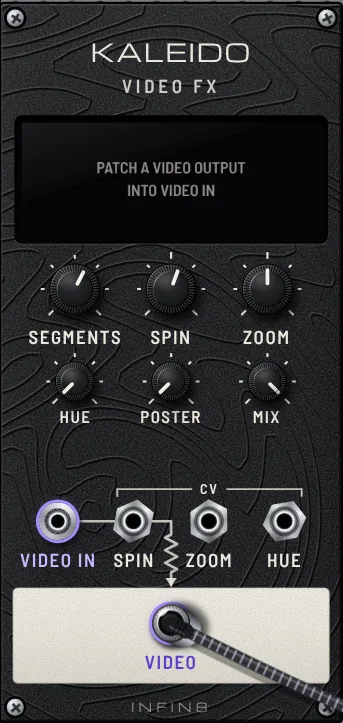
  • Press SHOT to save the picture as a PNG, or put KALEIDO between IRIS and the monitor.
Open lesson ↗
LESSON 37

LISTENING SCREEN

Two listening modules turn the music into video control: EAR hears bass, treble and drum hits, PULSE finds the beat and the bars.

Lesson guide

Until now the picture was moved by cables from the instruments themselves. Here the video only LISTENS to the finished mix, like a VJ with ears, so it would work the same with any song. EAR splits the sound into bass, middle and treble and turns each one into a CV: LOW makes SCAN’s tunnel zoom with the bass, HIGH shifts its colours with the hats, BRIGHT feeds back more trails when the acid filter opens. EAR also fires a trigger whenever the kick jumps out: KICK punches KALEIDO’s zoom. PULSE finds the beat by itself, shows the tempo, and counts bars: every PHRASE (four bars here) it fires SCAN’s CUT, so the scene changes on the downbeat. DENSITY spins the mirror faster when the hits get busy.

A tunnel that breathes with the bass, flickers its colours with the hats, jumps with every kick, and cuts to a new scene every four bars, exactly on the one.

  • Watch PULSE: after a few seconds it shows the tempo (124) and its lights walk across the bar. BAR 1, 2, 3… counts up.
  • Turn EAR SMOOTH: low = the picture twitches with every hit, high = it flows slowly with the music.
  • Turn EAR SENS up until the KICK light also catches the acid accents, then back down until only kicks fire.
  • Set PULSE PHRASE to 1: the scene cuts every bar. Set BAR to 3 and the cuts drift against the 4/4 groove.
  • Turn CLOCK TEMPO: PULSE follows the new tempo by itself within a few seconds.
  • Patch your own sound into EAR IN and PULSE IN (FROM DAW IN, or a song in DECKS) and the same picture dances to it.
Open lesson ↗
TECHNO
LESSON 38

DARK ACID

Charlotte de Witte-style dark acid techno: a deep four-on-the-floor kick with a long rolling rumble, off-beat hats, two percussion voices, and an acid bass that grows from a heavy growl into a scream.

Lesson guide

Dark, driving acid techno in the style of Charlotte de Witte, at 138 BPM. CLOCK sends sixteenth notes to RHYTHM and to ACID · SILVER. RHYTHM plays a straight four-on-the-floor KICK, tuned low (40 Hz) and pushed with BASS and OVERLOAD. The kick also feeds a long, dark VERB, and GRIT keeps only the low end of that tail and roughens it: a deep rumble that rolls and drags under every kick. Open hats sit on the off-beats with closed hats between them. Two percussion voices answer the kick: a short punchy tom (a second KICK) and a dark metallic hit (a second HAT), both bounced left and right by ECHO. ACID · SILVER plays the STOMP pattern: a stomping 3-3-2 groove that pushes against the four-on-the-floor kick, with octave jumps and slides, with long notes (LENGTH 92%), a strong SUB and low ENV MOD, so the bass starts as a big, deep, rolling growl that locks with the kick. A very slow LFO on its SAW output then lifts its CUTOFF, like a DJ riding the filter: over about half a minute the growl opens into a screaming acid line, then drops back to the heavy growl and builds again.

Listen to the kick and its long rumble as one rolling low end, the two percussion hits answering it, and the bass slowly turning from a heavy growl into a screaming acid line over about half a minute, then dropping back.

  • ACID: turn CUTOFF and RES by hand while it plays. This is the main performance move in acid techno.
  • ACID: lower LENGTH and raise ENV MOD for a bouncier, squelchier line; switch PATTERN (ROLLER is another heavy one, RUNNER and SIREN are busy).
  • KICK: lower TUNE for an even deeper kick; on VERB raise DECAY and on GRIT raise RES for a longer, more resonant rumble.
  • RHYTHM: move the SNARE (tom) and CLAP (metal) steps to change the percussion groove.
Open lesson ↗
DNB
LESSON 39

ROLLING BREAKS

Drum and bass at 174 BPM: a two-step break, a deep rolling bass and a soft minor-ninth pad.

Lesson guide

Drum and bass runs fast, around 174 BPM, but feels half as fast because the snare lands only on beats 2 and 4. CLOCK sends sixteenth notes (B ×4) to RHYTHM, which plays the classic two-step: KICK on the first step, a pickup on step 8 and again on step 11, SNARE on 5 and 13, closed hats on every eighth with open hats on the off-beats, a little SWING. The snare is two voices together: a high, clicky KICK (the body) and a noisy HAT (the crack), plus a ghost note at the end of the bar from CLAP. ACID · SILVER plays the ROLL pattern in sixteenths, locked to the kick: long notes that slide up an octave and fall back, set dark (low CUTOFF, low RES, long DECAY, strong SUB), so it becomes a deep rolling bass; a slow LFO sine sways its filter. The same LFO's square wave triggers CHORD · ROPE, a soft minor-ninth pad that swells every few bars into VERB · HERB, which also catches the snare for space.

Hear the fast hats against the slow, heavy two-step of kick and snare. The bass rolls underneath and breathes with the LFO; the pad blooms and fades behind the beat.

  • RHYTHM: move the kick on step 11 to step 9 or 12 and feel how the groove changes. Add a kick on step 8 for a busier break.
  • ACID · SILVER: try the ROLLER or GALLOP pattern, or raise CUTOFF and ENV MOD for a harder, neuro-style bass.
  • Raise RHYTHM SWING for a looser, jungle feel.
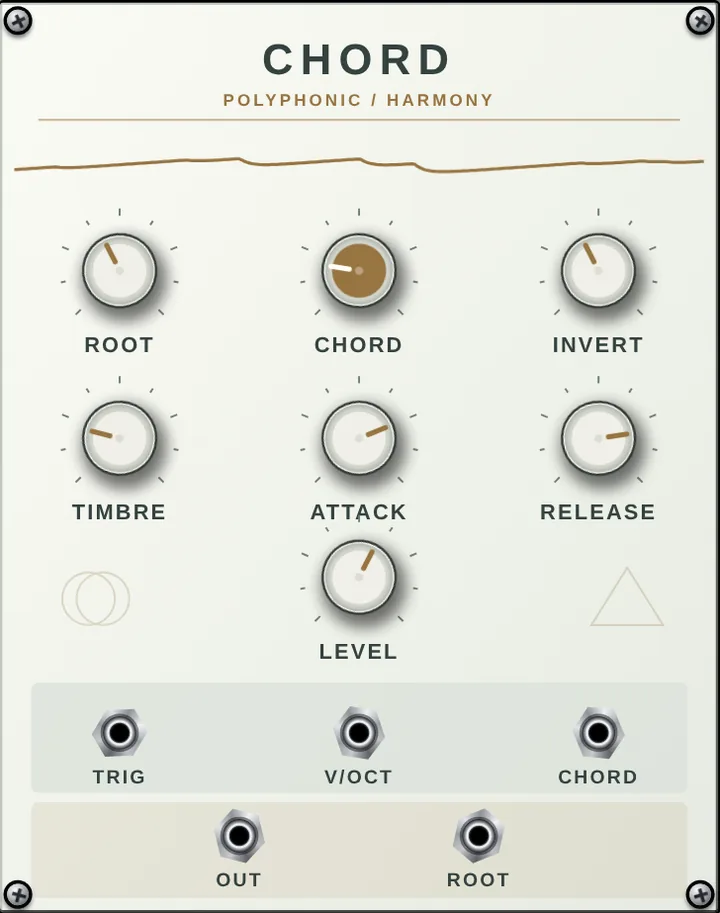
  • CHORD · ROPE: change CHORD to M9 or 69 for a brighter, liquid mood.
Open lesson ↗
INDUSTRIAL
LESSON 40

STEEL FACTORY

Industrial / EBM at 128 BPM: a distorted kick, a mechanical square-wave bass, metal clangs and hissing hats.

Lesson guide

Industrial music sounds like machines: hard, distorted, metallic and relentless. CLOCK sends sixteenths to RHYTHM and to ACID · SILVER. The KICK is pushed into full OVERLOAD and then through GRIT, the dirty filter, with BIAS turned well off-centre so it breaks up into a crunchy, square-edged thud. ACID · SILVER on its SQR wave with DRIVE all the way up and short notes plays the DRIVE pattern: the pumping, mechanical sixteenth-note bass of EBM. Instead of a snare, beats 2 and 4 strike HALO · DONUT in FM mode, a bright clanging metal sheet, thrown left and right by a bright ECHO synced to the clock and sent into a short, dark VERB. A second, overdriven high KICK hits like a hammer on a pipe (CLAP steps), and HAT tuned high with bright TONE hisses on almost every sixteenth.

Hear the kick crack rather than boom, the bass pumping like a piston, and the metal clang on 2 and 4 bouncing away in the echo. Everything is hard-edged; nothing is smooth.

  • GRIT: turn BIAS back to 12 o'clock for a cleaner kick, all the way for pure noise-crunch. Lower CUTOFF to make it darker and heavier.
  • ACID · SILVER: try the RUNNER or SIREN pattern, or raise CUTOFF and ENV MOD for a screaming, aggressive bass.
  • HALO: change MODEL to STRING or MODAL for different metals; lower DAMPING for long ringing anvils.
  • Raise CLOCK TEMPO to 140 and add kicks on more RHYTHM steps for harder industrial techno.
Open lesson ↗
AMBIENT
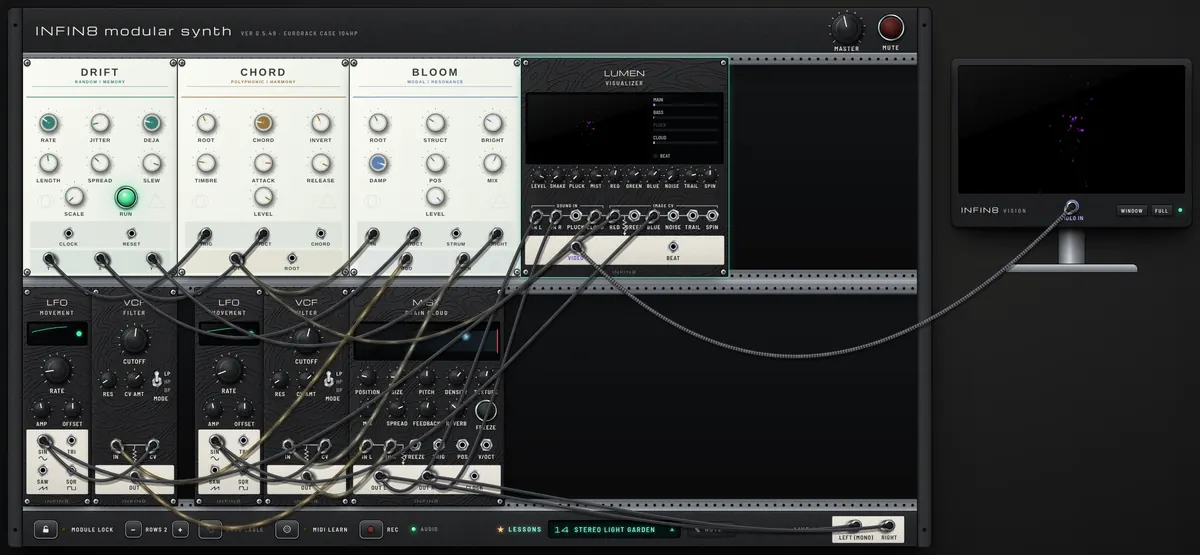
AMBIENT GARDEN
Earlier-version capture. Open the lesson for its current patch and settings.
LESSON 41

AMBIENT GARDEN

A soft stereo pad from DRIFT, CHORD and BLOOM, broken into grains by MIST and drawn as light and fog.

Lesson guide

A pad made by DRIFT → CHORD → BLOOM is split into left and right. On the lower row the first LFO and VCF handle the left side, the second LFO and VCF the right. The filters sit low, so the sound stays soft while each side brightens and darkens at its own speed. Both sides then pass through MIST (Clouds), which breaks them into small grains; FEEDBACK sends the grains back into MIST so they layer up like ripples. LUMEN takes MIST’s final left and right sound and CHORD’s sustained tone and draws them as light and fog; its picture goes to the external monitor.

Click the screen to start the sound and listen for 30 seconds or more. The left side brightens and darkens about every 20 seconds, the right side about every 27 seconds, while small grains sparkle, scatter and linger through the feedback. The two LFOs also move the red and blue in the picture. Left and right, and the movement of the grains, are clearer on headphones.

  • Raise the first LFO’s RATE on the lower row from 0.05 to 0.08: the left tone and the red in the picture change faster.
  • Turn the two VCFs’ CUTOFF from 760 and 920 up to 1100 and 1350 to get back the brighter original sound. Lower is softer. Raise CV AMT (0.35) for a wider swing between bright and dark.
  • Raise MIST’s SIZE from 0.18 to 0.5 for longer grains and a smooth cloud, or down to 0.05 for a finer sparkle.
  • Raise MIST’s FEEDBACK from 0.55 to 0.75 and the echoes pile up longer; if it builds too much, bring it to 0.4. Press FREEZE to keep the current grains circling.
  • LUMEN’s MIST sets the amount of fog and TRAIL the afterglow of the light. If you like it, save it with Projects → SAVE.
Open lesson ↗
LESSON 42

PLINK AND SPACE

The classic eurorack ambient recipe: sparse plinks, ringing strings and a huge grainy reverb.

Lesson guide

This is the ambient patch you see most often in eurorack videos, built from four parts. 1) A slow sequencer that leaves gaps: STAGES plays a pentatonic line at 52 BPM, and some steps are REST, so notes arrive sparsely. 2) A resonator instead of an oscillator: each GATE strikes HALO · DONUT in SYMPATH mode, where extra strings ring along with the note like a sitar or a harp left open. 3) A huge, grainy space: MIST · SKY chops the sound into small grains, feeds them back and drowns them in reverb, so each plink grows into a cloud. 4) Slow change: one LFO turns HALO's STRUCTURE and POSITION so slowly that the same notes keep sounding a little different. LUMEN draws each strike as a burst of light inside the reverb fog. 5) A stereo filter: the left and right outputs of MIST each go through their own VCF, set slightly apart (1.6 kHz and 1.25 kHz). A second, very slow LFO moves them with two different shapes (SIN on the left, TRI on the right), so the brightness drifts from side to side.

Click the screen to start. Listen to how short each strike is on its own, and how long it lasts once MIST catches it. Because the line has 7 steps and some rests, the phrase never lands in quite the same place. Headphones help.

  • Turn MIST's MIX all the way left: you hear the dry plinks alone. Bring it back to the middle: this one knob is most of the ambient feeling.
  • Press MIST's FREEZE: the current cloud hangs in the air while new notes fall through it. Release it to let the cloud move again.
  • Change HALO's MODEL: STRING for plucked guitar, MODAL for bells and glass, VERB for a blurred wash.
  • Lower STAGES TEMPO to 50, or change more steps to REST: fewer notes leave more room for the space.
Open lesson ↗
LESSON 43

GLASS NOCTURNE

A finished, release-ready ambient piece: generative glass bells, a slow-breathing pad and whistling wind in one grainy space.

Lesson guide

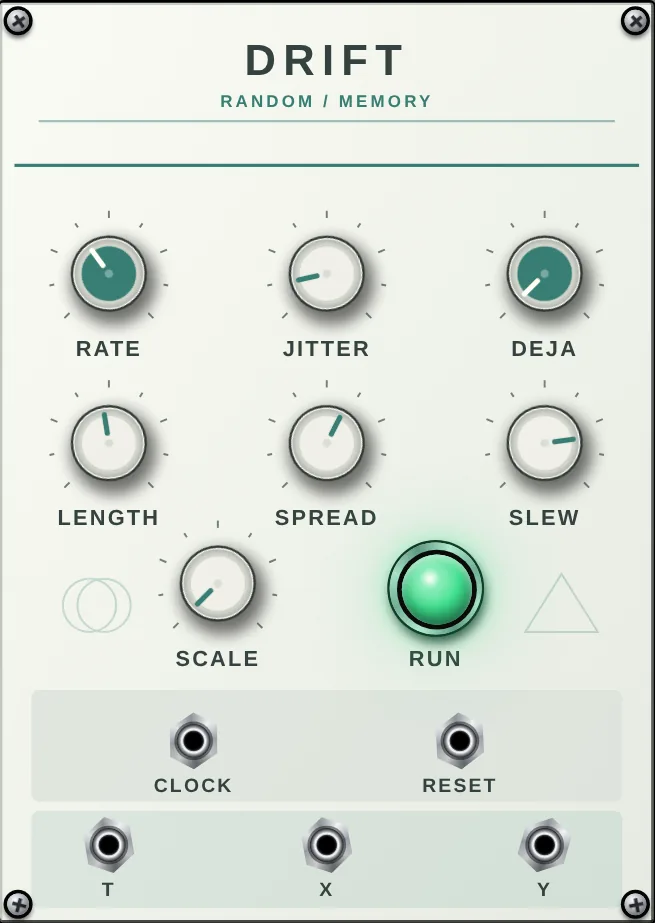
A studio-grade patch rather than a lesson: three layers, each with its own job, glued together by one shared space. BELLS: DRIFT · GLASS BALL writes the melody on its own in C major pentatonic, DEJA at 55% so short motifs return like memories, and its Y output plays HALO · DONUT's BRIGHTNESS like a player's touch. HALO rings in MODAL mode with four voices, ODD panned left and EVEN right for a wide, glassy image. PAD: CHORD · ROPE holds a C 6/9 chord low in the register, the same notes as the pentatonic so nothing ever clashes. A very slow square LFO re-strikes it about every 40 seconds, and the 8-second attack and 20-second release make it breathe rather than play. WIND: NOISE through a resonant band-pass VCF; a second slow LFO moves the band so the noise whistles and sighs. All four channels meet in MIXER at studio levels (bells forward, pad underneath, wind at the edge), then MIST · SKY adds wide grains and a long reverb. The picture: LUMEN draws strikes as light and the wind as fog, and KALEIDO folds it into a slowly turning mandala whose colours follow the wind.

Give it two or three minutes. The bells never repeat exactly but keep returning to the same few shapes; the pad swells in and out under them; the wind rises and falls on a different, longer cycle, so the three layers line up differently every time. Best on headphones or good speakers at low volume.

  • For a recording take, change DRIFT's DEJA: up to 80% for a calm, song-like refrain, down to 20% for constantly new lines.
  • Turn HALO's STRUCTURE: left for warm wooden bars, right for bright metal and glass. DAMPING sets how long each bell rings.
  • Switch DRIFT's SCALE to MIN P and CHORD to m11 together for a darker, night-time version in the same key.
  • Press MIST's FREEZE at a beautiful moment: the cloud holds while the bells keep falling through it. A good ending for a piece.
Open lesson ↗
LESSON 44

TAPE CATHEDRAL

Ambient in the classic eurorack way: a soft plucked voice through a wobbly tape echo into a cathedral-sized reverb.

Lesson guide

Three new modules built for ambient work. SLOPE · CALC is a four-channel function generator laid out like the classic one: channel 1 cycles on its own, rising for 11 seconds and falling for 17, and slowly opens PRISM's TIMBRE and the picture's feedback; channel 4 follows DRIFT's Y output smoothly and moves PRISM's MORPH. PRISM · ROPE plays DRIFT · GLASS BALL's notes in WAVESHAPE mode through its low-pass gate, so each note is a soft pluck. ECHO · PARROT repeats it like worn tape: ZONE E with RATE set to about 620 ms, warm COLOR, PING to bounce left and right, HALO to blur repeats into each other. VERB · HERB then puts everything in a cathedral: large SIZE, long DECAY, DEPTH so the tail sways. SCAN turns the final stereo sound into rings of light.

Each note is short and soft on its own. Listen to it multiply in the echo, wobble slightly, and then melt into the reverb. Over about half a minute the voice slowly brightens and darkens with SLOPE's cycle.

  • ECHO: push REPEATS past 90%: the echoes stop fading and start to grow into a tape loop. Turn RATE slowly and hear the pitch slide like tape. Press HOLD to freeze the loop, FLIP to play it backwards.
  • VERB: turn DECAY all the way up (forever) and pull the cable out of DRIFT's t2: the last notes hang in the cathedral without end.
  • SLOPE: turn RISE 1 and FALL 1 down to 1–2 seconds: the slow breathing becomes a quick pulse. Press CYCLE 1 to stop it.
  • Change ECHO COLOR to the right for bright digital repeats, or lower HALO to hear each repeat clearly.
Open lesson ↗
LESSON 45

SLOW TIDE

Rebuilt from a 3-hour tape ambient recording: a dark D minor pad breathing every 20 seconds, soft notes scattered wide.

Lesson guide

This preset was rebuilt from a 3-hour generative ambient recording. In its opening section almost all the sound sits below 300 Hz, the notes are D, F, A and C, and everything breathes about once every 20 seconds. CHORD · ROPE holds a D minor 7 chord low in the bass, swelling in over 8 seconds and fading over 20, retriggered by the slow square LFO. Its sound goes through a VCF set almost closed (420 Hz), and a second LFO slowly opens and closes it: that is the breathing. DRIFT · GLASS BALL picks notes from D minor pentatonic for PRISM, which plucks them softly. ECHO bounces them wide left and right like worn tape, and VERB turns it into one huge, dark room.

Listen to the low chord swell and fade, and to the filter slowly opening and closing over about 20 seconds. Soft notes appear far left and far right and melt into the reverb.

  • VCF CUTOFF: turn it up past 1 kHz and hear how much brighter the recording would sound without its dark filter. Then bring it back down.
  • CHORD: turn CHORD from m7 to m9 or m11 for a richer, more open minor color.
  • LFO 1 RATE: speed it up to 0.2 Hz and the slow breath becomes a gentle pulse.
Open lesson ↗
DARKAMBIENT
LESSON 46

BLACK VOID

Dark ambient: a low minor drone, dirty wind and distant metal, swelling in an endless dark space.

Lesson guide

Dark ambient lives in the low end and in the space around it. CHORD · ROPE, untriggered, holds a low A minor chord as an endless drone; a VCF set dark with some resonance, swept very slowly by an LFO, makes it breathe. NOISE at its darkest colour goes through GRIT, whose resonant low cutoff a second LFO moves: it becomes a rough, howling wind. HALO · DONUT in SYMPATH mode, struck every few seconds by a third LFO's square wave, rings like distant metal with heavy damping. The MIXER blends the three and sends them to VAST · BLUE in BLOOM mode, so each sound swells up slowly instead of starting, with long dark repeats; VERB · HERB, dark and huge, puts everything in a cave.

Listen to the drone slowly open and close, the wind rising and falling on its own cycle, and the metal clangs blooming out of the dark and taking a long time to die. Nothing has a clear start; everything swells.

  • CHORD · ROPE: try ROOT lower (one octave) for a sub drone you feel more than hear, or CHORD OCT for a hollow fifth-less tone.
  • VAST · BLUE: switch to SHIMMER and raise SHIMMER for a dark, ghostly choir above the drone.
  • GRIT: turn RES up until the wind starts to whistle.
  • HALO: raise STRUCTURE and lower DAMPING for long, bell-like tails; slow LFO 3 down for rarer clangs.
  • DRIFT picks a new root (A, C or E) every so often and SLOPE glides to it over ~9 s, so the whole drone slowly sinks and rises. Turn DRIFT RATE for more or fewer changes, SLOPE RISE/FALL for slower glides.
Open lesson ↗
LESSON 47

TANGLED STATIC

A chaos box growls by itself while white noise crackles and brown noise rumbles underneath.

Lesson guide

No melody, no beat: everything here is noise, and nobody plays it. KNOT is a chaos box built on an idea much loved in noise and experimental music. Two oscillators shake each other, and a little 8-step memory (the “rungler”) turns their meeting into half-random voltage steps that shake them back. Its filtered OUT is the growling, never-quite-repeating voice. The same steps (RUNG) open a VCA over WHITE noise, so the hiss arrives in uneven bursts, and EMBER in FUZZ mode turns those bursts into crackling static. A second NOISE turned almost fully dark gives a BROWN-noise rumble like distant machinery. VERB, tilted dark, puts it all in an endless concrete hall.

A low, restless growl that seems to almost repeat, crackling static that comes and goes in uneven steps, and a deep rumble holding everything up.

  • Turn KNOT CHAOS all the way down: the pattern locks into a loop and repeats exactly. Bring it up slowly and the loop starts to mutate.
  • Turn KNOT OSC 2 up: the rungler steps faster, so both the growl and the static get busier. Down for slow, heavy steps.
  • Turn KNOT RES up for a whistling, howling filter; RUN F up so the steps throw the filter around harder.
  • Turn the static NOISE COLOR from white (left) to pink (about a third): the crackle turns into a softer, darker hiss.
  • EMBER: switch MODE to OD for a cleaner static, or turn DRIVE up for a harsher noise wall.
Open lesson ↗
LESSON 48

HISS CHOIR

Pink noise sung into a minor chord by three ringing filters, over a brown-noise floor, frozen into a grain cloud.

Lesson guide

Noise holds every pitch at once, so a filter can pick out a pitch and make the noise sing it. Here one PINK noise (COLOR about a third: softer and darker than white, every octave equally loud) feeds three VCFs in BP mode with resonance almost at the top. Each one rings on its own note: D, F and A, a D-minor chord made only of hiss. Slow LFOs breathe each filter a little, so the voices waver like a distant choir. A second NOISE turned dark is BROWN noise, a low floor like wind in a tunnel. MIST scatters it all into a slow grain cloud and VERB on forever turns it into a cathedral of air.

A breathy, ghostly chord that never starts or ends, three voices drifting slightly apart, over a deep rush of wind.

  • Turn VCF 1 RES down: the voice fades back into plain hiss. Up again and the note comes back. Resonance is what makes noise sing.
  • Turn one VCF CUTOFF to a new note: the chord changes. Try F up to F# for a major chord, or A down to G# for a darker cluster.
  • Turn the source NOISE COLOR toward white (left): brighter, more airy voices; toward dark: muffled and heavy.
  • MIST: press FREEZE to hold the current moment, then turn POSITION to wander inside it.
  • Turn LFO RATE up on one of the LFOs: that voice starts to tremble faster than the others.
Open lesson ↗
GENERATIVE
LESSON 50

SLOW ECOSYSTEM

Eno-style generative pads that start from almost silence: one seed pad, new pads born at random moments on notes of the same chord, slowly filling with light.

Lesson guide

Brian Eno built Music for Airports from tape loops of different lengths that never line up, and called generative music a garden: you plant and set the conditions, then let it grow. Here everything is slow, soft pads, and the garden starts from almost nothing. The seed is the first CHORD · ROPE, a C minor ninth, swelled by a very slow LFO square wave about every 22 seconds (8 seconds in, 18 out). DRIFT · GLASS BALL is the nature around it: its clock ticks only about every 20 seconds, with lots of JITTER, so births happen at unpredictable moments. Each tick a coin decides whether t1 or t3 fires, waking the second CHORD · ROPE (an open fifth) or the third (a low octave), and at the same moment X1 and X3 choose its root. STEPS is turned to CHORD, so DRIFT only picks C, E♭ or G: every new pad is a note of the C minor chord, so the harmony is always calm and beautiful, just in different colours. And the light itself grows: SLOPE · CALC slews a constant voltage up through channel 1 and then channel 4, about a minute in all, slowly opening two VCFs from almost closed. So at first you hear only a faint, dark hum; over the first minute the garden fills with air and light. MIST · SKY softens everything into a grain cloud and VERB · HERB gives the space.

At first there is almost nothing: a faint, dark hum. Over the first minute the filters open and the seed pad becomes clear; then, at moments nobody chose, new pads are born on notes of the same chord and overlap with it. Every few minutes the colour of the harmony is different, but it never clashes.

  • DRIFT: raise RATE for a busier ecosystem with more births; lower it for long, empty stretches of the seed alone.
  • DRIFT: DÉJÀ VU up for a garden that keeps coming back to the same harmonies, down for constant change.
  • CHORD · ROPE: lengthen ATTACK and RELEASE for even slower, more overlapping breaths.
  • DRIFT STEPS: turn it below CHORD (to SCALE) and pads may land on any note of the pentatonic scale: more colour, a little more tension.
Open lesson ↗
DAW
LESSON 51

FROM DAW IN

Bring your DAW’s sound into the rack and play it through filters and effects.

Lesson guide

FROM DAW IN brings a DAW's sound (Ableton, FL Studio, Cubase …) into the rack through a virtual audio cable: BlackHole on Mac, VB-Cable on Windows. Press SETUP once: if the cable is missing it installs it (you only approve the system prompt), then picks it automatically. In the DAW set the audio output (or one track's output) to BlackHole / CABLE Input. Here the sound goes through VCF, whose cutoff a slow LFO sweeps, then ECHO and VERB. CLOCK is set to SYNC: AUDIO, so it starts when the DAW's sound arrives, finds the tempo and keeps ECHO's repeats in time.

Play something in the DAW. Watch the L/R meters move and hear the sound open and close with the LFO, then echo and fade into the reverb. CLOCK shows LISTENING… and then the tempo with BPM AUTO.

  • Turn VCF CUTOFF down: the DAW's sound becomes dark and muffled.
  • Press NEXT to choose another input, such as a microphone or an audio interface.
  • Press MIDI LEARN, click VCF CUTOFF, then move a knob on your controller: play the filter by hand.
  • If CLOCK picks the wrong tempo (half or double), turn TEMPO by hand; pick AUDIO in the SYNC list again to go back to automatic.
Open lesson ↗
LESSON 52

TO DAW OUT

Send MUHAN’s sound to your DAW and record it on a track.

Lesson guide

TO DAW OUT sends only what you patch into it to your DAW, through the virtual audio cable (BlackHole on Mac, VB-Cable on Windows). Your computer's sound settings stay as they are. It picks the cable automatically; if it is missing, press SETUP. In the DAW set the audio input device to BlackHole 2ch / CABLE Output, make an audio track from it, arm it and record. Here an acid bass line, a kick and a hi-hat are mixed and sent to the DAW; MONITOR is on so you hear them here too. CLOCK is on LINK, so if the DAW has Link the loop is recorded in time.

Watch TO DAW OUT's L/R meters move: that is what the DAW receives. In the DAW the track's meter moves the same way.

  • Set MONITOR to OFF: you hear nothing here, but the DAW still receives the sound.
  • Patch only the kick (or the hat) into TO DAW OUT to record it on its own track; add a second TO DAW OUT on another cable channel for more tracks.
  • Turn LEVEL down if the DAW's track meter turns red.
  • If FROM DAW IN uses the same cable, the screen shows LOOP!: use a second cable for one direction.
Open lesson ↗
LESSON 53

MIDI FROM DAW

Play a synth tone here from MIDI notes recorded in Ableton (or any DAW).

Lesson guide

Your DAW plays the notes, MUHAN makes the sound. KEYS listens to MIDI: each note sends PITCH to the VCOs and a GATE to ADSR, ADSR slowly sweeps the band-pass VCF on every note and GATE opens the VCA (the fuzzy French-house lead from the SIGNATURE TONE lessons). CLOCK is set to SYNC MIDI, so the drums follow the DAW tempo and start and stop with it. Setup, once: Mac: Audio MIDI Setup → Window → MIDI Studio → IAC Driver → tick “Device is online”. Windows: install loopMIDI and add a port. In Ableton: Preferences → Link/Tempo/MIDI → that port’s Output: turn on Track and Sync. On your MIDI track set MIDI To = that port. Then press MIDI on KEYS once and press play in the DAW.

Nothing until the DAW plays. Then your MIDI clip plays the fuzzy lead, with drums locked to the DAW tempo. No DAW? Play KEYS with the computer keyboard (A–K).

  • Send only one track to the port: KEYS hears every channel and plays one note at a time (the last one).
  • Notes too low or high? Turn KEYS OCTAVE. MUHAN’s 0 V = C3, the same C3 as Ableton.
  • ADSR: A about 0.1 s and a long D give the slow swell-and-darken; shorten D for clipped notes.
  • Want the sound back in the DAW? Add TO DAW OUT after the MIXER (see the previous lesson).
Open lesson ↗
LESSON 54

PLAY VCV RACK

Connect MUHAN to VCV Rack: MUHAN sends the tempo, a bass line and a filter sweep as MIDI, VCV plays the bass and sends its sound back.

Lesson guide

MIDI OUT turns cables into MIDI messages, so another program can follow this rack. Here CLOCK MAIN (one pulse per beat) goes to CLK and becomes MIDI clock with start and stop; CLOCK RESET goes to RESET and sends START, so VCV’s sequencers begin on step 1 together. STAGES sends its GATE and PITCH: every step becomes a MIDI note. A slow LFO goes into CV and becomes CC 1, a knob VCV can map to its filter. The drums stay here. The sound VCV makes comes back through FROM DAW IN and is mixed with the drums.

Setup, once:
1. Make a virtual MIDI port. Windows: install loopMIDI and press + to add a port. Mac: open Audio MIDI Setup → Window → Show MIDI Studio → IAC Driver → tick “Device is online”.
2. Make a virtual audio cable for the sound coming back: VB-Cable on Windows, BlackHole on Mac (FROM DAW IN’s SETUP button helps).
3. Click MIDI OUT’s screen until it shows that port (it picks a virtual port by itself).

In VCV Rack:
4. Add MIDI-CV. Driver: your system MIDI, Device: the loopMIDI / IAC port. Its V/OCT and GATE play a VCO → VCF → VCA → AUDIO. Its CLK output (set to 24 PPQN or a division) and START drive VCV’s clocks and sequencers.
5. Add MIDI-CC (same port), set the first slot to CC 1 and patch it to the VCF cutoff.
6. In VCV’s AUDIO module choose the virtual audio cable (CABLE Input / BlackHole 2ch) as output.
7. Back here, press FROM DAW IN’s CONNECT and pick CABLE Output / BlackHole 2ch.

The screen shows the tempo it sends, the note being played (F, A♭, C …) and the CC value rising and falling. In VCV, MIDI-CV’s lights blink with the notes and the filter opens and closes with the LFO. You hear VCV’s bass here together with MUHAN’s drums.

  • MIDI OUT screen / NEXT — Which MIDI port it sends to. Choose the same port in VCV’s MIDI-CV.
  • CHANNEL — MIDI channel of the notes and CC. Set MIDI-CV in VCV to the same channel (or Omni).
  • CC — Which CC number the CV input becomes. 1 is the mod wheel; MIDI-CC in VCV must listen to the same number.
  • CLK = — How long one CLK pulse is: 1/4 for CLOCK MAIN, 1/16 for CLOCK ×4. Wrong setting = VCV runs 2× or 4× too fast or slow.
  • CLOCK — OFF stops sending MIDI clock (notes and CC still go out). Use it when VCV has its own tempo.
  • Change CLOCK TEMPO: VCV’s clocks follow within a beat.
  • Stop CLOCK (RUN): VCV gets STOP and its sequencers stop too.
  • Change STAGES steps: VCV plays the new notes straight away.
  • Patch STAGES ENV into CV instead of the LFO: the VCV filter now opens on every note.
  • Add a second MIDI OUT on channel 2 with another sequence and a second MIDI-CV in VCV set to channel 2: two voices.
Open lesson ↗
SIGNATURE
LESSON 56

ROBOT GROWL

The fuzzy, nasal, “guitar-like” synth lead of mid-90s French house (think Daft Punk, “Da Funk”).

Lesson guide

This tone is not a squelchy bass; it is a mid-range lead that sounds almost like a distorted guitar. Studies of the record point to the recipe: a SQUARE (pulse) wave, a BAND-PASS filter with strong resonance (that is the nasal, “talking” colour), a slow filter envelope on each note (about 90 ms attack, long decay, no sustain, so each note swells and then darkens), and a guitar overdrive pedal after the synth doing most of the work. The melody is played in parallel fourths, so VCO 2 is tuned a fourth above VCO 1. Here: VCO SQRs → VCF in BP mode → EMBER, a guitar overdrive pedal in OD mode with DRIVE pushed hard → VCA opened by STAGES GATE. ADSR is the slow filter envelope. The riff is our own; the point is the tone. (Not affiliated with or endorsed by Daft Punk or its rights holders; artist and song names are used only to describe the style.)

A buzzing, nasal lead in two voices a fourth apart; every note swells in and fades darker, over a straight kick and off-beat hats.

  • EMBER DRIVE is the overdrive pedal: turn it down to hear the dry synth, up for more grind. TONE darker or brighter changes the bite.
  • Press EMBER MODE: OD (warm, mid-heavy, closest to the record), DIST (harder, buzzier), FUZZ (sputtering). Compare them.
  • VCF RES and CUTOFF: more RES = more nasal and vocal; move CUTOFF to find the honk.
  • ADSR A and D: A a little longer for a softer swell, D shorter for clipped notes.
  • Turn VCO 2 down: one voice instead of the fourths, thinner and more like a plain synth.
Open lesson ↗
LESSON 57

GOLD FUNK

Lush analog synth pads with a swirling, wave-like filter over a funky gospel groove (think Bruno Mars, “24K Magic”).

Lesson guide

The shine of modern 80s-style funk comes from big, lush analog pads. CHORD · ROPE plays a rich minor-9 chord with a slow swell; a STAGES moves it between F, B♭ and C every two bars. The chord splits into two resonant low-pass VCFs, left and right, and two slow LFOs at different speeds sweep them all the way open and closed, so the brightness rolls back and forth across the speakers like a wave. VAST adds a chorus-like space. Underneath, RHYTHM plays a funky gospel groove: syncopated kicks, a backbeat snare (a second HAT tuned dark) with soft ghost notes, busy sixteenth hats. (Not affiliated with or endorsed by Bruno Mars or his rights holders; artist and song names are used only to describe the style.)

Warm, bright pads whose brightness swirls left and right like a wave, over a syncopated gospel-funk drum groove.

  • LFO 1 / LFO 2 RATE: slower for long, lazy waves, faster for a shimmering wobble.
  • Turn the two VCF RES knobs up for a glassier, more vocal sweep; CUTOFF down for darker waves.
  • CHORD · ROPE: try CHORD M9 or 69 for a happier colour, ATTACK shorter for punchier stabs.
  • Edit the RHYTHM grid: move kicks off the beat or add ghost snares for your own groove.
Open lesson ↗
LESSON 58

MIDNIGHT 808

A late-night R&B groove at 136 BPM: a long, gliding, gritty 808 bass in F minor under soft hi-hats.

Lesson guide

Modern R&B and trap bass is usually an “808”: a kick drum tuned to a note and left ringing, so it is a drum and a bass at once. Here KICK plays it. STAGES sends each note’s pitch to KICK V/OCT and its gate to KICK TRIG, so every note is a new hit at a new pitch, and GLIDE slides the pitch while the old note still rings (the 808 slide). Two things give it the growl you hear in records: GRIT with BIAS pushed to one side bends the wave unevenly, which adds the even harmonics (the octave above) that make a bass sound “warm and dirty”, and its CUTOFF keeps everything above about 600 Hz out. A clean sine one octave higher (VCO → VCA, shaped by ADSR on the same gates) is layered on top, so the bass is heard even on a phone speaker. CLOCK runs it all at 136 BPM: ×2 (eighth notes) steps the bass, ×4 (sixteenths) steps RHYTHM, which plays a punchy KICK, a noisy snare (a second HAT tuned low with all noise) on 2 and 4, and hi-hats. A slow LFO now sweeps GRIT’s cutoff up and down over about 15 seconds with the resonance raised, so the 808 squelches like an acid line.

A bass you feel more than hear: long notes in F minor that slide into each other, with a warm growl and a soft octave on top, under a kick, a snare on 2 and 4 and busy hi-hats. Use headphones or a speaker with real bass.

  • STAGES GLIDE — How long the pitch takes to slide to the next note. 0: jumps. 60 ms: the classic 808 slide. 200 ms+: a long, lazy swoop.
  • KICK TUNE — The lowest note. Set to C1 (32.7 Hz), so STAGES’ F comes out as F1 (44 Hz), deep under everything.
  • KICK DECAY — How long each note rings. 2 s (as set) lets notes ring on into the glide. Short turns it into a punchy kick.
  • KICK OVERLOAD — Squares the wave off: adds odd harmonics (3×, 5× the note) for bite.
  • GRIT BIAS — Pushed to one side, the distortion becomes lopsided and adds even harmonics (2×, 4×): the warm growl. At the center it is clean.
  • GRIT CUTOFF · DRIVE — CUTOFF keeps the dirt dark (600 Hz). DRIVE is how hard it hits the distortion.
  • VCA CV AMT — How loud the octave layer is. 0: only the 808 (felt more than heard). Full: the octave is as loud as the note, so it cuts through.
  • MIXER — Channel 1: the 808. 2: the octave layer. 3: hi-hats. 4: snare. 5: kick.
  • —
  • Turn GLIDE on STAGES from 0 up to 200 ms. The notes go from stepping to sliding.
  • Turn VCA CV AMT down to 0: on a laptop or phone the bass almost disappears, because only the deep 44 Hz note is left. Bring it back up.
  • Move GRIT BIAS to the center: the growl gets thinner and cleaner. Push it back to the side for the warm, dirty sound.
  • Turn KICK OVERLOAD from 0 to full, then open GRIT CUTOFF to 3 kHz: the bass turns buzzy and aggressive. Bring them back down.
  • Shorten KICK DECAY to 0.3 s (and ADSR D to 0.3 s): the bass becomes a punchy kick pattern. Lengthen them again for the sustained 808.
  • Write your own riff: move the PITCH sliders on STAGES (every position stays in F minor) and the REPEATS sliders to make notes longer or shorter.
  • Turn CLOCK TEMPO down to 68: everything goes half-time and floats. Back to 136 for the drive.
Open lesson ↗
LESSON 59

MIDNIGHT MOOG

The same late-night riff as lesson 49, now as a classic sustained synth bass: two sawtooth oscillators through a nearly closed ladder filter.

Lesson guide

Lesson 49 played this riff as an 808: a tuned kick that fades away. Many records use a different instrument for the same job: a classic analog synth bass in the style of the Minimoog. The difference is that the note does not fade: it stays at full strength for as long as the key (here the STAGES gate) is held, and the notes slide into each other. Two VCOs play bright sawtooth waves, the classic recipe for that synth’s bass: one on the note (F1, 44 Hz) and one an octave higher, very slightly detuned, which gives the bass its strong “octave” body. The MIXER beside KICK adds them together and sends them into LADDER, the transistor-ladder filter that synth is famous for. It is almost closed at about 290 Hz, so only the warm low harmonics pass, and a little DRIVE rounds them. ADSR shapes each note: a little filter “bloom” at the start (LADDER ENV), then a high SUSTAIN so the note holds. VCA follows the same envelope for the volume. STAGES sends its pitch to both VCOs and to LADDER V/OCT, so the filter follows the notes and high notes don’t sound duller than low ones. The drums and tempo are the same as lesson 49: 136 BPM, kick, snare on 2 and 4, hi-hats.

The same riff as lesson 49, but the notes don’t die away: a round, warm, steady bass that slides between notes with a soft “bwow” at each start. Switch between lessons 49 and 50 to hear 808 versus synth bass.

  • LADDER CUTOFF — The main tone control. 150 Hz: deep and round. 750 Hz: open and singing (as set). 1.5 kHz and up: bright and buzzy.
  • LADDER RES — Resonance: a peak at the cutoff. Halfway (as set) gives the classic vocal “wow” peak; more makes it whistle and thins the bottom.
  • LADDER DRIVE — Pushes the filter into saturation: rounder and louder. A little (as set) is warm; a lot squares the wave off and the octave body gets thinner.
  • LADDER ENV — How much ADSR opens the filter at the start of each note: the small “bwow” on every note.
  • ADSR S (SUSTAIN) — How loud the note stays while held. High: the sustained synth bass. Turn it to 0 and the bass fades like an 808.
  • ADSR D (DECAY) — How fast the start of the note falls to the sustain level (and how long the filter bloom lasts).
  • STAGES GLIDE — Portamento: how long the pitch slides from one note to the next. Notes are HOLD steps that join, so they glide legato.
  • MIXER beside KICK, 1 · 2 — The balance of the two oscillators: 1 is the note, 2 the octave above. Pull 2 down for a darker, deeper bass; push it up for more body on small speakers.
  • VCO 2 FINE — A tiny detune of the octave oscillator. More makes the bass slowly “breathe” (phasing); 0 makes it static.
  • Turn LADDER CUTOFF slowly from 150 Hz to 2 kHz and back: this one knob is most of the classic bass sound.
  • Turn ADSR S down to 0 and D to 1.5 s: the bass now fades like an 808. Bring S back up to hold the notes.
  • Raise LADDER ENV: every note starts with a bigger “bwow”. Lower it for a smooth, flat bass.
  • Turn LADDER DRIVE from 0 to full: from thin and polite to thick and growling.
  • Set STAGES GLIDE to 0, then to 150 ms: from separate steps to long lazy slides.
  • Patch the first VCO’s SQR instead of SAW into the MIXER beside KICK: a hollower, more “woody” bass.
Open lesson ↗
SOUNDDESIGN
LESSON 60

RISER AND HIT

Build tension for a scene: a sound that rises and rises, then a deep BOOM.

Lesson guide

For theatre, film and video you often need effects, not songs. The most used one is the riser and hit: tension building up, then a big impact on the cut. SLOPE draws one slow rising line (RISE, about 6 s). That line opens the VCF over NOISE and a VCO and also pulls the VCO pitch up, so the sound gets brighter, higher and louder. At the top SLOPE sends EOR (end of rise), which hits KICK tuned very low with a long DECAY: the boom. VERB makes it huge. CYCLE is on so it repeats for practice; for a single shot, turn CYCLE off and press it when you need it.

Wind-like noise and a tone climbing for six seconds, then a deep BOOM that rolls away in a big room.

  • Turn SLOPE RISE 1: 2 s for a quick whoosh, 20 s for a long, slow dread.
  • Turn RESPONSE 1 toward EXP: the rise starts slowly and rushes at the end (more tension).
  • KICK TUNE lower and DECAY longer for a cinema-size boom; OVERLOAD for a harder, distorted hit.
  • Turn CYCLE 1 off. Now it only runs when you patch something into TRIG 1 (a KEYS GATE is perfect for live cues).
Open lesson ↗
LESSON 61

NIGHT STORM

A background atmosphere for a scene: wind, rain and far thunder, all from noise.

Lesson guide

Many scenes need an atmosphere (ambience) under the dialogue: a room, a street, weather. Nature sounds are mostly noise, shaped. WIND: dark NOISE through a VCF whose cutoff a slow LFO pushes up and down, so gusts come and go. RAIN: bright hiss, kept quiet. THUNDER: very dark NOISE through a VCA; a very slow LFO fires ADSR now and then, and its slow attack and long decay make the low rumble swell and roll away. VERB puts it all outdoors. It never repeats exactly, so it can run under a whole scene.

Wind rising and falling, a steady hiss of rain, and every so often a far rumble of thunder.

  • Wind: LFO 1 RATE faster for a stormier wind, VCF RES up and it starts to whistle.
  • Rain: NOISE 2 LEVEL up for heavy rain, COLOR a little darker for rain on a roof.
  • Thunder: ADSR A shorter = a closer, sharper crack; D longer = it rolls for longer.
  • For a cue: swap the LFO 2 cable going into ADSR GATE for a KEYS GATE, and fire thunder by hand at the right moment.
Open lesson ↗
EXAMPLE TRACKS
LESSON 62

CONCRETE

Hard techno · 145 BPM — A 64-bar hard-techno track at 145 BPM arranged in FOLIO.

Lesson guide

A 64-bar hard-techno track at 145 BPM arranged in FOLIO. The kick is doubled by a “rumble”: the same kick through a big dark VERB and GRIT, the low smear that fills hard techno between the hits. The ACID line has no gate cable: it runs on its own DARK pattern, and FOLIO’s CLAP row is its clock — scenes with the CLAP row lit play the acid, scenes without it stop it, always in step. CV 1 plays a band-passed stab through a ping-pong ECHO. CV 2 is a rolling off-beat BASS (VCO → LADDER → VCA) that plays from the very first bar; it joins after the master filter in a second MIXER, so it stays loud and clear while CV 3 closes and opens the rest of the track. CV 4 pushes the ECHO repeats up for dub-style throws in the break.
Arc: kick, rumble and bass → hats and accents → acid and stabs in (peak 1) → break with acid alone and a snare roll → peak 2 with open hats → outro.

The track starts by itself. ❚❚ / ▶ on FOLIO pauses and plays; click a lane’s timeline to jump there.

From the first bar the kick, the rumble and the off-beat bass lock into one rolling engine; the acid entering on bar 17 is the first real rise. In the break the acid squelches alone before the roll throws everything back.

  • FOLIO CLAP row — Here it is not a sound but the ACID’s clock: lit steps move the acid pattern on.
  • VERB → GRIT (rumble) — VERB DECAY and GRIT CUTOFF shape the rumble behind the kick.
  • ACID CUTOFF / RES — The acid line’s bite. An LFO already pushes CUTOFF slowly.
  • KICK OVERLOAD — How dirty the kick is.
  • LADDER CUTOFF / ENV (bass) — How bright and punchy the bass is; MIXER 2 IN 2 sets how loud.
  • Change ACID PATTERN to RUNNER or STOMP: a different line, still in time.
  • Light the CLAP row in scene P too: the acid starts 8 bars earlier.
  • Lower VERB DECAY for a tighter, drier rumble.
Open lesson ↗
LESSON 63

FOUNDRY

Big-beat breakbeat · 136 BPM — Big-beat breakbeat at 136 BPM, in the spirit of late-90s rave-punk: broken drums, a snarling riff and metal everywhere.

Lesson guide

Big-beat breakbeat at 136 BPM, in the spirit of late-90s rave-punk: broken drums, a snarling riff and metal everywhere. FOLIO’s KICK row plays a breakbeat kick (not four-on-the-floor), the CLAP row fires a short, crushed second kick that works as the snare, and the SNARE row strikes HALO, a metal plate retuned every step by CV 1. A square-wave ACID at full DRIVE is the riff, clocked by the OPEN HAT row, and CV 1’s GATE fires distorted noise bursts through EMBER. A roll on the last bar before every new section throws the track forward. CV 3 drives the master filter, CV 4 the metal echoes.
Arc: riff alone → break kicks in → metal stabs → a stripped break with a snare roll → full-on peak → outro. CV 4 automates the ECHO on the HALO metal: more repeats in the busy sections, the most in the break.

The track starts by itself. ❚❚ / ▶ on FOLIO pauses and plays; click a lane’s timeline to jump there.

The drums never sit on the four: kick on 1 and the off-beats, snare cracks on 2 and 4, rolls before every new section, and the riff grinds through it all.

  • ACID DRIVE / RES — The snarl of the riff.
  • CLAP-row KICK (TUNE, OVERLOAD) — The crack of the breakbeat snare.
  • HALO STRUCTURE / BRIGHTNESS — The metal stabs.
  • EMBER DRIVE — How harsh the noise bursts are.
  • Change ACID PATTERN for a new riff on the same beat.
  • Light more KICK steps in scene D for a busier break.
  • Push CV 4 up in the break for a wall of metal echoes.
Open lesson ↗
LESSON 64

LIQUID RAIN

Drum & bass · 174 BPM — Liquid drum & bass at 174 BPM: soft m9 pads, a deep two-oscillator “reese” bass and a rolling two-step beat, all in F minor.

Lesson guide

Liquid drum & bass at 174 BPM: soft m9 pads, a deep two-oscillator “reese” bass and a rolling two-step beat, all in F minor. CV 2 plays CHORD (triggered twice a bar, its PITCH moves the chord), sent through a long VERB together with the snare. CV 1 plays the bass: two saw VCOs slightly detuned against each other (the slow beating is the reese sound) into LADDER, with long HOLD notes and glide. CV 3 opens LADDER through its ENV input. The SNARE row plays a punchy second kick plus a noisy hat layer; swing is on every drum scene.
Arc: pads and hats → two-step beat with bass → break with only pads → full broken beat to the end. CV 4 automates the VERB mix: wet in the intro, drier in the drop, a big wash in the break.

The track starts by itself. ❚❚ / ▶ on FOLIO pauses and plays; click a lane’s timeline to jump there.

A rolling beat over warm chords, the bass slowly phasing; the break leaves the pads hanging in reverb before the beat drops back in.

  • VCO 2 FINE — The detune between the two bass oscillators: the speed of the reese “breathing”.
  • LADDER CUTOFF / DRIVE — Bass darkness and grit.
  • CHORD TIMBRE / RELEASE — Pad brightness and how long chords ring.
  • VERB MIX — How wet the pads and snare are.
  • Raise VCO 2 FINE for a wider, more aggressive reese.
  • Change CHORD from m9 to m11 or 69 for a different colour.
  • Remove the swing (FOLIO RHYTHM SWING) to hear how much it matters.
Open lesson ↗
LESSON 65

MORNING GLASS

Ambient · 72 BPM — A bright, peaceful ambient piece in C major built on a chord progression you can follow: C – Am – F – G – Em – Am – Dm – G – C, four bars each.

Lesson guide

A bright, peaceful ambient piece in C major built on a chord progression you can follow: C – Am – F – G – Em – Am – Dm – G – C, four bars each. FOLIO plays it on two lanes at once. CV 2 is a harp-like arpeggio on HALO — root, third, fifth, octave and tenth of each chord, rising and falling in slow quarter notes — so every chord change is heard in the melody itself. CV 1 gives the same roots to an open CHORD pad, a soft sine bass and the BLOOM bells (struck by FOLIO’s OPEN HAT row). The effects follow the song: CV 3 brings in MIST’s grains, CV 4 opens the VERB, and VAST adds octave-up shimmer. A band-passed NOISE breeze drifts underneath.

The track starts by itself. ❚❚ / ▶ on FOLIO pauses and plays; click a lane’s timeline to jump there.

Follow the bass and the arpeggio: every four bars the harmony moves — bright C, tender A minor, warm F, hopeful G — and comes home to C at the end.

  • CV 1 / CV 2 scenes (C, A, F, G, E, D) — The harmony: each scene is one chord, as a pad root and as an arpeggio.
  • HALO STRUCTURE / BRIGHTNESS — Harp ↔ glass ↔ bell for the arpeggio.
  • CHORD ATTACK / RELEASE — How softly the pad swells.
  • CV 3 / CV 4 — Grains and space over the song.
  • Swap two slots in the CV 1 and CV 2 lanes together for a new progression.
  • Edit scene A’s arpeggio to fall instead of rise.
  • Turn CHORD to M7 for a dreamier pad.
Open lesson ↗
LESSON 66

UNDERCROFT

Dark ambient · 60 BPM — A slow descent into a cold stone cellar, arranged in FOLIO at 60 BPM.

Lesson guide

A slow descent into a cold stone cellar, arranged in FOLIO at 60 BPM. A low G minor-seventh CHORD drones the whole time under a filter that breathes over almost a minute. CV 1 writes the harmony (G → E♭ → C → G → D → G) and SLOPE glides every change over ten seconds, so the chord and the deep HALO bells (SYMPATH mode, strings ringing in sympathy) bend there together. FOLIO’s KICK row is the bell rope: no tolls at first, then one per bar, then two. The effects are part of the form: CV 3 opens the resonant GRIT on brown NOISE (distant machinery) in the middle of the piece, and CV 4 lets the dark VERB grow. KNOT adds a chaotic rumble from below; VAST in BLOOM mode makes it a huge, closed room.

The track starts by itself. ❚❚ / ▶ on FOLIO pauses and plays; click a lane’s timeline to jump there.

Listen for the slow bends when the root moves, and for the machinery that rises from the dark around bar 33 and sinks again.

  • FOLIO KICK row — When the HALO bells toll.
  • CV 1 (harmony lane) — Each scene is a chord root; SLOPE RISE / FALL sets how slowly it bends.
  • CV 3 / CV 4 — The machinery (GRIT CUTOFF) and the room (VERB MIX) over the song.
  • CHORD ATTACK / RELEASE — How slowly the drone breathes.
  • Light more KICK steps in scene U for a faster toll.
  • Change scene D to index 1 (A) for a stranger, darker move.
  • Turn SLOPE RISE and FALL down to 2 s: the harmony moves like footsteps instead of fog.
Open lesson ↗
LESSON 67

STATIC WALL

Harsh noise wall · 96 BPM — Harsh noise wall arranged in FOLIO at 96 BPM: one dense, unbroken mass of distortion whose sections are written as CV lanes.

Lesson guide

Harsh noise wall arranged in FOLIO at 96 BPM: one dense, unbroken mass of distortion whose sections are written as CV lanes. White and brown NOISE plus KNOT’s chaotic XOR crackle are summed, crushed by EMBER in FUZZ mode and pushed through a resonant, overdriven GRIT. CV 1 sets GRIT’s cutoff per section (an LFO still moves it from within), CV 2 darkens or brightens the brown noise, CV 3 sets how much of the wall goes into the VERB and CV 4 jumps MNEMO’s delay time, so the repeats bend in pitch at each new section. FOLIO’s KICK row fires an overloaded KICK inside the wall: single blows, then a pile-driver section. The left side is wet, the right stays dry, so the wall feels wide. Start with the MASTER volume low.

The track starts by itself. ❚❚ / ▶ on FOLIO pauses and plays; click a lane’s timeline to jump there.

The wall never stops, but every 8 or 16 bars its colour, its pitch smear and its blows change — that is the song form.

  • CV 1 (GRIT lane) — The colour of the wall, section by section.
  • CV 4 (MNEMO TIME) — Delay-time jumps: the pitch bends you hear at section changes.
  • FOLIO KICK row — The blows inside the wall.
  • EMBER DRIVE — How crushed it is.
  • Make the CV 4 lane jump every bar for a stuttering wall.
  • Light all 16 KICK steps in scene X for a machine-gun section.
  • Lower GRIT RESONANCE for a less screaming, rounder wall.
Open lesson ↗
LESSON 68

SIGNAL DECAY

Rhythmic noise · 132 BPM — Rhythmic noise arranged in FOLIO at 132 BPM: a broken machine that still has a groove.

Lesson guide

Rhythmic noise arranged in FOLIO at 132 BPM: a broken machine that still has a groove. FOLIO clocks ATLAS (CLK → CLOCK, RST → RESET), so ATLAS’s shifting three-part rhythm stays locked to the song, and the CV lanes steer it: CV 1 walks ATLAS’s X through neighbouring rhythms and CV 2 raises its CHAOS, peaking in the break. Part 1 hits a fully overloaded KICK, part 2 fires short distorted NOISE bursts and an FM PRISM blip, part 3 strikes a metallic HALO whose pitch a fast LFO scrambles. FOLIO’s own KICK row adds a straight four-on-the-floor in two sections. Effects follow the form: CV 3 opens the screaming GRIT, CV 4 throws the mix into the VERB in the break; a short MNEMO slapback stays on throughout.

The track starts by itself. ❚❚ / ▶ on FOLIO pauses and plays; click a lane’s timeline to jump there.

ATLAS alone at first, then the straight kick pins it down; in the break chaos rises, the GRIT screams and the room opens before the groove snaps back.

  • CV 1 / CV 2 (ATLAS X, CHAOS) — Which rhythm ATLAS plays and how broken it gets, section by section.
  • FOLIO KICK row — The straight kick under the broken one.
  • CV 3 (GRIT CUTOFF) — How much the mix screams.
  • LFO RATE — How fast the HALO pitch is scrambled.
  • Raise the CV 2 values for a much more broken rhythm.
  • Light the KICK row in the break too for a pounding break.
  • Turn MNEMO FEEDBACK up for metallic smears.
Open lesson ↗
LESSON 69

TAPE BLOOM

Live sampling · 80 BPM — Live sampling with MUTAGENE, arranged in FOLIO at 80 BPM: the patch records itself and the song decides when.

Lesson guide

Live sampling with MUTAGENE, arranged in FOLIO at 80 BPM: the patch records itself and the song decides when. DRIFT plays a HALO melody (FOLIO’s HAT row is its clock) and a slow CHORD swells; both go into MUTAGENE and, quietly, straight to the mixer. FOLIO’s CLAP row presses REC — recording starts on bar 9, stops on bar 17, starts again on bar 25 and stops on bar 33 — and the OPEN HAT row drops SPLICE markers. From bar 33 the tape takes over: CV 3 turns S.O.S. towards the reel, CV 1 walks ORGANIZE through the splices and CV 2 chops them into small GENE pieces clocked by FOLIO’s CLK. CV 4 slowly opens the VERB. The piece turns into a collage of its own first half.

The track starts by itself. ❚❚ / ▶ on FOLIO pauses and plays; click a lane’s timeline to jump there.

The first half sounds like a simple melody; from bar 33 the same melody comes back from the tape, cut, reordered and smeared.

  • FOLIO CLAP / OPEN HAT rows — REC and SPLICE: when the tape records and where it is cut.
  • CV 1 (ORGANIZE) — Which splice plays in the collage.
  • CV 3 (S.O.S.) — Live input ↔ tape.
  • MUTAGENE GENE-SIZE — How small the pieces are.
  • Move the CLAP hits to record different bars.
  • Give CV 1 more scenes so the collage jumps between splices faster.
  • Turn MUTAGENE VARI-SPEED below the middle: the tape plays backwards.
Open lesson ↗
LESSON 70

SEED GARDEN

Generative · 84 BPM — A generative garden with a song form: PEBL8 keeps writing new music, FOLIO decides the seasons.

Lesson guide

A generative garden with a song form: PEBL8 keeps writing new music, FOLIO decides the seasons. FOLIO’s HAT row is PEBL8’s clock, so each scene sets how busy the garden is — quarter notes, eighths, then eighths with off-beat skips — and RST restarts PEBL8’s loop when the song starts. CV 1 feeds PEBL8’s REPEAT: high values keep the phrases (you can hum them), low values let them mutate. CV 2 widens the SPREAD of the notes in the middle of the piece. Voice 1 plays PRISM (soft waveshaped plucks, an LFO slowly changing its timbre), voice 2 strikes HALO, voice 3 now and then moves a CHORD. The effects grow with the form: CV 3 brings in MIST’s grains and CV 4 opens the VERB.

The track starts by itself. ❚❚ / ▶ on FOLIO pauses and plays; click a lane’s timeline to jump there.

The opening phrase repeats until you can almost sing it; around bar 17 it starts to change, and by the end a new phrase has grown and settled.

  • FOLIO HAT row — PEBL8’s clock: how busy each section is.
  • CV 1 (REPEAT) — Stable phrases ↔ mutation, section by section.
  • PEBL8 SEED — A different garden from the same rules.
  • CV 3 / CV 4 — Grains and space over the song.
  • Set CV 1 to its lowest value everywhere: a garden that never repeats.
  • Change PEBL8 SEED and press PLAY again.
  • Make scene D denser (all 16 HAT steps) for a busy summer.
Open lesson ↗
LESSON 71

ACID SUNRISE

Hard acid techno · 140 BPM — Hard acid techno at 140 BPM, dark and relentless in the style of today’s big-room acid.

Lesson guide

Hard acid techno at 140 BPM, dark and relentless in the style of today’s big-room acid. The kick never changes: the same four-on-the-floor, no accents, from the first bar to the last. Everything else moves around it. The ACID screams with high RESONANCE and DRIVE on its DARK pattern, clocked by FOLIO’s CLAP row, and CV 3 is patched to its CUTOFF, so each CV 3 scene is a new filter move: closed, half open, a long rise, a wobble, a dark drop, then fully open. A roll on the bar before each new section and dub throws on the ECHO (CV 4) mark the changes; CV 1 adds dark minor stabs. CV 4 automates the ECHO repeats on the stabs: a long dub throw in the break.

The track starts by itself. ❚❚ / ▶ on FOLIO pauses and plays; click a lane’s timeline to jump there.

The kick is a steady hammer; over it the acid closes, rises, wobbles and finally tears wide open.

  • ACID RES / DRIVE — The scream and the grit of the acid.
  • CV 3 scenes — The filter story: each scene is a new cutoff move.
  • KICK OVERLOAD / BASS — The weight of the kick (it stays the same all track).
  • ECHO REPEATS — How long the stabs throw.
  • Change ACID PATTERN while it plays for a new line on the same groove.
  • Raise CV 3 scene O for an even brighter peak.
  • Turn ACID DECAY down for shorter, harder notes.
Open lesson ↗
LESSON 72

SMOKE ROOM

Dub techno · 122 BPM — Dub techno at 122 BPM: a deep, smoky groove where the echo is the instrument.

Lesson guide

Dub techno at 122 BPM: a deep, smoky groove where the echo is the instrument. CV 1 fires a short D minor-seventh CHORD stab on the off-beat of every beat. The stab goes through a low-pass VCF that CV 3 slowly opens and closes across the track, then into a long ping-pong ECHO with high feedback (an LFO gently wobbles its time, like old tape) and a dark VERB, so every stab trails off into the distance. CV 2 plays a deep sine sub-bass, a soft kick keeps the pulse and quiet hats shuffle on top. CV 4 rides the ECHO REPEATS like a dub engineer: short throws, then long ones that pile up into a wash.

The track starts by itself. ❚❚ / ▶ on FOLIO pauses and plays; click a lane’s timeline to jump there.

A single chord stab, again and again, but the echoes and the filter make it change all the time.

  • ECHO REPEATS — How long the stabs keep echoing. Near the top they build up into a wash.
  • VCF CUTOFF — The darkness of the stab (CV 3 moves it too).
  • ECHO ZONE / TIME — The echo length: dub techno lives on dotted, long echoes.
  • CHORD TIMBRE — Soft ↔ bright stabs.
  • Push ECHO REPEATS up for a few bars then pull it back: a classic dub move.
  • Change CHORD from m7 to m9 or SUS4 for a different mood.
  • Make a CV 3 scene with a slow rise for one bar to “open the door” before the drop.
Open lesson ↗
07 · 63 MODULES

63-module guide

Names and controls match the current app. Illustrations may show earlier versions; expand each entry for current controls and ports.

SILVER·3

The two boxes that built acid house and electro: BOOM·88 (TR-808 style) plays the drums and clocks SILVER·3 (TB-303 style), which squelches an acid line.

Controls and ports

WAVEFORM · TUNING · CUT OFF FREQ · RESONANCE · ENV MOD · DECAY · ACCENT · VOLUME · TEMPO · RUN/STOP · STEPS · WRITE · k1 · k3 · k6 · k8 · k10 · C · D · E · F · G · A · B · C · DOWN · UP · ACCENT · SLIDE · REST · CLEAR · seq

Inputs: CLOCK · RUN · CV · GATE · ACC · CUT CV

Outputs: OUT · CV · GATE · ACC

Related lesson 33 · ACID & BOOM

BOOM·88

The two boxes that built acid house and electro: BOOM·88 (TR-808 style) plays the drums and clocks SILVER·3 (TB-303 style), which squelches an acid line.

Controls and ports

LEVEL · LEVEL · TONE · DECAY · LEVEL · TONE · SNAPPY · LEVEL · TUNING · LEVEL · TUNING · LEVEL · TUNING · LEVEL · LEVEL · LEVEL · LEVEL · TONE · DECAY · LEVEL · DECAY · LEVEL · MASTER VOLUME · TEMPO · INSTRUMENT SELECT · START/STOP · CLEAR · st0 · st1 · st2 · st3 · st4 · st5 · st6 · st7 · st8 · st9 · st10 · st11 · st12 · st13 · st14 · st15 · pat

Inputs: CLOCK IN · START

Outputs: MIX · BD · SD · LT · MT · HT · RS · CP · CB · CY · OH · CH · CLOCK · ACCENT

Related lesson 33 · ACID & BOOM

NEST·32

Two more classic boxes: NEST·32 (Mother-32 style) plays a bass line, COUSIN·8 (DFAM style) plays the drums, locked together.

Controls and ports

Controls: FREQUENCY · PULSE WIDTH · MIX · CUTOFF · RESONANCE · VOLUME · VCO MOD · AMOUNT · VCO WAVE · VCF MOD · AMOUNT · VCF MODE · VCA MODE · GLIDE · TEMPO · STEPS · GATE · LFO RATE · LFO · ATTACK · DECAY · SUSTAIN · RUN · OCT · C · k1 · k2 · k3 · k4 · k5 · k6 · k7 · k8 · k9 · k10 · k11 · C · REC · REST · GLIDE · CLEAR · seq

Inputs: EXT AUDIO · MIX CV · VCA CV · VCF CUT · VCF RES · VCF MOD · VCO MOD · VCO LIN FM · 1V/OCT · LFO RATE · MIX 1 · MIX 2 · VC MIX CTRL · MULT · GATE · TEMPO · RUN/STOP · RESET · HOLD

Outputs: VCA · NOISE · VCF · VCO SAW · VCO PULSE · LFO ▲ · LFO ⊓ · EG · KB · GATE OUT · ASSIGN · VC MIX · MULT OUT

Related lesson 29 · NEST & COUSIN

COUSIN·8

Two more classic boxes: NEST·32 (Mother-32 style) plays a bass line, COUSIN·8 (DFAM style) plays the drums, locked together.

Controls and ports

Controls: TEMPO · VCO DECAY · SEQ PITCH MOD · TO · VCO 1 EG AMT · VCO 1 FREQ · VCO 1 · 1→2 FM AMT · VCO 2 EG AMT · VCO 2 FREQ · VCO 2 · SYNC · VCO 1 · NOISE / EXT · VCO 2 · CUTOFF · RESONANCE · VCF · VCF EG AMT · VCF DECAY · NOISE / VCF MOD · VCA EG · VCA DECAY · VOLUME · TRIGGER · RUN/STOP · ADVANCE · 1 · 2 · 3 · 4 · 5 · 6 · 7 · 8 · v1 · v2 · v3 · v4 · v5 · v6 · v7 · v8

Inputs: TRIGGER · VCA CV · VELOCITY · VCA DECAY · EXT AUDIO · VCF DECAY · NOISE LVL · VCO DECAY · VCF MOD · 1 CV · 1→2 FM AMT · 2 CV · TEMPO · RUN/STOP · ADV/CLOCK

Outputs: VCA · VCF EG · VCO EG · VCO 1 · VCO 2 · PITCH · VELOCITY · VCF · TRIG OUT

Related lesson 29 · NEST & COUSIN

0-SHORE

0-SHORE (0-Coast style): West Coast sound — no filter sweep, just folding and a low-pass gate.

Controls and ports

Controls: PITCH · PORTAMENTO · LIN FM · OVERTONE · MULTIPLY · BALANCE · DYNAMICS · RISE · FALL · VARI-RESPONSE · CYCLE · TRIG · SLOPE → MULTIPLY · TEMPO · ONSET · SUSTAIN · DECAY · VARI-RESPONSE · CONTOUR → DYNAMICS · VOLUME

Inputs: 1V/OCT · GATE · SLOPE TRIG · SLOPE CV · OVERTONE · MULTIPLY · DYNAMICS · BALANCE · LIN FM · TEMPO

Outputs: OUT · SQUARE · SLOPE · EOC · CONTOUR · RANDOM · CLOCK · TRIANGLE

Related lesson 30 · WEST COAST

NEUTRINO

NEUTRINO (Neutron style): morphing oscillators, a multimode filter, overdrive and a dark delay in one box.

Controls and ports

Controls: OSC 1 SHAPE · RANGE 1 · PW 1 · OSC 2 SHAPE · RANGE 2 · PW 2 · OSC 2 TUNE · OSC 1 TUNE · OSC MIX · NOISE · SYNC · PARA · CUTOFF · RESONANCE · MODE · ENV DEPTH · KEY TRACK · DRIVE · TONE · OUTPUT · DLY TIME · REPEATS · DLY MIX · LFO SHAPE · LFO RATE · LFO DEPTH · TO · ATTACK · DECAY · SUSTAIN · RELEASE · ATTACK · DECAY · SUSTAIN · RELEASE · GLIDE · SLEW

Inputs: OSC 1+2 CV · OSC 2 CV · GATE · VCF CUTOFF · VCF RES · OSC 1 PITCH · OSC 2 PITCH · OSC 1 SHAPE · OSC 2 SHAPE · LFO RATE · DLY TIME · EXT IN · VCA CV · S&H IN · S&H CLK · SLEW IN

Outputs: OUTPUT · OSC 1 · OSC 2 · VCF · LFO · ENV 1 · ENV 2 · NOISE · S&H OUT · SLEW OUT · DELAY

Related lesson 31 · NEUTRINO DRIVE

LYRE·8

LYRE·8 (Lyra-8 style): eight sine voices that modulate each other into a living drone.

Controls and ports

Controls: PITCH · 1 · 2 · 3 · 4 · 5 · 6 · 7 · 8 · HOLD · MOD · SHARP · slow0 · HOLD · MOD · SHARP · slow1 · HOLD · MOD · SHARP · slow2 · HOLD · MOD · SHARP · slow3 · 1 · 2 · 3 · 4 · 5 · 6 · 7 · 8 · VIB RATE · VIB DEPTH · LFO A · LFO B · MIX · TIME 1 · TIME 2 · MOD · BY · FEEDBACK · MIX · DISTORTION · VOLUME · MOD 1–4 · MOD 5–8

Inputs: GATE 1 · GATE 2 · GATE 3 · GATE 4 · GATE 5 · GATE 6 · GATE 7 · GATE 8 · TIME 1 · TIME 2

Outputs: OUT L · OUT R · HYPER LFO · DELAY

Related lesson 32 · EIGHT LIVING VOICES

FOLIO

Arrange scenes across one rhythm lane and four CV lanes to build intros, developments and drops. Press PLAY to start and set each scene’s repeat count to shape the song.

Song data travels inside the patch, including shared links and offline exports. Open the 11 example tracks in LESSONS 60–70 to explore their arrangements.

ACID · SILVER

Acid bass voice with its own 16-step patterns: a saw or square oscillator through a squelchy resonant 4-pole low-pass, a decaying filter envelope, accents that open the filter more and more, and slides between notes. Patch a 16th-note CLOCK, then ride CUTOFF, RES and ENV MOD. GATE + PITCH inputs let another sequencer play it instead.

Controls and ports

Controls: TUNE · CUTOFF · RES · ENV MOD · DECAY · ACCENT · DRIVE · SUB · LENGTH · LEVEL · WAVE · PATTERN · KEY · OCT · TEMPO

Inputs: CLOCK · RESET · CUTOFF · PITCH · GATE · ACCENT

Outputs: OUT · PITCH · GATE · ACC

Related lesson 38 · DARK ACID

ADSR

Gives each note a shape. When GATE turns on: Attack (rise), Decay (fall) to the Sustain level, held while the key is down. When GATE turns off: Release (fade). The screen draws the shape as you turn the knobs.

Controls and ports

Controls: A · D · S · R

Inputs: GATE

Outputs: ENV · INV

Related lesson 8 · OPEN AND CLOSE

ATLAS module screenshot
ATLAS · BINGO

Rhythm generator ported from the Mutable Instruments Grids firmware (GPL-3.0). Instead of programming steps, you move across a map of real drum patterns with X and Y, and turn each channel’s fill from a bare skeleton to busy ghost notes. CHAOS varies every bar.

Controls and ports

Controls: TEMPO · X · Y · CHAOS · BD · SD · HH · MODE · FEEL · CLOCK IN · RUN

Inputs: CLOCK · RESET · X · Y · CHAOS · BD · SD · HH

Outputs: BD · SD · HH · BD · SD · HH

Related lesson 24 · DESERT PULSE

FROM DAW IN

Receive DAW, interface or microphone audio. Allow CONNECT, choose the input with NEXT and set GAIN.

Controls and ports

Controls: CONNECT · NEXT · SETUP · GAIN

Inputs: —

Outputs: L · R

Related lesson 50 · FROM DAW IN

BLOOM module screenshot
BLOOM · DONUT

Partial port of Rings Resonator: stiffness/Q tables, mode tuning and SVF bank, limited to 32 modes. Added resonance-normalized excitation, dry/wet and DC filtering. No string, sympathetic-string or hidden modes.

Controls and ports

Controls: ROOT · STRUCT · BRIGHT · DAMP · POS · MIX · LEVEL

Inputs: IN · V/OCT · STRUM · BRIGHT

Outputs: ODD · EVEN

Related lesson 41 · AMBIENT GARDEN

BRAID8 module screenshot
BRAID8 · ROPE

Three-engine Plaits-derived voice: virtual analog, waveshaping and two-operator FM, with triggerable low-pass gate. Uses the supplied PRISM port. Not a complete Plaits port; no percussion, wavetable or physical-model engines.

Controls and ports

Controls: FREQ · HARMO · TIMBRE · MORPH · MODEL · DECAY · COLOR · tatt · fatt · matt

Inputs: V/OCT · TRIG · LEVEL · HARMO · TIMBRE · MORPH · FM · MODEL

Outputs: OUT · AUX

Related lesson 25 · DRY RITUAL

CHORD module screenshot
CHORD · ROPE

Partial port: original 11 chords, five-voice inversion, registration and band-limited string synthesizer. Added soft envelope. Wavetable branch and other Plaits engines are not included.

Controls and ports

Controls: ROOT · CHORD · INVERT · TIMBRE · ATTACK · RELEASE · LEVEL

Inputs: TRIG · V/OCT · CHORD

Outputs: OUT · ROOT

Related lesson 45 · SLOW TIDE

CLOCK module screenshot
CLOCK

Master clock. Set the tempo and get a pulse every beat on MAIN, plus three faster outputs whose multiplier (×1 to ×8) is picked with a knob and shown on a column of LEDs. A digital readout shows every BPM. Ableton Link requires the local launcher.

Controls and ports

Controls: TEMPO · A · B · C · RUN · SYNC

Inputs: RESET

Outputs: MAIN · A · B · C · RESET

Related lesson 11 · IN SYNC

TO DAW OUT

Send the patched audio to a chosen output device. Select the same virtual cable as an input in your DAW; MONITOR also plays it here.

Controls and ports

Controls: NEXT · SETUP · LEVEL · MONITOR

Inputs: IN L · IN R

Outputs: —

Related lesson 51 · TO DAW OUT

DECKS module screenshot
DECKS

Two decks for your own music files or YouTube links. Queue tracks on each side, mix with the crossfader, or let AUTO dissolve from one track to the next, alternating sides. Each deck has its own output so visual modules can follow them.

Controls and ports

Controls: LOAD · LINK · PLAY · NEXT · CLEAR · LEVEL A · FADE · X-FADE · MODE · MIX · LEVEL B

Inputs: X-FADE · MIX

Outputs: L · R · A · B · CHANGE · XPOS

Related lesson 35 · VJ BOOTH

DRIFT module screenshot
DRIFT · GLASS BALL

t: RATE (with ÷4 / ×1 / ×4 range), JITTER, BIAS between t1 and t3, three modes (COIN, CLUSTER, DRUMS). X: SPREAD, BIAS, STEPS (left = smooth, middle = raw, right = quantized to the SCALE), three modes (SAME, BUMP, TILT) and three ranges (+2, +5, ±5). DÉJÀ VU with LENGTH loops the randomness; the t and X buttons choose which side loops. Y is a slow smooth random voltage. Clock inputs for t and X, CV for rate, jitter, déjà vu, steps, spread and both biases.

Controls and ports

Controls: t · X · DEJA VU · RATE · SPREAD · MODE · LENGTH · BIAS · RANGE · SCALE · JITTER · STEPS

Inputs: BIAS · BIAS · CLOCK · RATE · JITTER · DEJA · STEPS · SPRD · CLOCK

Outputs: t1 · t2 · t3 · Y · X1 · X2 · X3

Related lesson 49 · SLOW ECOSYSTEM

ECHO · PARROT

Stereo color echo laid out like the classic one. ZONE picks the time range, RATE moves within it (gliding like tape) or divides a CLOCK, μ adds micro-modulation. REPEATS can grow past 100% safely, COLOR darkens or brightens repeats, HALO smears them, FLIP plays them backwards, HOLD freezes the loop, PING bounces left and right.

Controls and ports

Controls: MIX · REPEATS · RATE · tatt · ZONE · zatt · HALO · COLOR · catt · FLIP · HOLD · PING

Inputs: L[M] · R · rcv · mcv · hcv · zcv · time · μ · ccv · CLOCK · flip · hold

Outputs: L · R

Related lesson 38 · DARK ACID

GRID8 module screenshot
GRID8 · BINGO

Rhythm generator ported from the Mutable Instruments Grids firmware (GPL-3.0). Instead of programming steps, you move across a map of real drum patterns with X and Y, and turn each channel’s fill from a bare skeleton to busy ghost notes. CHAOS varies every bar.

Controls and ports

Controls: TEMPO · X · Y · CHAOS · BD · SD · HH · MODE · FEEL · CLOCK IN · RUN

Inputs: CLOCK · RESET · X · Y · CHAOS · BD · SD · HH

Outputs: T1 · T2 · T3 · A1 · A2 · A3

Related lesson 25 · DRY RITUAL

GRIT module screenshot
GRIT

Unruly CMOS-style low-pass filter. Push BIAS off center and it squares up, gates and snarls like ring modulation and fuzz. Great on triangles, saws and drums.

Controls and ports

Controls: CUTOFF · RES · DRIVE · BIAS

Inputs: IN · CUTOFF

Outputs: OUT

Related lesson 40 · STEEL FACTORY

HALO module screenshot
HALO · DONUT

Resonator engine ported line by line from the open-source Mutable Instruments Rings firmware (MIT). Bells, plucked and sympathetic strings, FM and chords. Trigger STRUM or press PLUCK, or feed sound into IN.

Controls and ports

Controls: FREQUENCY · STRUCTURE · BRIGHTNESS · DAMPING · POSITION · MODEL · POLY · PLUCK · attB · attF · attD · attS · attP

Inputs: IN · STRUM · V/OCT · FM · STRUCT · BRIGHT · DAMP · POS

Outputs: ODD · EVEN

Related lesson 20 · STRUCK AND PLUCKED

HAT module screenshot
HAT

Analog-style hi-hat with closed and open triggers. A closed hit chokes a ringing open one. TUNE, lengths for both, TONE and NOISE. Press CLOSED or OPEN to hear it.

Controls and ports

Controls: TUNE · CLOSED · OPEN · TONE · NOISE · ACCENT

Inputs: CLOSED · OPEN · ACCENT · TUNE

Outputs: OUT

Related lesson 10 · DRUM MACHINE

INST IN

Plays a guitar, bass, microphone or synth into the rack through your audio interface. It picks the interface automatically; NEXT switches device, INPUT picks interface input 1, 2 or both, GAIN goes up to +24 dB for guitar, GATE silences hum between notes. Set a small buffer (64–128) on the interface and turn off its direct monitor.

Controls and ports

Controls: NEXT · INPUT · GAIN · GATE

Inputs: —

Outputs: OUT · L · R

Related lesson 18 · GUITAR SKY

IRIS · LENS

A video synth that draws the sound. Patch audio into IN L / IN R and VIDEO to the monitor. MODE picks one of 8 pictures (lines, rings, bars, sparks, grid, polygon, tunnel, rain); K1–K4 shape it (their names show on the screen), K5 sets the background, TRAILS leaves ghost images. TRIG (a kick) makes it burst on the beat; empty, it bursts on loud attacks. SHOT saves a PNG.

Controls and ports

Controls: MODE · K1 · K2 · K3 · K4 · K5 BG · TRAILS · GAIN · SHOT

Inputs: IN L · IN R · TRIG

Outputs: VIDEO

Related lesson 36 · SEEING SOUND

KALEIDO module screenshot
KALEIDO

Patch a VIDEO output (SCAN, LUMEN or another effect) into VIDEO IN and send VIDEO on to the monitor. Placing it while the monitor already shows a picture puts it in between for you.

Controls and ports

Controls: SEGMENTS · SPIN · ZOOM · HUE · POSTER · MIX

Inputs: VIDEO IN · SPIN · ZOOM · HUE

Outputs: VIDEO

Related lesson 43 · GLASS NOCTURNE

KEYS

Play notes. Click the keys, use your computer keyboard (A W S E D F T G Y H U J K, Z/X = octave) or a MIDI keyboard. PITCH to VCO V/OCT, GATE to an envelope or VCA.

Controls and ports

Controls: OCTAVE · GLIDE · MIDI

Inputs: —

Outputs: PITCH · GATE · VEL

Related lesson 52 · MIDI FROM DAW

KICK module screenshot
KICK

Analog-style kick drum. A sine wave that drops in pitch on every trigger, with a click on top, a bass boost and overload for weight. Press HIT to hear it.

Controls and ports

Controls: TUNE · PUNCH · SWEEP · DECAY · CLICK · BASS · OVERLOAD · ACCENT · HIT

Inputs: TRIG · ACCENT · V/OCT

Outputs: OUT

Related lesson 10 · DRUM MACHINE

LFO module screenshot
LFO

Slow modulation for filter, level or pitch. AMP sets the depth, OFFSET moves the center.

Controls and ports

Controls: RATE · AMP · OFFSET

Inputs: —

Outputs: SIN · TRI · SAW · SQR

Related lesson 3 · MOVEMENT

LUMEN module screenshot
LUMEN

Turns sound into moving light. Particles burst from the centre with the main stereo input and shake with the kick, PLUCK paints each note in its own colour, and CLOUD drifts as fine mist. The picture goes to the monitor beside the case.

Controls and ports

Controls: LEVEL · SHAKE · PLUCK · MIST · RED · GREEN · BLUE · NOISE · TRAIL · SPIN

Inputs: IN L · IN R · PLUCK · CLOUD · RED · GREEN · BLUE · NOISE · TRAIL · SPIN

Outputs: VIDEO · BEAT

Related lesson 14 · SOUND INTO LIGHT

MIST module screenshot
MIST · SKY

Granular texture engine ported from the open-source Mutable Instruments Clouds firmware. Records about a second of sound and scatters tiny slices of it into a cloud. Turn GRAINS away from noon for grains, press FREEZE to hold the moment.

Controls and ports

Controls: POSITION · SIZE · PITCH · GRAINS · TEXTURE · MIX · SPREAD · FEEDBACK · REVERB · IN GAIN · FREEZE

Inputs: IN L · IN R · FREEZE · TRIG · POS · V/OCT · SIZE · DENS · TEXT · BLEND

Outputs: OUT L · OUT R · CLOCK

Related lesson 42 · PLINK AND SPACE

MIXER module screenshot
MIXER

Six-channel stereo mixer. Each channel has a fader, a pan knob and one input. The sum comes out of LEFT (MONO) and RIGHT; with RIGHT unpatched, LEFT carries a mono mix.

Controls and ports

Controls: 1 · 2 · 3 · 4 · 5 · 6 · pan1 · pan2 · pan3 · pan4 · pan5 · pan6

Inputs: IN 1 · IN 2 · IN 3 · IN 4 · IN 5 · IN 6

Outputs: LEFT (MONO) · RIGHT

Related lesson 4 · THREE VOICES

NOISE

A hiss that holds every pitch at once. COLOR darkens it from bright hiss to wind, surf and distant thunder. CV opens COLOR.

Controls and ports

Controls: COLOR · CV AMT · LEVEL

Inputs: CV

Outputs: OUT · WHITE

Related lesson 59 · NIGHT STORM

PEBL8 module screenshot
PEBL8

An original Marbles-inspired random-loop generator, not a firmware port. Three trigger and three voltage outputs, loop memory, clock jitter, quantization and slow modulation. It does not produce audio.

Controls and ports

Controls: TEMPO · BIAS · JITTER · REPEAT · LENGTH · SPREAD · CENTER · SLEW · MODE · SCALE · RUN · SEED

Inputs: CLOCK · RESET · BIAS · REPEAT · SPREAD · CENTER

Outputs: T1 · T2 · T3 · X1 · X2 · X3 · Y

Related lesson 25 · DRY RITUAL

PRISM module screenshot
PRISM · ROPE

Macro oscillator ported line by line from the open-source Mutable Instruments Plaits firmware (MIT), the design BRAINS is based on. Bit-exact VIRTUAL ANALOG, WAVESHAPING and FM engines with the original low-pass gate; more engines to come.

Controls and ports

Controls: FREQ · HARMONICS · TIMBRE · MORPH · MODEL · DECAY · COLOR · tatt · fatt · matt

Inputs: V/OCT · TRIG · LEVEL · HARMO · TIMBRE · MORPH · FM · MODEL

Outputs: OUT · AUX

Related lesson 24 · DESERT PULSE

REEL

Stereo recorder. Patch any sound into IN L and IN R (R empty = mono to both), press REC to start and again to stop and save. FORMAT: WAV (24-bit, lossless), MP3 (320 kbps) or BOTH. The sound passes through to THRU, so you can put it anywhere in the chain.

Controls and ports

Controls: REC · FORMAT · LEVEL

Inputs: IN L · IN R

Outputs: THRU L · THRU R

RHYTHM module screenshot
RHYTHM

Sixteen-step drum sequencer with five trigger tracks and an accent row. Click the steps (or drag across them) to build a beat, then patch each track to a drum module.

Controls and ports

Controls: kick_1 · kick_2 · kick_3 · kick_4 · kick_5 · kick_6 · kick_7 · kick_8 · kick_9 · kick_10 · kick_11 · kick_12 · kick_13 · kick_14 · kick_15 · kick_16 · snare_1 · snare_2 · snare_3 · snare_4 · snare_5 · snare_6 · snare_7 · snare_8 · snare_9 · snare_10 · snare_11 · snare_12 · snare_13 · snare_14 · snare_15 · snare_16 · hat_1 · hat_2 · hat_3 · hat_4 · hat_5 · hat_6 · hat_7 · hat_8 · hat_9 · hat_10 · hat_11 · hat_12 · hat_13 · hat_14 · hat_15 · hat_16 · openhat_1 · openhat_2 · openhat_3 · openhat_4 · openhat_5 · openhat_6 · openhat_7 · openhat_8 · openhat_9 · openhat_10 · openhat_11 · openhat_12 · openhat_13 · openhat_14 · openhat_15 · openhat_16 · clap_1 · clap_2 · clap_3 · clap_4 · clap_5 · clap_6 · clap_7 · clap_8 · clap_9 · clap_10 · clap_11 · clap_12 · clap_13 · clap_14 · clap_15 · clap_16 · acc_1 · acc_2 · acc_3 · acc_4 · acc_5 · acc_6 · acc_7 · acc_8 · acc_9 · acc_10 · acc_11 · acc_12 · acc_13 · acc_14 · acc_15 · acc_16 · TEMPO · SWING · LENGTH · RUN

Inputs: CLOCK · RESET

Outputs: KICK · SNARE · HAT · OPEN · CLAP · ACC

Related lesson 10 · DRUM MACHINE

SCAN module screenshot
SCAN

An analog-style video synthesizer. Sound becomes brightness along the scan lines, so pitch turns into moving bars, rings and grids, with feedback tunnels and glitches. Load or drop a video file to mix, key or warp it with the sound, and cut it on the beat.

Controls and ports

Controls: A · B · LINE · HUE · FDBK · ZOOM · SPIN · VIDEO · GLITCH · JUMP · COLOR · SHAPE · BLEND · SYNC · LOAD

Inputs: A · B · LINE · HUE · FDBK · ZOOM · SPIN · VIDEO · GLITCH · CUT

Outputs: VIDEO · SOUND

Related lesson 34 · NEON TUNNEL

OSCILLOSCOPE module screenshot
OSCILLOSCOPE

Two-channel oscilloscope. Each input passes straight through to its OUTPUT, so you can place it anywhere in a patch.

Controls and ports

Controls: TIME · GAIN

Inputs: IN 1 · IN 2

Outputs: OUTPUT 1 · OUTPUT 2

Related lesson 1 · FIRST TONE

SLICE

Sampler. LOAD an audio file (or drop it on the screen), CHOP it into slices (equal or at each attack), play slices from TRIG + V/OCT (MODE: PITCH) or pick slices from a keyboard (MODE: KEYS, C3 = SLICE, each semitone the next slice). PART keeps or removes a part of the sound (bass only, drums only, no drums, melodic only, no vocals …, an approximation). PLAY (or the PLAY gate) plays and stops the RANGE, LOOP repeats it. Zoom the waveform with the mouse wheel or − + (double-click or ⤢ = whole), drag to scroll. SAVE writes the slice or the whole sound as WAV or MP3. The loaded audio is not stored in patch files.

Controls and ports

Controls: LOAD · PLAY · LOOP · SAVE · PART · CHOP · SLICES · SLICE · PITCH · MODE · CHOKE · REVERSE · RANGE · FORMAT · LEVEL

Inputs: TRIG · V/OCT · PLAY · SLICE

Outputs: L · R

SLOPE · CALC

Four-channel function generator laid out like the classic analog one. Channels 1 and 4 rise and fall: TRIG plays one slope, SIGNAL IN is slewed, CYCLE repeats (LFO), with RISE, FALL and BOTH CV. Channels 2 and 3 are offsets when unpatched. Attenuverters 1–4 feed variable outputs and the SUM, INV and OR bus.

Controls and ports

Controls: RISE 1 · FALL 1 · RESPONSE 1 · CYCLE 1 · RISE 4 · FALL 4 · RESPONSE 4 · CYCLE 4 · 1 · 2 · 3 · 4

Inputs: IN 1 · TRIG 1 · CYCLE 1 · RISE 1 · BOTH 1 · FALL 1 · IN 4 · TRIG 4 · CYCLE 4 · RISE 4 · BOTH 4 · FALL 4 · IN 2 · IN 3

Outputs: UNITY 1 · EOR · UNITY 4 · EOC · SUM · 1 · 2 · 3 · 4 · OR · INV

Related lesson 58 · RISER AND HIT

STAGES module screenshot
STAGES

Eight-step melody and rhythm maker. Slide PITCH up and down, set how many beats each step lasts, and pick a gate style per step. Patch PITCH to the VCO and ENV to the VCF to hear it.

Controls and ports

Controls: 1 · 2 · 3 · 4 · 5 · 6 · 7 · 8 · n1 · n2 · n3 · n4 · n5 · n6 · n7 · n8 · g1 · g2 · g3 · g4 · g5 · g6 · g7 · g8 · TEMPO · LENGTH · SWING · STEPS · KEY · SCALE · GLIDE · DECAY · DIRECTION · RUN

Inputs: CLOCK · RESET · TRANSP

Outputs: PITCH · GATE · ENV · CLOCK

Related lesson 5 · FIRST MELODY

VAST · BLUE

Ambient delay and reverb in one, like a big-sky space pedal. HALL is a huge hall, SHIMMER stacks an octave-up sparkle into the tail, BLOOM swells slowly. TIME and REPEATS set the delay, BLEND moves from delay to reverb (in the middle the repeats melt into the reverb), DECAY up to 30 seconds. Great after a guitar or a single synth voice.

Controls and ports

Controls: MODE · TIME · REPEATS · BLEND · DECAY · SIZE · TONE · MOD · SHIMMER · MIX

Inputs: IN L · IN R

Outputs: L · R

Related lesson 46 · BLACK VOID

VCA

Voltage-controlled amplifier. Patch an LFO into CV for tremolo.

Controls and ports

Controls: LEVEL · CV AMT

Inputs: IN · CV

Outputs: OUT

Related lesson 8 · OPEN AND CLOSE

VCF module screenshot
VCF

Resonant 24 dB filter with low-pass, high-pass and band-pass modes. Sweep the cutoff with CV. The screen shows the filter shape over the frequency spectrum.

Controls and ports

Controls: CUTOFF · RES · CV AMT · MODE

Inputs: IN · CV

Outputs: OUT

Related lesson 2 · CARVING TONE

VCO module screenshot
VCO

Sine, triangle, saw and square at the same time. The V/OCT input tracks 1.0 per octave.

Controls and ports

Controls: FREQ · OCTAVE · FINE · FM AMT

Inputs: V/OCT · FM

Outputs: SIN · TRI · SAW · SQR

Related lesson 1 · FIRST TONE

VERB · HERB

A very large stereo reverb laid out like the classic one. IN level, MIX, SIZE, SPEED and DEPTH of the inner movement, PRE-DELAY (synced by TEMPO), TILT dark to bright, ABSORB, DECAY up to almost forever, REVERSE, CV OUT of the inner LFO, and a CV input for every control.

Controls and ports

Controls: IN · MIX · SIZE · satt · SPEED · PRE-DELAY · ABSORB · DEPTH · TILT · DECAY · datt · tatt · decatt · REVERSE

Inputs: IN · IN R · xcv · rev · TEMPO · SIZE · SPD · DPTH · PRE · TILT · ABSRB · DCY

Outputs: L · R · CV OUT

Related lesson 44 · TAPE CATHEDRAL

EMBER

Guitar-pedal drive in three flavours. OD: the classic green mid-hump overdrive, soft diode clipping blended with the clean sound. DIST: op-amp distortion, hard and buzzy across the whole range. FUZZ: lopsided transistor fuzz that breaks up and sputters. DRIVE sets how hard, TONE dark to bright, LEVEL the output.

Controls and ports

Controls: DRIVE · TONE · LEVEL · MODE

Inputs: IN · DRIVE

Outputs: OUT

MNEMO · BUCKET

Warm bucket-brigade delay in the style of the classic 70s analog delay pedals. Every repeat gets darker and softer, FEEDBACK past 100% runs away into self-oscillation, and turning DELAY bends the pitch of the repeats. MODE adds CHORUS or VIBRATO to the repeats only, DEPTH sets how much.

Controls and ports

Controls: DELAY · FEEDBACK · BLEND · LEVEL · DEPTH · MODE

Inputs: IN · TIME

Outputs: OUT · WET

EAR

Listens to a sound and turns it into control signals for video (or anything else). LOW, MID and HIGH follow the loudness of the bass, middle and treble; LEVEL the whole sound; BRIGHT how much treble there is. KICK, SNARE and HAT fire a short trigger whenever that band suddenly jumps. GAIN sets how sensitive the input is, SMOOTH how slowly the CVs fall, SENS how easily the triggers fire.

Controls and ports

Controls: GAIN · SMOOTH · SENS

Inputs: IN

Outputs: LOW · MID · HIGH · LEVEL · BRIGHT · KICK · SNARE · HAT

KNOT · TANGLE

A chaotic noise box in the style loved by noise and experimental musicians. Two triangle oscillators push each other around, and an 8-step shift register (the “rungler”) clocked by OSC 2 turns OSC 1 into a half-random stepped voltage that feeds back into both oscillators and the filter. CHAOS at 0 locks the pattern into a loop; turn it up and the loop keeps mutating.

Controls and ports

Controls: OSC 1 · OSC 2 · RUN 1 · RUN 2 · CHAOS · CUTOFF · RES · RUN F · LEVEL

Inputs: CV 1 · CV 2 · F CV

Outputs: TRI 1 · SQR 1 · TRI 2 · SQR 2 · XOR · RUNG · OUT

PULSE

Listens for the beat of a sound, guesses its tempo and fires in time with it. BEAT on every beat, BAR every BAR beats, PHRASE every PHRASE bars (great for scene changes), CLOCK four times per beat (to drive sequencers in time with a song), RAMP a 0→1 ramp across each beat, DENSITY how busy the hits have been lately. RANGE picks the tempo range it looks in.

Controls and ports

Controls: SENS · BAR · PHRASE · RANGE

Inputs: IN

Outputs: BEAT · BAR · PHRASE · CLOCK · RAMP · DENS

GUITAR INPUT

Brings your guitar in from an audio interface, in a small cream pedal box. Click the screen to choose the device. GAIN sets the input level, LEVEL the output. TUNE is a tuner (the sound is muted while tuning). LATENCY picks how quickly your playing is heard (SAFE · LOW · LOWEST).

Controls and ports

Controls: GAIN · LEVEL · TUNE · LATENCY

Inputs: —

Outputs: OUT

FORGE · AMP RIG

A whole guitar amp in one box, dressed like a black boutique high-gain head (black panel, silver lettering, black grille with white piping): two warm preamp stages, a BASS / MID / TREBLE tone stack, PRESENCE, a gently squeezing power stage, a 4×12 speaker cabinet and a small room. AMP picks the character: CLEAN, CRUNCH (blues and rock), LEAD (singing solos), HI-GAIN (tight and heavy). Put it right after GUITAR INPUT INTERFACE, or after any synth for a dirty amp sound.

Controls and ports

Controls: AMP · GAIN · MASTER · BASS · MID · TREBLE · PRES · CAB · ROOM

Inputs: IN

Outputs: OUT

JAM DECK

A backing-track player for practising. LOAD several audio files or add YouTube links with LINK (listed by their YouTube title), pick one with ◀ ▶ and press PLAY: it plays that song and stops at the end, never jumping to the next one. Click the bar under the list to jump to a spot. REMOVE takes a part out of a finished stereo mix: VOCAL (the centre voice), GUITAR (guitars spread left and right), BASS (the low end); AMOUNT sets how much. Removal is a mix trick, not AI separation, so it works better on some songs than others. YouTube songs play through YouTube’s own player straight to the speakers, so REMOVE, cables and MASTER don’t apply to them (LEVEL does). The list is saved with the patch; the audio files stay in this browser, so reopening the patch here brings them back (other devices or share links get the list only).

Controls and ports

Controls: FILE LOAD · ◀ · PLAY · ▶ · CLEAR · REMOVE · AMOUNT · YOUTUBE LINK · LEVEL

Inputs: —

Outputs: L · R

LADDER

The classic transistor-ladder low-pass filter, the one most synths copy: four soft-saturating stages stacked like a ladder, 24 dB per octave, so the top is cut steeply and the sound turns round and fat. RES adds the ringing peak (at the top it whistles by itself); DRIVE pushes the input for a thicker, saturated tone. ENV opens CUTOFF from the ENV input (an envelope), V/OCT makes CUTOFF follow the notes.

Controls and ports

Controls: CUTOFF · RES · DRIVE · ENV · LEVEL

Inputs: IN · ENV · V/OCT

Outputs: OUT

PEAK·20

A semi-modular monosynth in the style of the 1978 Korg MS-20 (look and behaviour recreated from scratch, not affiliated), laid out like the original: two rows of controls on the left and a patch panel on the right. VCO 1 (TRI, SAW, PULSE with width, NOISE) and VCO 2 (SAW, SQR, narrow PULSE, RING) with SCALE 32′–4′, a mixer, then the trademark HIGH PASS and LOW PASS filters with PEAK and MG/T.EXT and EG2/EXT modulation. The filter feedback clips like the original’s diodes, so PEAK snarls and screams instead of ringing cleanly. Below: frequency modulation (MG, EG1), portamento, master tune, the MG, EG 1 (DELAY, ATTACK, RELEASE) and EG 2 (HOLD, ATTACK, DECAY, SUSTAIN, RELEASE). Everything is pre-wired inside; cables into the patch panel add to it, just like the original.

Controls and ports

Controls: WAVEFORM · SCALE · PW · PITCH · VCO 1 · VCO 2 · CUTOFF · PEAK · MG/T.EXT · EG2/EXT · EG1/EXT · PORTAMENTO · MASTER TUNE · VOLUME · FREQUENCY · DELAY · ATTACK · RELEASE · HOLD · DECAY · SUSTAIN · SIGNAL LEVEL · LOW CUT · HIGH CUT · CV ADJ · THRESHOLD · INITIAL GAIN · MANUAL P.SW

Inputs: TOTAL · FREQ VCO2 · FM T.EXT · HP CUTOFF · LP CUTOFF · FILT T.EXT · EXT SIGNAL · LPF IN · TRIG IN · SIGNAL IN · S/H IN · CLOCK · VCA IN · CONTROL

Outputs: MG ▲ · MG ⊓ · EG1 · EG1 REV · EG2 · EG2 REV · WHITE · PINK · AMP OUT · BPF OUT · F-V OUT · ENV OUT · TRIG OUT · S/H OUT · VCA OUT · VCO OUT · HPF OUT · KBD CV · KBD TRIG · P.SW · SIGNAL OUT

SQUARE ONE

A 2×8 step sequencer in the style of the Korg SQ-1 (look and behaviour recreated, not affiliated), laid out like the original: a small black box with TEMPO, the big MODE dial and DUTY on the left, and two rows of eight knobs (A on top, B below) with a red-lit step button next to every knob (lit = that step plays a gate, dark = rest). The eight modes of the original: ALT (A and B alternate, 16 steps), A→B (16 steps), 2×8 with B reversed, 2×8 parallel, CV/DUTY (A = notes, B = gate length per step), CV/SLIDE (B buttons slide into a step), CV/DUTY random and RANDOM. SCALE: linear, minor, major or chromatic; OCT: knob range 1, 2, 3 or 5 octaves.

Controls and ports

Controls: TEMPO · PLAY · MODE · DUTY · SCALE · OCT · 1 · 2 · 3 · 4 · 5 · 6 · 7 · 8

Inputs: SYNC IN · RESET

Outputs: CV A · GATE A · CV B · GATE B · SYNC OUT

MUTAGENE

A tape-music and microsound recorder in the style of the Make Noise Morphagene (look and behaviour recreated from scratch from the original’s manual and panel layout, not affiliated). Record or load sound into a REEL (up to 2.9 minutes, 32 reels), cut it into SPLICES with markers, and play it back as GENES: GENE-SIZE shrinks the playback window from the whole splice down to a few milliseconds, SLIDE moves it through the splice, VARI-SPEED plays it like tape (stopped at 12 o’clock, forward to the right, reverse to the left, original speed at 2:30 and 9:30), MORPH goes from gaps between genes to a seamless loop (1/1, amber) to 2, 3 and 4 overlapping genes, and at the far end adds random pitch and stereo spread. ORGANIZE picks the next splice. S.O.S. balances the input against the reel and records what you hear (sound on sound). CLK: with small genes it steps to the next gene on every clock (GENE SHIFT); with MORPH above 2/1 the clock sets the playback speed while VARI-SPEED only changes pitch (TIME STRETCH). It also syncs REC. Buttons work like the original: REC records into this splice, hold REC + SPLICE records a new splice, SPLICE drops a marker, SHIFT goes to the next splice, hold SHIFT + SPLICE deletes a marker (3 s: all), hold SHIFT + REC deletes the splice’s audio (3 s: the whole reel), hold SPLICE + REC enters reel mode (ORGANIZE picks the reel), hold REC + SHIFT steps the input level. With a mouse, right-click a button to keep it held, or hold the keyboard Shift key for SHIFT. Tap the microSD slot to load audio files as new splices (WAV cue markers become splices); hold SHIFT and tap it to save the reel as a WAV. Reels are kept in this browser.

Controls and ports

Controls: S.O.S. · GENE-SIZE · VARI-SPEED · SLIDE · MORPH · ORGANIZE · REC · SPLICE · SHIFT

Inputs: IN L · IN R · S.O.S. CV · GENE-SIZE CV · SLIDE CV · VARI-SPEED CV · MORPH CV · ORGANIZE CV · CLK · PLAY · REC · SPLICE · SHIFT

Outputs: OUT L · OUT R · CV OUT · EOSG

MIDI OUT

Sends the rack out as MIDI: CLK pulses become MIDI clock with start/stop, GATE + PITCH become notes, CV becomes a CC. Pick the port by clicking the screen or with NEXT; it picks a virtual port first (loopMIDI on Windows, IAC bus on Mac). In VCV Rack choose the same port in MIDI-CV, MIDI-CC or a clock module.

Controls and ports

NEXT · CHANNEL · CC · CLK = · CLOCK

IN: CLK · RESET · GATE · PITCH · CV

FIRE · AKAI FIRE → RHYTHM

Play RHYTHM from an Akai Professional Fire. The 4×16 pads are the 16 steps of four RHYTHM rows (PATTERN ▲▼ scrolls to CLAP and ACCENT); press a pad to switch a step on or off, lit pads show the beat and a white column runs with the playhead. PLAY / STOP run the sequencer, the VOLUME, PAN and FILTER knobs set TEMPO, SWING and LENGTH. With several RHYTHMs, pick one in the list under the screen. The selection is saved with the patch. No cables needed.

Controls and connection

RHYTHM LIST · PLAY / STOP · VOLUME → TEMPO · PAN → SWING · FILTER → LENGTH

Pad lights require full MIDI device control (SysEx) permission. Add FIRE and RHYTHM in Chrome / Edge and connect an Akai Fire.

SWEEP

Stereo DJ filter for techno breaks and drops. One FILTER knob: centre is dry, left darkens (low-pass), right thins out (high-pass). Hold BREAK to sweep the high-pass up over RISE for a build-up and let go to drop back in; hold CUT to silence. KILL removes only the bass (kick and bassline), MUTE silences everything with a short fade. With a CLOCK patched and QUANT on, every drop lands exactly on the next beat.

Controls and ports

FILTER · RES · RISE · LEVEL · BREAK · CUT · KILL · MUTE · QUANT

IN: IN L · IN R · CLOCK

OUT: OUT L · OUT R

v1.0.28 / QUICK GUIDE

Current-version quick guide

Zoom and monitor

Use ZOOM −/+ beside MASTER; keep pressing − to fit. ▁ minimizes the monitor and ⤢ restores it. WINDOW opens a separate window; FULL enters fullscreen.

Slice samples and record audio

Choose SLICE or WHOLE with RANGE, then use PLAY, LOOP or SAVE. Zoom the waveform with the wheel or −/+ and drag to scroll. REEL records the patched audio as WAV or MP3.

Connect your DAW

Install BlackHole (Mac) or VB-CABLE (Windows), route your DAW output to it, then select that input with CONNECT/NEXT in FROM DAW IN. The hosted page cannot run an operating-system installer. CLOCK AUDIO follows incoming audio; MIDI receives clock. Link requires the local launcher. TO DAW OUT selects an output device in supported browsers. Avoid routing both directions through the same cable.

Record and share on social

REC → FULL SCREEN (rack) or AUDIO VISUAL (visual output) → MP4/WEBM → START RECORDING. Allow the tab and audio if screen sharing is requested. Save the recording and upload it to your social channel. Format support varies by browser.

Share a sound and make an SNS clip

Use Share this sound in the menu to copy a patch link. Opening it loads the same sound. In REC, choose SNS CLIP 15 s or 30 s for an automatically saved 9:16 vertical video. MIDI Learn mappings are remembered in the browser and reused for matching module types in other lessons.

Guitar input, amplifier and backing tracks

Lesson 19 PLUG IN AND PLAY uses GUITAR INPUT → FORGE with JAM DECK for backing tracks. Click the input screen to choose an interface and use LATENCY to change the buffer. Devices without reported output delay automatically measure round-trip latency after switching. Open the instrument in its own tab if microphone permission is blocked.

In JAM DECK, choose FILE LOAD or YOUTUBE LINK inside ADD SONG. iPhone file selection is improved; accepted files now also include MP4, AIFF, CAF and Opus, with playback depending on browser codec support. Change songs with ◀ / ▶ and click the playback bar to seek. Local files stay in this browser and must be loaded again on another device. YouTube plays through a separate player, bypassing cables, REMOVE and MASTER; use LEVEL for its volume.

On phones, pinch and pan with two fingers up to 6×. Swipe empty rack space or case edges with one finger to move sideways.

Since v1.0.28, readable JSON patch links from section 18 of the module spec open directly in the rack. Use the instrument address (/demo/index.html#p=…). Explore LADDER, PEAK·20 and SQUARE ONE in lessons 7 and 25.

Explore new lessons 6 WHAT IS A GATE and 47 TAPE GENES. OSCILLOSCOPE scrolls at TIME above 0.2 seconds to show gates and envelopes. The AI module spec download is now one complete file, MUHAN_SPEC_ALL.md.

On MUTAGENE, press anywhere inside the white REC or SPLICE boxes, or the ring around SHIFT, to operate each button.

MUTAGENE now scrubs SLIDE immediately, previews reels during selection, and stops recording on REC press. Storage errors are shown and concurrent reel writes are protected. Tiny genes retain EOSG pulses, and WAV export uses 48 kHz.

MUTAGENE waits for the previous module to finish saving when reopening a lesson or patch, keeping the same reel. Automatic MIDI connection is quiet; pressing the MIDI button shows connection feedback.

MUTAGENE returns to its original reel when another tab releases it. If you have already recorded on the temporary reel, it keeps that reel. Reel notices distinguish another module in this patch from another tab or window.

Tablets open in desktop view and can switch to mobile view from the top bar. Phones and tablets automatically use LITE to reduce decorations and update module screens, cable signals and video about 20 times per second. Computers retain full effects. Touch devices default to balanced audio latency unless you selected another setting.

MIDI LEARN now supports switches and momentary buttons as well as knobs: MIDI LEARN → click the on-screen button → press the controller button. Connected controller names and guidance are shown. If Windows cannot open a port, close other DAWs, manufacturer software and MUHAN MODULAR tabs, then reconnect. Lessons 49 and 50 now use 136 BPM.

File → Export for offline use bundles the app, current patch, MIDI links, note, browser-stored reels, songs, videos and installed modules into one HTML file. Move it to another computer and open it without internet. A notice identifies any data that could not be included.

Use File → Export for offline use to save an offline HTML file. MASTER volume supports MIDI LEARN, and its link is saved with the patch. The view tab sits at the top right; the mini video monitor sits at the bottom right, just above the LINE OUT bar. MIDI connection guidance appears for first-time devices and when reconnecting a controller.

Exported offline files show their file name, offline availability and last-changed date in the case header. The browser tab also shows the file name. The view switch sits in the centre in mobile view and uses a small top-right tab in desktop view.

MIDI LEARN now accepts note buttons as well as CC controls, including controller MUTE, REC ARM and SOLO buttons. Button lights on supported controllers follow the linked on/off state in the app.

v1.0.28: MIDI OUT and LESSON 46 PLAY VCV RACK send clock, notes and CC to VCV Rack and bring its audio back. Offline export asks for a file name; opening the file shows a larger OFFLINE MODE badge. Opening another lesson, patch or new rack returns to normal mode. Case MUTE supports MIDI LEARN, with controller lights matching the screen.

Use File → Export for offline use; the duplicate button in PROJECT has been removed. Offline files show a module-style display with a pulsing amber OFFLINE MODE light, file name and last-changed time.

v1.0.28: FIRE connects an Akai Fire’s 4×16 pads to RHYTHM steps. Use PATTERN ▲▼ to scroll rows, PLAY / STOP for transport, and the knobs for tempo, swing and length. The list under the screen selects the target RHYTHM. Lesson 26 is in ADVANCED; lessons 49 and 50 are in SIGNATURE TONE.

v1.0.28: Module screens and cable light pause while scrolling and resume after it stops, reducing drawing work. FIRE selects its target from the RHYTHM list under the screen and saves the choice with the patch.

v1.0.28: The top menu is grouped into Add module, File, Share, View and Create. File contains New rack, Open, Save and offline export; Share contains patch links; View toggles Cable light; Create opens the custom-module guide. OUTPUT is beside LINE OUT in the bottom bar. STAGES has a compact one-line LCD, longer PITCH sliders and a REP label. CLOCK puts TEMPO, RUN and SYNC above the A, B and C multiplier knobs.

v1.0.28: The minimized monitor sits at the bottom right above the LINE OUT bar and rises with the floating bar; its VIDEO IN cable follows. LINE OUT cables fade and let clicks through near the bottom bar, making OUTPUT and NOTE easier to use.

v1.0.28: Top-menu items respond to taps in iPhone Safari. A faint dotted line from FIRE to its target RHYTHM shows which sequencer it controls.

v1.0.28: The mini monitor fades only while dragging a cable; moving the mouse near it keeps the display visible.

v1.0.28: The OUT meter beside MUTE shows the left and right speaker output levels with six LED segments per channel, coloured green, yellow and red.

v1.0.28: Use SWEEP to remove bass and build tension with FILTER and BREAK; CLOCK with QUANT aligns the drop to the beat. New lessons 13 BREAK & DROP and 52 NOISE PRAYER appear after lesson 11.

v1.0.28: Lesson numbers now follow the list from 01 to 52. NOISE PRAYER is 12, BREAK & DROP is 13, PLAY VCV RACK is 46, MIDNIGHT 808 is 49 and MIDNIGHT MOOG is 50. Existing patches and links keep working.

v1.0.28: File now has separate Open and Save actions, with Ctrl+O and Ctrl+S shortcuts.

NEW · MAKE YOUR OWN MODULE

Build your own module with AI

Open Make your own module in the menu for the spec, a prompt and installation in one place.

  1. Download MUHAN_SPEC_ALL.md.
  2. Give the spec and your idea to ChatGPT, Claude, Gemini or another AI. Ask for a downloadable .inf8 module file.
  3. Drop the file onto the guide or rack. You can also choose a file or paste its code.
  4. Find it in Add module, connect it and play. If it reports an error, give the message to your AI and ask for a correction.

The AI runs in the service you choose; MUHAN MODULAR imports the module it produces.

08 · Save, record, share

Save, record and share

Save or open a project

Use File → Save or Ctrl+S to open the save window, enter a name and save. File → Open or Ctrl+O opens the .inf8patch file picker on the web. Patches include module positions, knob values, cables, MIDI mappings and master volume.

Copy the file to another computer to open the same patch. Third-party modules are embedded in it too. You can also drop the file onto the app to open it.

The current rack is remembered automatically in this browser, even without saving a file.New clears the rack.

MUHAN MODULAR interface screenshot
Earlier Projects dialog · use File → Open / Save in the current version.

Recording (REC)

At the bottom of the case, click REC, choose the recording mode and format, then press START RECORDING. Press again to stop and save a file. Both modes include audio.

FULL SCREEN
Record the rack, knobs and cables as shown on screen. The browser asks you to share a screen or tab.
AUDIO VISUAL
Record only the monitor’s visuals. Requires a video module such as LUMEN or SCAN.
FILE FORMAT
MP4 or WEBM. Availability depends on your browser.
MUHAN MODULAR interface screenshot

View visuals full size

Adding a video module creates a monitor to the right of the case. Use FULL or double-click the screen for fullscreen; press Esc to exit. Use WINDOW to open a separate visual window that can be moved to a second display.

MUHAN MODULAR interface screenshot
09 · Troubleshooting

Troubleshooting

No sound

① Have you clicked the screen? Browsers block audio until a user interaction. ② Is the MUTE button glowing red? (Press Space to unmute.) ③ Is your final output connected to LINE OUT? ④ Are the MASTER knob and MIXER faders turned up?

Active cables carry moving light. Follow the signal to find where the light stops.

A cable will not connect

Cables connect only output → input. Outputs cannot connect to outputs, nor inputs to inputs. Each input accepts one cable; remove any existing cable first. Audio cables cannot connect to purple video jacks.
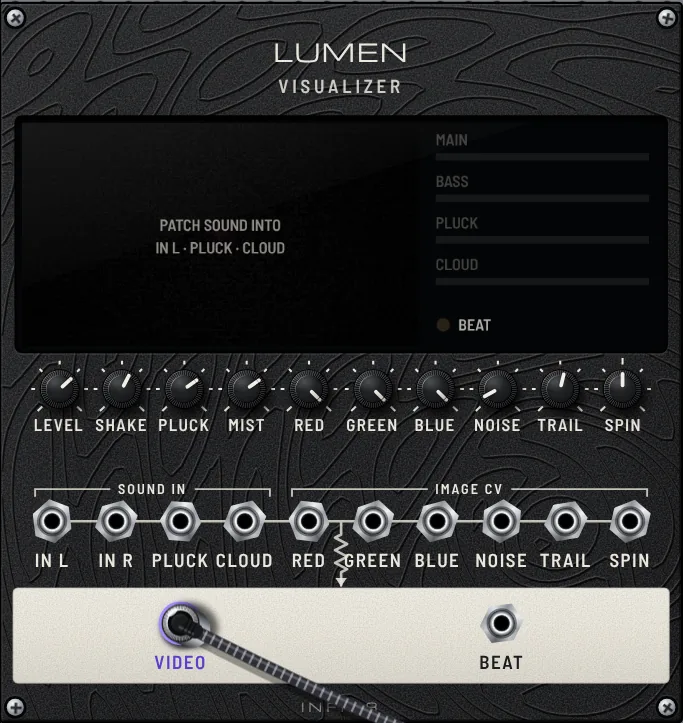
A module will not move

MODULE LOCK locks modules when its amber light is on. Turn it off and try again. If the case is full, use ROWS + to add rows.

I changed a lesson patch

Select the same lesson from ★ LESSONS to restore its original state. To return to the patch you were editing before the lesson, choose Back to my patch at the bottom of the list.

The interface is slow

The current version runs with full visual effects. Close other busy apps and tabs, or reduce the number and output size of visual modules.
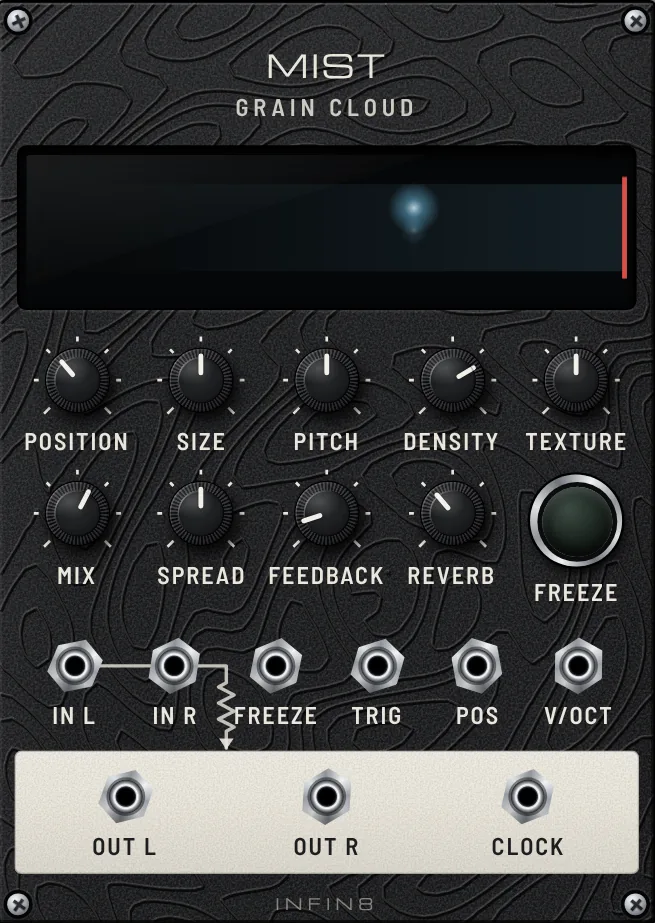
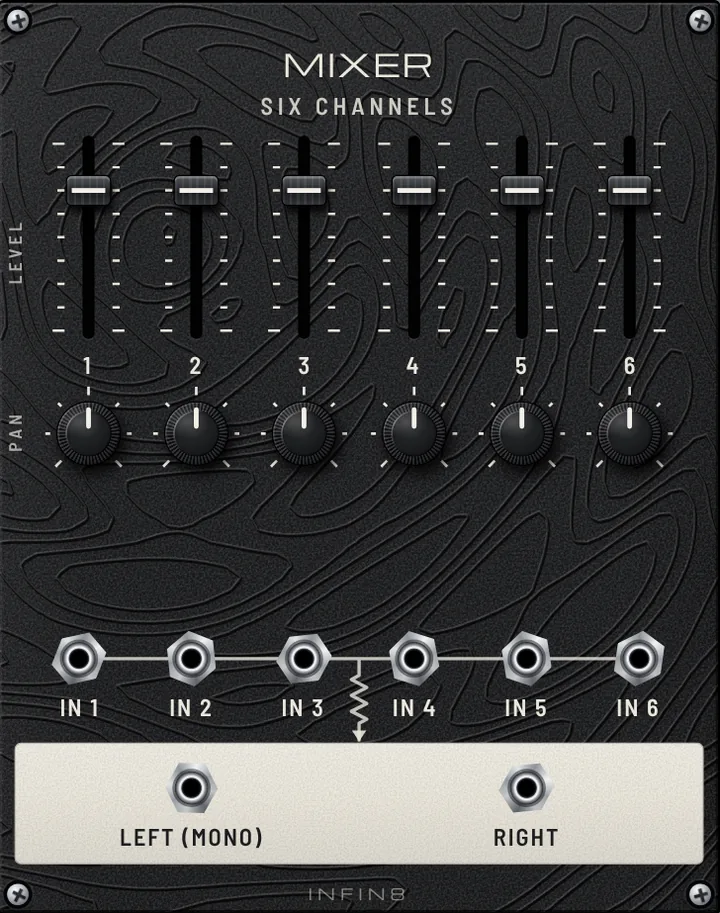
My MIDI controller does not respond

Use Chrome or Edge and allow MIDI access when prompted. Then: MIDI LEARN → move a rack knob → turn a controller knob. To remove a mapping, select the knob while MIDI Learn is armed and press Delete; cancel with Esc.
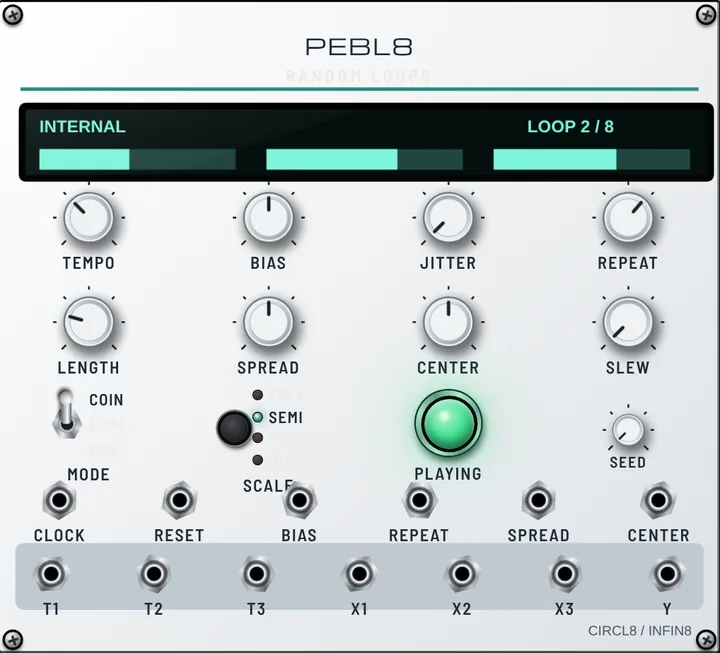
How do I play music in DECKS?

Use LOAD to select a music file on your computer, then press PLAY. Connect the DECKS audio output to LINE OUT to hear it.

10 · Glossary

Useful terms

The panel abbreviations are simpler than they first appear.

VCO Oscillator
Voltage Controlled Oscillator: a sound generator whose pitch is controlled by voltage.
VCF Filter
Voltage Controlled Filter: removes selected frequency ranges from a sound.
LFO Low-frequency oscillator
A waveform too slow to hear, used to move other parameters gradually.
CV Control voltage
Control Voltage: a signal carrying parameter values rather than sound.
V/OCT Pitch input
A value of 1.0 raises pitch by exactly one octave. Connect a sequencer’s PITCH here.
TRIG · GATE Trigger · gate
A trigger is a brief “play now” pulse; a gate stays active while a note is held.
ENV Envelope
The shape of a note as it rises and fades. Feed it to VCF for percussive filter movement.
CUTOFF · RES Cutoff · resonance
The point where filtering begins, and the emphasis around that frequency.
LP · HP · BP
Low-pass: low frequencies · high-pass: high frequencies · band-pass: a middle range.
SIN · TRI · SAW · SQR Waveform
Sine: pure · triangle: soft · sawtooth: bright and rich · square: hollow.
HP Module width
The Eurorack width unit. Each MUHAN MODULAR row is 104HP.
PatchPatch
A configuration of modules and cables, saved as an .inf8patch file in MUHAN MODULAR.
SequencerSequencer
A module playing a repeating sequence of notes or beats, such as STAGES or RHYTHM.
ClockClock
A regular timing signal keeping modules synchronized.
GranularGranular
A technique that cuts sound into tiny grains and scatters them into cloud-like textures, as in MIST.
PPQN
Pulses per quarter note. Select this for ATLAS CLOCK IN.